
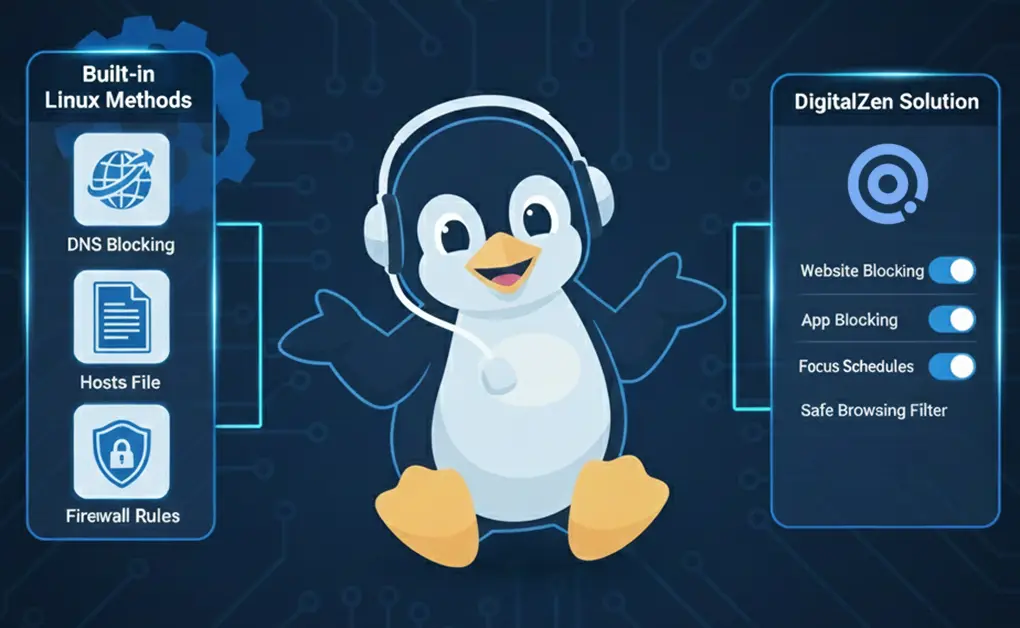
If you want a reliable Linux porn blocker, you have two options: use built-in Linux methods (DNS, hosts file, firewall rules) or use a tool like DigitalZen for browser-level or system-wide blocking. Both approaches can prevent access to adult websites, help parents secure shared computers, and stop unwanted content across browsers and apps.
Key Takeaways
- Two Types of Porn Blocking on Linux: You can use system-level methods like DNS, hosts file, and firewall rules, or choose tool-based options such as DigitalZen.
- System-Level Blocking Works Everywhere: These methods apply across all browsers and apps without installing additional software.
- DigitalZen Adds Easy Visual Control: You can block adult sites through a simple browser extension or a system-wide desktop app.
- Best Results Come From Layering Methods: Combine DNS filtering, firewall enforcement, and DigitalZen for strong, everyday protection.
Method 1: Block Adult Content Using Family-Safe DNS (FamilyShield DNS)
A quick way to block adult content on Linux is to switch your DNS to FamilyShield. This family-safe DNS service automatically filters adult domains, so your system blocks inappropriate sites before they load. Once configured, all browsers and apps on your computer use the filtered DNS servers.
FamilyShield works by checking every domain request against its predefined list of harmful websites. If a site matches a blocked category, the DNS response is replaced with a warning page instead of the real address.
FamilyShield DNS Addresses
Use these DNS servers:
- 208.67.222.123
- 208.67.220.123
How to Set It Up (GUI with Network Manager)
1. Open Network Settings from the Activities Overview.
2. Select your active network and click the gear icon.
3. Open the IPv4 Settings tab.
4. Set Method to Automatic (DHCP) addresses only.
5. Enter:
208.67.222.123, 208.67.220.123
6. Save the settings and reboot.
7. Visit the FamilyShield test page to confirm that filtering is active.
Terminal Fix (If DNS Resets After Reboot)
1. Back up your existing resolv.conf:
sudo cp /etc/resolv.conf /etc/resolv.conf.auto
2. Locate your dhclient.conf file:
sudo find /etc -name dhclient.conf
3. Open it in a text editor:
sudo gedit /etc/dhcp/dhclient.conf
4. Add this line before the require subnet-mask directive:
supersede domain-name-servers 208.67.222.123,208.67.220.123;
5. Restart your network interface (name may vary):
sudo ifdown eth0 && sudo ifup eth0
Strengths
- Easy to configure
- No installation required
- Automatically maintained by FamilyShield
Weaknesses
- Anyone can bypass the block by changing DNS settings
- Filtering categories cannot be customized
Method 2: Block Porn Using the /etc/hosts File (Manual Entries)
You can block specific adult websites on Linux by adding them to the /etc/hosts file. When a domain is redirected to 0.0.0.0, your system won’t reach the real website, and the site fails to load in every browser and application. This method is simple and requires no installation.
It’s best to block only a few known websites, since adult domains change frequently, and adding entries one by one becomes difficult to maintain.
How It Works
The /etc/hosts file maps hostnames to IP addresses. If you point a domain to 0.0.0.0, the request stops immediately and cannot reach the real server. This effectively blocks the domain for the entire system.
How to Edit the /etc/hosts File
1. Open the hosts file with a text editor:
sudo -H gedit /etc/hosts
2. Add one line per website you want to block:
0.0.0.0 site.to.block.com
0.0.0.0 another.site.net
3. Save the file.
4. Restart your computer if the changes do not apply right away.
Strengths
- Easy to configure
- Blocks domains across all apps and browsers
- No extra tools or software required
Weaknesses
- Not scalable for long lists
- Adult sites change domains frequently
- Requires manual updates
Method 3: Auto-Update /etc/hosts With a Daily Porn Blocklist (Advanced Linux Method)
You can block a massive number of adult websites on Linux by automatically updating your /etc/hosts file each day. This method downloads an extensive porn-and-gambling domain list, replaces your hosts file, locks it so it cannot be edited, and restarts your network service to apply the changes.
Since porn sites constantly change domains, updating the file daily keeps the blocklist fresh and prevents new sites from slipping through. Once configured, it runs on its own and requires no ongoing maintenance.
What the Script Does
- Creates a temporary file
- Removes immutability from /etc/hosts
- Downloads the Steven Black porn + gambling blocklist
- Replaces the hosts file only if the download is successful
- Deletes the temporary file
- Applies immutability again to prevent changes
- Restarts NetworkManager to flush DNS
- Runs automatically via /etc/cron.daily
How to Set It Up
1. Create a script in /etc/cron.daily:
sudo nano /etc/cron.daily/hosts_update
2. Paste this script:
#!/usr/bin/env bash
# Simple cron job to update host file with porn/gambling block list
# /etc/cron.daily/hosts_update
# hosts file
FILE=/etc/hosts
# create temporary file in /tmp and store its name in tmpFile
TMP_FILE=$(mktemp)
# create empty file if not exists
if [ ! -f $FILE ]
then
touch $FILE
fi
# remove immutability
chattr -i $FILE
# This will replace /etc/hosts only if the url returns OK
if wget https://raw.githubusercontent.com/StevenBlack/hosts/master/alternates/gambling-porn/hosts -q -O $TMP_FILE; then
mv -f $TMP_FILE $FILE &> /dev/null
fi
rm -f $TMP_FILE
# make the file immutable, i.e., protect anyone even root from altering it
chattr +i $FILE
# flush dns cache
service network-manager restart
3. Make it executable:
sudo chmod 755 /etc/cron.daily/hosts_update
4. Run it once to apply the blocklist:
sudo /etc/cron.daily/hosts_update
The blocklist will update automatically each day, even if the computer wasn’t continuously powered on.
Strengths
- Covers millions of domains
- Updates automatically
- Hosts file is locked to prevent changes
- Works for all user accounts
- Requires no additional software
Weaknesses
- Requires editing system files
- Blocks both porn and gambling sites (helpful if you also want to block gambling sites, but not adjustable)
- Depends on the external blocklist provider
Method 4: Enforce Safe DNS With Firewall Rules (iptables / UFW)
You can stop users from bypassing your porn blocker by enforcing safe DNS through your firewall. This method blocks outgoing DNS requests to untrusted servers and only allows DNS traffic to your chosen filtered DNS provider, such as FamilyShield. By controlling DNS at the firewall level, users cannot switch to open DNS services like 8.8.8.8 to access adult sites.
How This Method Works
DNS requests use port 53. If this port is left open to all servers, anyone can change their DNS settings and bypass filtering. By allowing DNS only to specific servers and blocking all other DNS traffic, every lookup must go through the filtered DNS you’ve chosen.
What Firewall Rules Can Do
With firewall rules, you can:
- Force all DNS queries to pass through your safe DNS provider
- Block port 53 for every other DNS server
- Prevent switching to public DNS services (like 8.8.8.8)
- Optionally block porn-related IPs (not effective long-term because IP addresses change frequently)
These controls can be set using either iptables or UFW.
Strengths
- Prevents DNS bypass attempts
- Works across all browsers and apps
- Makes DNS filtering far more reliable
- Useful for shared or supervised computers
Weaknesses
- Requires familiarity with firewall configuration
- Blocking by IP is unreliable because porn sites change IPs quickly
- Misconfigured rules can affect general network access
Method 5: Block Adult Content on Linux Using a Browser Extension
You can block adult websites on Linux by installing a website-blocker browser extension. This is a simple option for users who want a visual, click-and-configure setup instead of editing DNS, hosts files, or firewall rules.
Browser extensions work at the browser level. They check each site you visit and block pages that match adult categories or domains you’ve added to a custom list. This makes them useful for personal use, light parental control, or productivity-focused blocking.
How This Method Works
- The extension monitors URLs as you browse.
- When a URL matches an adult domain or rule, the page is blocked or redirected.
- Many extensions allow you to:
- Enable “adult content” or “NSFW” filters
- Add your own blocked sites
- Protect settings with a password
- Apply schedules (e.g., only allow certain sites during specific hours)
How to Use a Browser Extension for Porn Blocking
- Open your browser’s extension/add-ons store.
- Search for a Linux website blocker or install the DigitalZen browser extension.
- Enable the extension and open its settings page.
- Turn on adult-content filtering or add specific domains you want to block.
- Save the settings and test by visiting a known adult website.
This gives you quick, browser-only filtering without touching any system configuration.
Strengths
- Very easy to set up and manage
- No terminal commands or system file edits
- Works on Chrome, Firefox, and Chromium-based browsers
- Supports custom blocklists and category-based filtering
- Ideal for users who want a clear GUI and per-browser control
Weaknesses
- Only affects the browsers where the extension is installed
- Can be bypassed by using a different browser or app
- Less robust than DNS- or firewall-based blocking
Method 6: Block Porn System-Wide on Linux Using a Desktop App
You can block adult content across your entire Linux device by using the DigitalZen desktop app. Instead of protecting only one browser, DigitalZen filters websites and (optionally) apps at the system level. It provides strong protection without affecting DNS settings, host files, or firewall rules.
This system-wide filtering also makes DigitalZen a practical option if you need a reliable adult website blocker, since it can block adult domains and keyword-based content across supported browsers and apps.
How DigitalZen Works
The desktop app runs in the background and monitors the URL access of the supported browsers. When a site URL or title matches an adult domain or a blocked keyword, DigitalZen stops the request before the page loads. DigitalZen can also be set to block the browser itself, which makes it harder to bypass than a simple browser extension.
How to Install and Set It Up
- Install the browser extension. Adds quick, in-browser controls and integrates with DigitalZen’s system.
- Click the “One Click Setup” option. DigitalZen applies a default configuration, so blocking starts immediately.
- (Optional) Install the desktop agent from within the app. Enables app blocking and stronger system-wide controls.
After setup, DigitalZen continues to enforce your rules in the background.
Strengths
- Provides device-wide blocking instead of per-browser protection
- Can block based on keywords, and not just a domain name
- Harder to bypass than extensions alone
- Includes scheduling, focus tools, and lock options
- Simple to manage through a graphical interface
- No need to edit low-level system or network settings
Weaknesses
- Requires installing a desktop application
- Some features depend on using both the extension and the desktop agent
Whitelisting vs. Blacklisting: Which Works Better for Blocking Adult Sites?
Blocking adult content on Linux becomes challenging because porn websites spread across millions of domains, with new ones created every day. Some even use dozens of subdomains (like ww1.example.com) that appear and disappear rapidly. Because of this, choosing the right blocking strategy matters.
There are two main approaches: blacklisting and whitelisting.
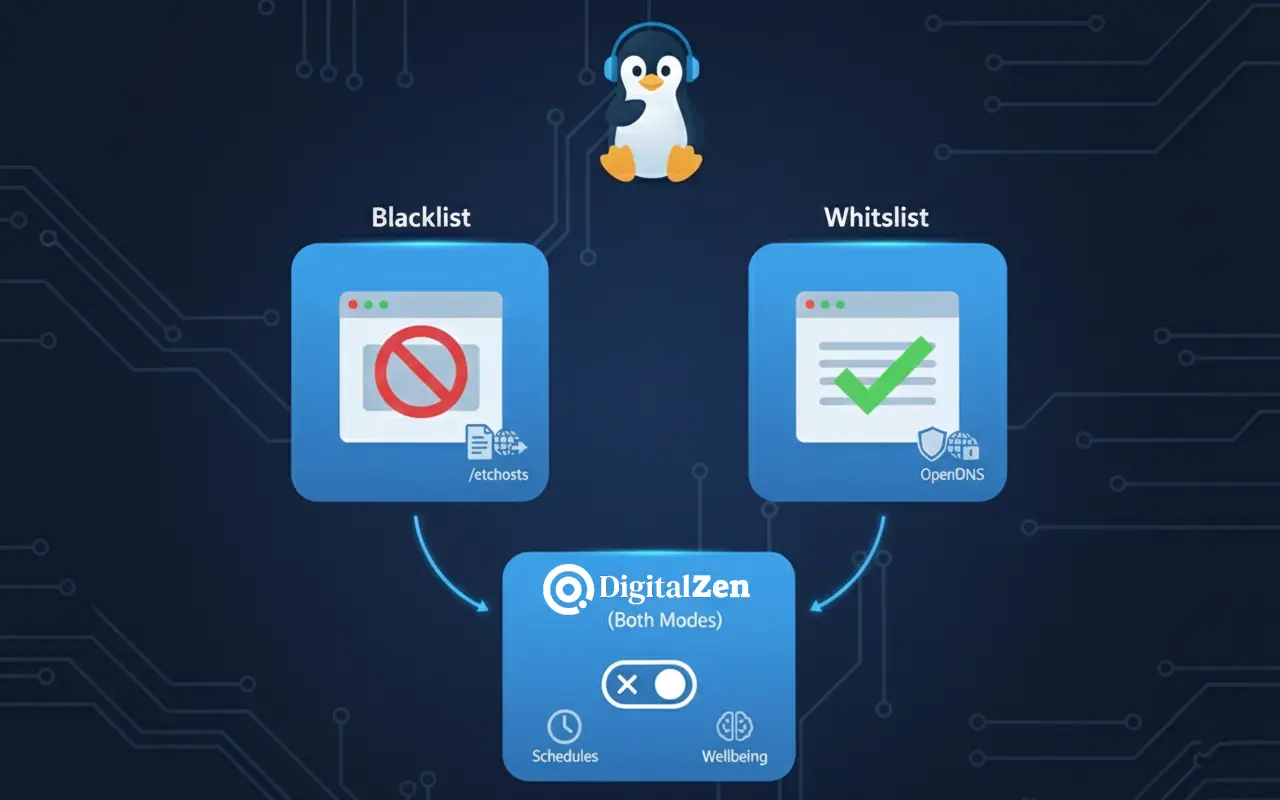
Blacklisting (Reactive Filtering)
Blacklisting blocks known porn domains.
This works, but it’s reactive; your system blocks only what’s already on the list. New domains can slip through until lists are updated.
Examples of blacklist-based approaches:
- /etc/hosts
- Auto-updating hosts file
- Family-safe DNS services
Pros:
- Easy to start
- Works with most blocking methods
- No need to approve each site manually
Cons:
- Millions of domains to track
- Adult sites constantly change addresses
- Needs regular updates
Blacklisting suits adults and productivity-focused users who only need to block categories of websites, not the entire internet.
Whitelisting (Proactive Filtering)
Whitelisting takes the opposite approach: instead of blocking bad sites, you allow only approved sites and block everything else by default.
This is far more effective for kids or shared computers because:
- No need to track new porn domains
- Bypass attempts fail automatically
- Only approved websites load
Examples of Linux-friendly methods that support whitelisting:
- Firewall rules (iptables/UFW): Allow traffic only to approved domains or IPs
- DNS filtering with OpenDNS Home: Create a custom domain allowlist
- Hosts file: Allow specific sites and redirect everything else
Whitelisting is powerful but can feel restrictive if multiple users share the same device.
Where DigitalZen Fits Into This
DigitalZen does not require you to maintain large blocklists or manually whitelist websites. Instead, it supports both approaches and adds extra flexibility that system-level methods cannot provide.
- Blacklist mode: Block adult sites, social media, or any category you choose. Uses domain lists and keywords to block.
- Whitelist mode: Allow only approved websites during focus sessions or parental-control setups
In addition to these modes, DigitalZen also includes features that go beyond what standard domain-based blocking can achieve.
Keyword-Based Blocking
System-level methods such as DNS, host files, or firewall rules can only block entire domains. DigitalZen can block based on keywords found in the page title or URL, which lets you filter specific paths or content without blocking the whole site.
For example, you can block:
safesite.com/blog/adult-content even if the main domain is safe. Traditional methods cannot target content at this level.
Exceptions for Mixed-Content Websites
DigitalZen also includes an exception list that allows you to block or allow individual URLs on websites that contain both safe and adult content.
Examples:
- Block reddit.com but allow a specific work-related page.
- Allow the main domain and block only certain URLs or sections.
This gives you fine-grained control that system-based blocking methods do not offer.
Because it uses system-wide controls and browser-level rules, it lets you apply each approach when it makes sense:
- Whitelist for children or strict environments
- Blacklist for everyday use or productivity
DigitalZen also works as a practical screen time tracker, letting you set limits, schedule focus periods, and moderate time spent on apps and websites.
This gives you the flexibility of both strategies without editing DNS, hosts files, or firewall rules manually.
Conclusion: Finding the Most Effective Porn Blocking Method for Linux
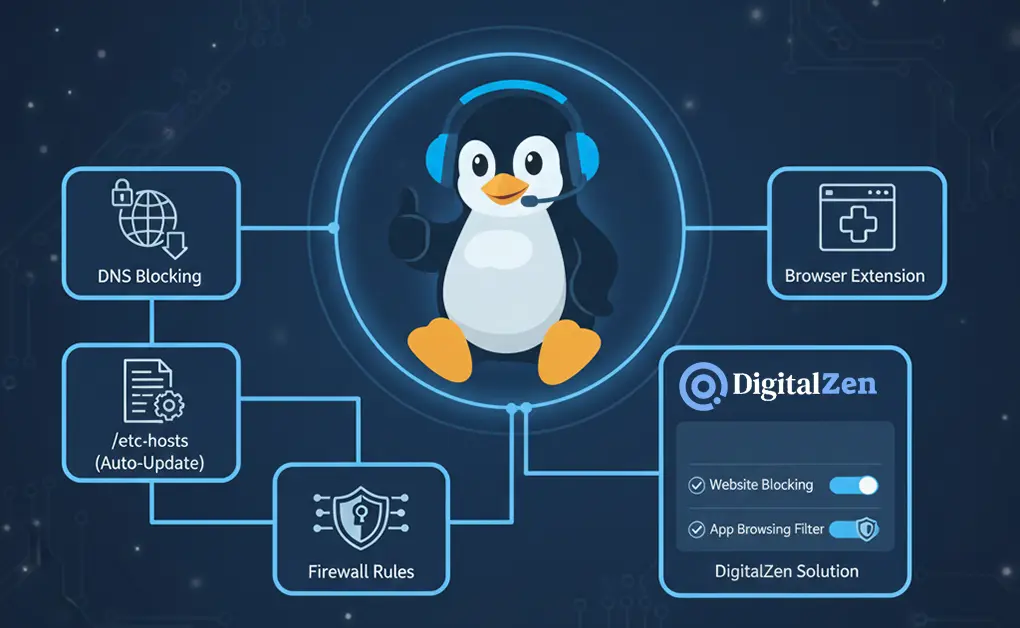
Blocking adult content on Linux can be done in several effective ways, from simple DNS filtering to more advanced hosts-file and firewall configurations. Each method offers a different level of control, making it easy to choose an approach that matches how much restriction you need on your system.
System-level techniques work well when you want broad coverage across all browsers and apps. DNS filtering is quick to set up, automated blocklists handle the constant flow of new domains, and firewall rules help prevent users from bypassing your settings. Together, these tools offer reliable protection for both personal and shared computers.
If you prefer something easier to manage, DigitalZen gives you a straightforward option with either a browser extension or a full system-wide desktop app. It lets you block adult content without touching DNS settings or configuration files, making it a practical choice for parents, teams, or anyone who wants strong filtering with a clean, visual interface.
Frequently Asked Questions
What’s the Difference Between Blocking Porn With DNS vs. Using the Hosts File?
DNS filtering blocks adult sites before the system resolves their addresses, making it quick and easy to set up. The hosts file blocks specific domains locally. DNS is broader and easier, while host-file blocking is more precise but requires manual updates unless automated.
Can Kids or Other Users Bypass These Blocking Methods?
They can bypass simple methods like hosts-file edits or DNS changes unless you lock them down. Firewall rules and immutable host files provide stronger protection. Tool-based solutions like DigitalZen also make bypassing more difficult with lock modes and integrated system controls.
Does a Browser Extension Block Porn in Every App on Linux?
No. Browser extensions only work inside the browser where they’re installed. They don’t block adult content in other browsers or apps. For system-wide blocking, use firewall rules, DNS filtering, or a desktop app like DigitalZen.
What’s the Easiest Long-Term Way to Block Porn on Linux?
A daily auto-updating hosts blocklist is the lowest-maintenance native approach. However, DigitalZen Premium offers a much simpler, fully automated alternative. It updates filters on its own, blocks websites and apps system-wide, and requires no scripts or technical setup.
References:
- https://itsfoss.com/block-adult-content-linux/
- https://askubuntu.com/questions/695840/is-there-any-software-that-blocks-porn-on-all-browsers-that-i-can-install
- http://www.pluckeye.net/%20e2guardian:%20http://e2guardian.org/
- https://joao-pimentel-ferreira.medium.com/how-to-block-porn-on-your-ubuntu-debian-computer-b19c4fb0c677