
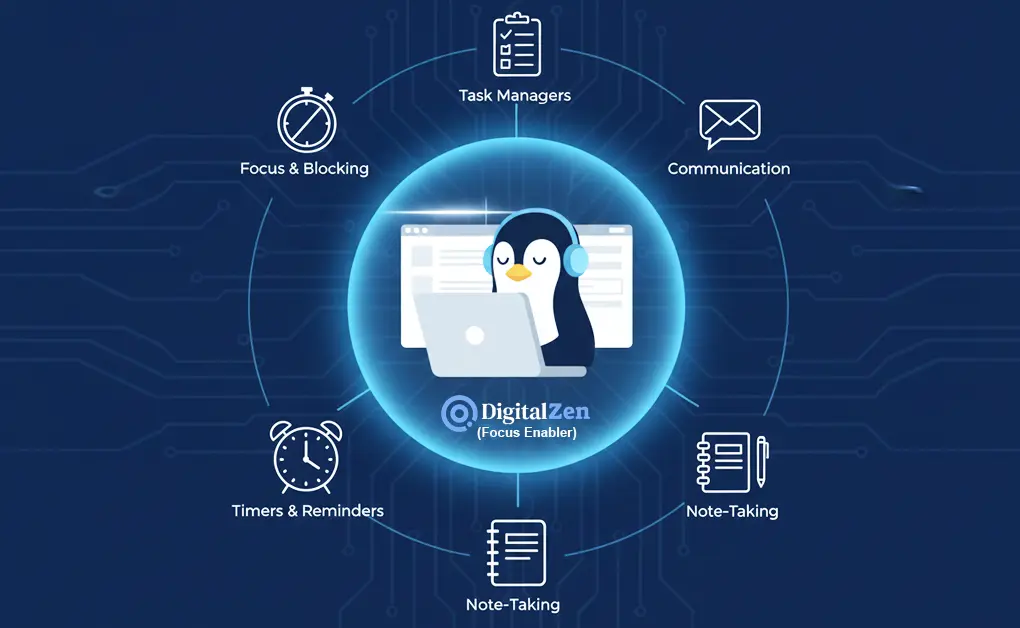
Some of the best Linux productivity apps to stay focused and organized include GoForIt! and Reminduck for timers and reminders, DigitalZen for blocking distracting apps and websites, Planify and Super Productivity for task management, Joplin or Obsidian for notes, and Slack or Thunderbird for communication.
Key Takeaways
- Linux offers diverse productivity apps: focus timers, reminders, task managers, note tools, and communication platforms work smoothly across popular distros, letting you build a flexible workflow without relying on heavy or proprietary software.
- Combining focus, reminder, and task tools: structured sessions, recurring prompts, and simple planners help you control your schedule, reduce context switching, and keep important work visible instead of buried in scattered windows or browser tabs.
- Note-taking and communication apps support clarity: Markdown notebooks, knowledge systems, email clients, and team chat tools centralize ideas and updates so you can follow conversations, revisit decisions, and stay aligned without juggling multiple disorganized channels.
- DigitalZen strengthens your Linux workflow: it blocks distracting apps and websites across the system, adds anti-bypass protections, and protects deep-focus time so your other productivity tools work better instead of competing with constant digital noise.
Focus, Reminder, and Anti-Distraction Apps
These Linux apps help you stay focused, avoid distractions, and build healthier work habits. They work across many Linux distributions and are easy to install, primarily via Flatpak or other cross-platform methods.
1. GoForIt!
GoForIt! is a simple app with a clean user interface that combines a to-do list and a built-in focus timer. It’s ideal for users who want structured work sessions without switching to a proprietary tool. Lightweight and available for Linux on most distros, it fits naturally into any desktop workflow.
How It Helps
- Breaks work into focus intervals to support steady productivity
- Works like a Pomodoro timer for users using Linux
- Keeps tasks organized in a minimal, distraction-free layout
- Reduces context switching with a simple graphical timer
- Easy to install through Flatpak, making setup quick
2. DigitalZen
DigitalZen is a cross-platform focus-and-blocking app with strong compatibility across every major Linux distribution. It’s a must-have for users who struggle with digital distractions. Unlike simple reminder tools, DigitalZen actively blocks websites and apps, helping you maintain deep focus on the desktop.
How It Helps
- Starts built-in focus sessions with one click, boosting productivity
- Blocks distracting apps and websites during work hours
- Uses adaptive locks (Cooldown, Friend Lock) to reduce impulsive unlocking
- Offers predefined schedules for work-life balance across distros
- Prevents stopping or uninstalling the app
For detailed compatibility, check the supported Linux OSes for DigitalZen to confirm your distro is fully supported.
3. Reminduck
Reminduck is a light reminder app designed for people who need simple, recurring alerts without complex menus. It offers a charming graphical experience on the desktop. Best for users who want gentle nudges to stay consistent with habits while using Linux on different distros.
How It Helps
- Sends soft, non-intrusive reminders to support daily productivity
- Handles simple daily/weekly/monthly reminders effectively
- Minimal design suited for users who prefer non-proprietary tools
- Easy installation across any Linux distribution
- Keeps routines on track without relying on cloud-based extension systems
Task Managers and To-Do List Apps
These tools help organize tasks, manage priorities, and stay consistent. There are some of the must-have Linux options for improving daily productivity. Each tool is simple to use, designed for real work, and makes it easier to turn plans into action.
4. Zenkit To Do
Zenkit To Do is a lightweight tool that offers folders, lists, reminders, and task sharing in a clean environment. It is an app available on multiple platforms, making it a reliable choice for users who want consistent task management. It is simple, and most people will find it easy to use without setup friction.
How It Helps
- Allows quick task organization across devices, making it easy to stay consistent
- Works well as a tool if you don’t need a complex project system
- Provides list sharing and reminders
- Syncs tasks across platforms, which helps when you prefer to use multiple devices
- Functions smoothly on any Linux desktop with minimal configuration
5. Planify
Planify is a modern Linux application designed for users who want a clean, beautiful user interface with smart organizational tools. It is one of the best open-source task managers for Linux users’ workflows, thanks to its cloud sync and flexible scheduling features. Its design makes it feel like one of the best available choices for simple planning.
How It Helps
- Offers a clean layout with sections, labels, and reminders
- Includes Todoist sync for people who want to store tasks in the cloud
- Provides recurring tasks and calendar integration, making it easy to plan long-term
- Maintains privacy by supporting Nextcloud and CalDAV for users who value privacy and security
- Offers attachments, progress indicators, and an offline mode to help you stay organized anywhere
6. WeekToDo Planner
WeekToDo is a minimalist weekly planner designed for users who want a distraction-free way to schedule priorities. It is a Linux application that feels light and intentional, ideal if you prefer a structured weekly overview. Its straightforward design helps you stay focused without bells and whistles.
How It Helps
- Helps you map your weekly priorities
- Includes sections for personal and work tasks to separate commitments
- Offers a tidy interface that keeps your planning simple
7. Super Productivity
Super Productivity is one of the strongest tools for Linux task managers, especially for developers. This open-source workspace combines tasks, notes, and time tracking in one place. It integrates with GitHub and GitLab.
How It Helps
- Combines tasks, notes, and time tracking
- Provides GitHub and GitLab integration, which is helpful for communication and collaboration
- Offers a streamlined approach that reduces friction during deep work
- Has an intuitive download page and setup process, easier to start working
8. Zenkit Base
Zenkit Base is a flexible project tool that uses Kanban boards, tables, calendars, and mind maps to break down complex work. It suits users who prefer a visual system. It is one of the apps that adapts to your workflow rather than forcing you into a single structure.
How It Helps
- Let’s you reorganize projects visually, which improves day-to-day productivity
- Offers swimlanes, categories, and custom fields for people who like the ability to personalize workflows
- Supports multiple views so you can quickly move between Kanban, list, and calendar layouts
- Suits teams that want structured project tracking without heavy enterprise-style complexity
- Constantly updated and open to suggestions, which keeps it flexible for long-term use
Note-Taking and Organization Apps
These note-taking tools help you capture ideas, structure your thoughts, and keep important information organized across your devices. They support Markdown, tagging, and flexible organization systems suited for students, professionals, and anyone managing complex notes.
9. Joplin
Joplin is a powerful open-source note-taking app designed for users who want full control of their notes across multiple devices. It supports Markdown, notebooks, tags, and end-to-end encryption, making it reliable for both personal and professional use. Joplin is best for people who want a secure and flexible way to collect tasks, ideas, and long-form notes.
How It Helps
- Let’s you organize notes into notebooks and sub-notebooks
- Supports Markdown for clean, structured writing
- Syncs across devices using services like Nextcloud, Dropbox, or local file storage
- Includes tagging for easy sorting and fast retrieval
- Offers end-to-end encryption for secure note storage
10. Notes-Up
Notes-Up is a simple, intuitive note-taking app designed for users who prefer notebook-style organization. It has an easy-to-use Markdown editor, supports sub-notebooks, and includes helpful features like auto-saving and quick search. The interface feels clean and lightweight, making it ideal for everyday writing and study notes.
How It Helps
- Provides a fast Markdown editor for clean, structured notes
- Let’s you organize notes using notebooks, sub-notebooks, and tags
- Supports plugins such as embedded videos and custom text colors
- Automatically saves your work as you type
- Allows exporting to PDF or Markdown for easy sharing
11. Obsidian
Obsidian is a knowledge management tool built for users who prefer deep, interconnected thinking. It stores notes as local Markdown files and visualizes connections through its graph view. This makes it a strong choice for researchers, writers, and anyone managing complex information over long periods.
How It Helps
- Allows linking between notes to create a connected knowledge system
- Uses a visual graph to show idea relationships
- Supports community plugins for tasks, calendars, automation, and more
- Works offline with local Markdown files
- Helps structure complex information in a flexible, non-linear way
Communication Apps That Support Workflow
Communication tools are essential for staying organized, keeping projects moving, and managing information across a team. These apps help streamline conversations, centralize updates, and reduce the back-and-forth that slows productivity daily.
12. Slack
Slack is a widely used communication platform that brings team messaging, channels, and file sharing into one place. The Linux desktop version gives users the same smooth experience as other operating systems, with support for multiple workspaces and quick switching. It is ideal for teams that rely on constant collaboration and fast decision-making.
How It Helps
- Centralizes team conversations so updates stay organized
- Supports channels for projects, departments, and focused discussions
- Integrates with tools like GitHub, Google Drive, and task systems
- Provides desktop notifications to keep you aware of important messages
- Offers easy installation through Flatpak, Snap, DEB, and RPM
13. Thunderbird
Thunderbird is an open-source email client that combines email, calendar, tasks, and RSS feeds into a single dashboard. It works well for users who need a clear, organized inbox and appreciate intense searching, tagging, and message filtering. With extensions and customization options, Thunderbird adapts to a wide range of workflows.
How It Helps
- Organizes communication with a unified inbox
- Includes a built-in calendar and task manager for scheduling
- Supports POP, IMAP, Gmail, and Exchange-style accounts
- Offers tagging and virtual folders for clean sorting
- Provides extensions for advanced customization and automation
14. Virola
Virola is a self-hosted collaboration app designed for teams that want secure control over their communication and project data. It combines chat, voice, video meetings, screen sharing, and task boards into one interface. This makes it useful for remote teams who need everything in one place without relying on external cloud services.
How It Helps
- Allows private and group messaging for organized team communication
- Supports audio and video conferencing with meeting recording
- Offers screen sharing and remote-control options for real-time collaboration
- Includes task boards for tracking issues and assignments
- Provides a secure, self-hosted environment for teams that want full data ownership
Conclusion: How to Build a Productive Linux Workflow
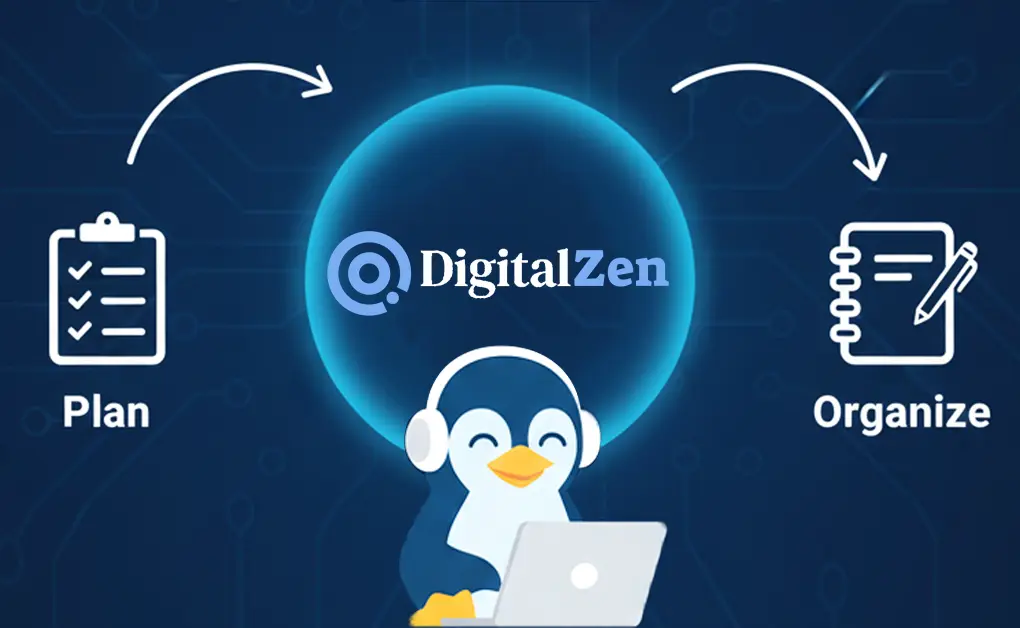
A productive Linux workflow comes from combining the right tools for planning, note-taking, and focused work. The strength of the free and open-source ecosystem gives every Linux user access to reliable apps that make daily tasks smoother and help you work more easily across any Linux desktop.
While to-do lists and note-taking apps keep your plans and ideas organized, DigitalZen fills the critical gap by blocking distractions and enforcing the focus needed to follow through. It turns your intentions into consistent action by removing the digital noise that slows you down.
The most effective setup brings everything together in a simple structure: plan your work with a task manager, organize information with a note tool, and rely on DigitalZen to protect your attention. Choosing just one tool from each category is enough to create a well-rounded system that supports clarity, structure, and deep focus throughout your day.
FAQs About Productivity Apps for the Linux Operating System
Do These Apps Work on All Linux Distros?
Most tools are available through Flatpak, Snap, AppImage, or your distro’s repositories, so they run smoothly on nearly every Linux distribution.
How Can I Reduce Distractions on Linux?
Use DigitalZen to block distracting apps and websites during work blocks. Its focus sessions and lock modes support deep work and complement other productivity tips for Linux users who struggle with impulse checking.
How Do I Choose the Best App for My Workflow?
Pick tools based on what slows you down. If planning is the issue, choose a simple task manager. If staying focused is the challenge, start with a distraction blocker.
Are These Tools Beginner-Friendly?
Yes. Most of them have clean interfaces, simple menus, and straightforward setup steps. Even if you are new to Linux, you can get productive quickly.
Do I Need to Pay for Any of These Apps?
Many options are free or open-source, but some free tools come with limitations in features or flexibility. Premium versions can offer stronger controls, better customization, and a smoother workflow, so upgrading can be worthwhile if you want a more complete productivity setup.
References:
- https://www.reallinuxuser.com/a-yearly-review-my-52-most-favorite-apps-for-linux-for-2024/
- https://www.zdnet.com/article/my-6-must-have-linux-apps-for-productivity-and-why-they-make-work-easier/
- https://itsfoss.com/to-do-list-apps-linux/
- https://opensource.com/article/20/3/productivity-apps-linux-elementary
- https://jmoerman.github.io/go-for-it/
- https://flathub.org/en/apps/io.github.ellie_commons.reminduck
- https://zenkit.com/en/todo/
- https://flathub.org/en/apps/io.github.alainm23.planify
- https://weektodo.me/
- https://super-productivity.com/
- https://zenkit.com/en/solutions/kanban/
- https://joplinapp.org/
- https://flathub.org/en/apps/com.github.philip_scott.notes-up
- https://obsidian.md/
- https://slack.com/downloads/linux
- https://www.thunderbird.net/en-US/
- https://virola.io/how-to/setup/server/linux/debian