
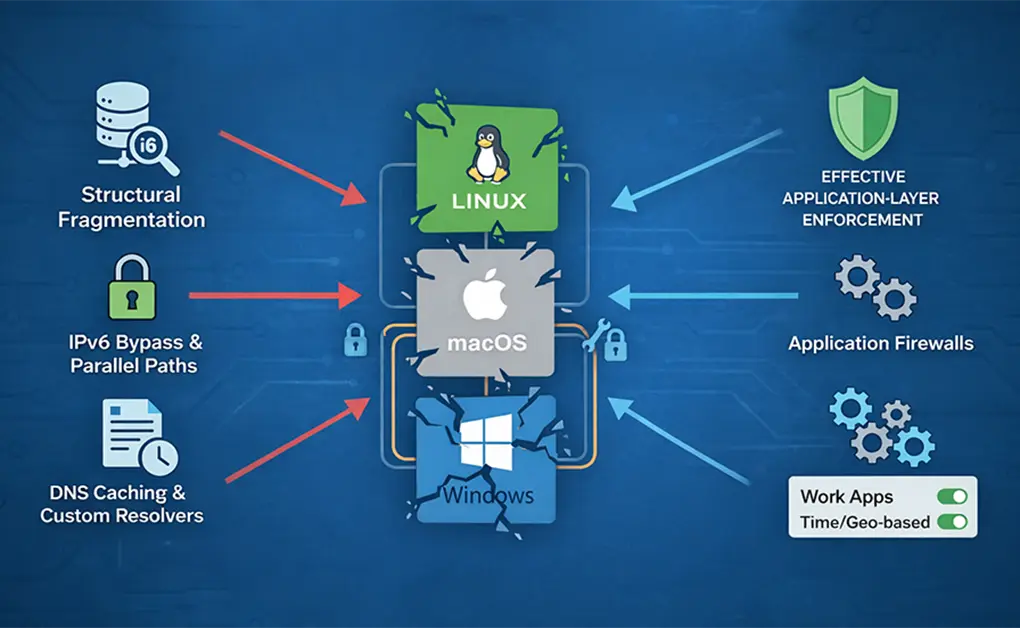
Hosts file blocking often fails on Linux, macOS, and Windows because browsers and applications can bypass it, cache DNS results, or rely on IPv6 and custom resolvers. Even correctly configured entries may be ignored. The solution is to move away from DNS-based blocking and enforce restrictions at the browser and application layers, where access decisions are made.
Key Takeaways
- Hosts File Blocking Fails for Structural Reasons: Modern operating systems use multiple resolvers, DNS caches, and parallel resolution paths. Because of this fragmentation, entries in the hosts file cannot reliably block all applications on Linux, macOS, or Windows.
- Browsers and Apps Can Bypass the Hosts File: Many browsers resolve domains internally and may use encrypted DNS or proxy-based resolution. As a result, hosts file changes can be ignored even when they appear correct, and basic tests such as ping may not reflect real browser behavior.
- DNS Caching and IPv6 Break Consistency: DNS results are cached at several system and application layers, and IPv6 introduces parallel resolution paths. This makes hosts-based blocking partial and unpredictable, even when common test domains appear to resolve correctly.
- The Hosts File Was Never Built for Focus Control: The hosts file can only block domains, not specific pages, schedules, or application behavior. This makes it unsuitable for managing distractions, usage limits, or time-based rules.
- Reliable Blocking Requires App-Level Enforcement: Consistent blocking works best at the browser and application level, where rules can account for time, context, and usage patterns instead of relying on DNS behavior.
Why Hosts File Blocking Is Unreliable Across Modern OS

1. Modern Applications Do Not Reliably Use the Hosts File
On Linux, macOS, and Windows, the hosts file is the only possible input into name resolution. Modern applications are not required to use it.
Many browsers and desktop applications now include their own DNS resolvers. Instead of relying on the operating system to resolve a hostname, they handle resolution internally. When this happens, the application never checks the hosts file, even if it is configured correctly.
This explains a common situation across all three operating systems. You block a domain in the hosts file, refresh the page, and the site still loads. Nothing is broken. The application is bypassing the system resolver entirely.
This behavior leads to two consistent outcomes:
- Changing the hosts file does not guarantee system-wide blocking
- Different applications on the same machine can resolve the same domain in different ways
When an application controls its own DNS behavior, the operating system’s resolver order no longer matters. In those cases, the hosts file becomes advisory rather than authoritative, regardless of whether you are on Linux, macOS, or Windows.
2. Browser DNS Caching Overrides Hosts File Changes
Modern browsers cache DNS results aggressively to improve performance. Once a browser resolves a domain to an IP address, it often reuses that result without checking the operating system’s resolver again.
This creates a common failure pattern across Linux, macOS, and Windows:
- You add a block to the hosts file
- You refresh the page
- The site still loads
The cached IP address is still being used. Editing the hosts file does not force the browser to perform a new DNS lookup.
Even removing and re-adding the same hosts entry does not guarantee re-resolution. From the browser’s perspective, nothing has changed. It already knows which IP address to connect to.
This is why hosts-based blocking feels unreliable inside browsers. Enforcement depends on browser DNS cache expiration, not on when the hosts file is edited. As long as cached entries remain valid, the browser can continue loading the site regardless of the hosts file.
3. DNS Caching Exists at Multiple System Layers
Modern operating systems do not rely on a single DNS cache. Linux, macOS, and Windows all use multiple layers that can store DNS results at the same time.
Depending on the operating system and configuration, DNS caching may occur in:
- System-level resolver services
- Network management or local DNS services
- Application-level resolvers
- The browser itself
Each layer caches DNS results independently. Clearing one cache does not clear the others.
This explains a common situation. You flush the system DNS cache and the site still loads because the browser cache remains intact. Or you restart the browser and still get cached results from a local resolver or network service.
Layered caching makes hosts file blocking appear inconsistent. A block is applied only after every relevant cache expires or is cleared. Until then, previously resolved IP addresses continue to be used. When name resolution depends on multiple active caches, the hosts file stops being a reliable control point, regardless of the operating system.
4. IPv6 Creates Parallel Resolution Paths
Modern operating systems resolve domains over both IPv4 and IPv6. If a domain is blocked using only IPv4 entries in the hosts file, IPv6 traffic can still succeed.
This happens because IPv6 uses a separate resolution path. When an application prefers IPv6 and finds a valid IPv6 address, it connects without ever touching the IPv4 block.
IPv6-related issues can also break hosts file behavior entirely. The hosts file relies on baseline entries such as ::1 localhost. If these entries are removed or overwritten, parts of the hosts file may be ignored without warning on some systems.
IPv6 turns hosts-based blocking into a partial solution. If all resolution paths are not handled correctly, traffic continues to flow through the unblocked route, even though the hosts file appears to be configured correctly.
5. Hosts Files Only Block Domains, Not URLs or Paths
The hosts file maps hostnames to IP addresses and nothing more.
It cannot block:
- URLs
- Page paths
- Protocols such as HTTPS
- Application-specific routes
If you try to block a specific page, section, or feature of a website, the hosts file cannot do it. Blocking applies only at the domain or subdomain level.
Modern websites rarely rely on a single hostname. They typically use:
- Multiple subdomains
- Content delivery networks (CDNs)
- Regional or dynamic endpoints
If even one required hostname is not blocked, the site can continue to load. This is why hosts file blocking often feels incomplete or unreliable, even when the configuration looks correct.
6. Some Diagnostic Tools Ignore Hosts Files by Design
Many people test hosts file changes using command-line tools such as host, dig, or nslookup. These tools perform direct DNS queries.
They do not consult:
- The hosts file
- The operating system’s resolver order
- Local name service or caching settings
When these tools return a valid IP address, it can look like the hosts file is being ignored. In reality, the test has bypassed it entirely.
This creates false negatives during troubleshooting. A block may be working for some applications while appearing broken in diagnostic output. Using the wrong tool leads to confusion and unnecessary debugging, even when the hosts file is behaving as designed.
7. Modern Name Resolution Is Fragmented by Design
Modern operating systems do not resolve hostnames through a single, unified system. On Linux, macOS, and Windows, name resolution depends on several factors, including:
- Which application is making the request
- Which resolver the application uses
- Which DNS caches are active
- Which network or system services are running
Because of this, two applications on the same machine can resolve the same domain differently at the same time. Updates, configuration changes, or network switches can alter resolution behavior without modifying the hosts file.
There is no single enforcement point for name resolution on modern systems. Hosts file blocking operates inside a fragmented environment where control is spread across layers that do not always cooperate.
This fragmentation is the core reason hosts file blocking fails consistently on modern operating systems, regardless of whether the system is Linux, macOS, or Windows.
What the Hosts File Can and Cannot Do

The hosts file is a system file that maps hostnames to IP addresses before a DNS lookup occurs. This behavior is consistent across Linux, macOS, and Windows. Understanding its original purpose makes it clear where the hosts file works well and where it breaks down.
What Hosts File Blocking Does Well
The hosts file works well for basic hostname redirection. When an application consults the hosts file, it can:
- Redirect a hostname to a local or invalid IP address
- Fail immediately without contacting a DNS server
- Work offline without relying on external services
This makes the hosts file useful for:
- Temporary testing
- Quick local overrides
- Short-lived blocks on simple domains
In controlled environments with predictable applications, hosts file blocking behaves exactly as intended.
Where Hosts File Blocking Breaks Down
Hosts file blocking breaks down when requirements go beyond simple domain redirection.
It struggles in modern environments because:
- Many browsers and desktop applications bypass the system resolver
- Dynamic websites depend on multiple domains and content delivery networks
- Blocking rules cannot change based on time, intent, or usage context
The hosts file cannot:
- Apply schedules
- Enforce limits during specific hours
- Adapt rules per application or workflow
When blocking needs to be consistent, app-aware, or time-based, the hosts file is no longer the right tool. It was built for name resolution, not for managing focus, attention, or usage behavior.
Common Fixes People Try (And Why They’re Fragile)
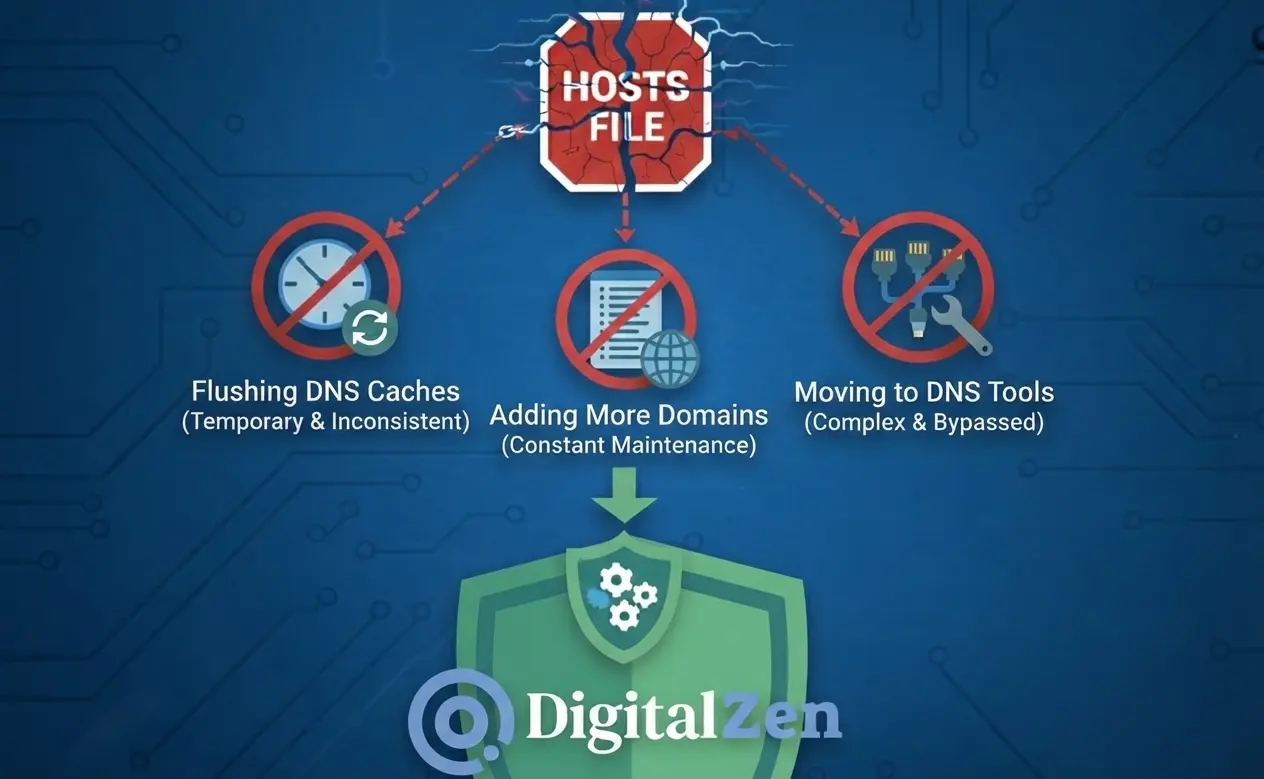
When hosts file blocking fails, the most common response is to adjust DNS behavior. These fixes can help in specific situations, but they do not address the underlying limitations of hosts-based blocking on modern operating systems.
1. Flushing System and Browser DNS Caches
Flushing DNS caches clears stored hostname-to-IP mappings so the system is forced to resolve domains again.
This can help when:
- A browser is using an outdated cached IP address
- A recent hosts file change has not been applied yet
- A resolver or local DNS service is holding stale DNS data
This fix is temporary and inconsistent.
Modern operating systems often run multiple DNS caches at the same time, including system-level services and application-level caches. Clearing one cache does not clear the others. Even after flushing the system DNS cache, browsers may continue using their own internal caches. Some applications do not recheck the system resolver until they restart.
The result is short-lived success followed by the same blocking failure returning later.
2. Adding More Domains and Subdomains
A common response is expanding the hosts file with additional entries.
This usually means:
- Blocking both example.com and www.example.com
- Adding known subdomains used by the site
- Attempting to block CDN or regional hostnames
This approach works only if every required hostname is blocked.
Modern websites depend on dozens of domains that change frequently and vary by region, device, and network. Missing a single hostname allows traffic to continue. Keeping the list accurate requires constant maintenance.
Hosts files were not designed to track dynamic infrastructure. Static entries fall behind quickly, making this approach fragile over time.
3. Moving to DNS-Level Tools
A common escalation is moving beyond the hosts file to DNS-level blocking tools such as:
- Local DNS resolvers
- Network-level DNS services
- Firewall-based blocking rules
These tools offer more control than the hosts file. They intercept DNS queries, support wildcard rules, and can block entire domains or categories of domains.
The tradeoff is complexity. DNS-level tools require setup, ongoing maintenance, and a solid understanding of the network stack. They can still be bypassed by applications that use custom resolvers or encrypted DNS, which are increasingly common across modern operating systems.
DNS-based fixes improve reliability, but they do not eliminate fragmentation. They shift blocking to a lower layer without guaranteeing consistent enforcement across all applications, regardless of whether the system is Linux, macOS, or Windows.
When Hosts File Blocking Is the Wrong Tool
Editing the hosts file and tweaking DNS settings stop being useful once the goal shifts from name resolution to managing focus and usage behavior.
Why DNS-Based Blocking Was Never Meant for Focus Control
The hosts file was built to map hostnames to IP addresses, not to manage habits, attention, or work boundaries. This limitation applies across Linux, macOS, and Windows.
DNS-based blocking cannot account for:
- Intent, such as whether a site is work-related or distracting
- Time windows, such as blocking only during work or study hours
- User context, such as which application is accessing the site
As operating systems, browsers, and applications have become more complex, DNS-based blocking has not kept pace. It still operates at the network layer, with no awareness of how or why a site is accessed.
This mismatch is why hosts file blocking feels brittle for real-world focus control, whether it’s students trying to block social media during study hours, gamers attempting to limit access to distracting platforms without breaking updates, or professionals working across changing networks and devices.
What Reliable Blocking Actually Requires
Reliable blocking needs to happen where usage decisions are made, not where network packets are routed.
Effective focus control requires:
- Browser-level enforcement, so modern browsers cannot bypass rules
- Application-level awareness, so desktop apps are blocked consistently
- Time-based and context-aware rules, so limits apply when they matter
- Consistency across networks and devices, without constant reconfiguration
When blocking is applied at the browser and application level, it no longer depends on DNS behavior. Browser-based controls alone often fall short, which is why browsers by themselves are not enough for reliable distraction blocking.
Tools like DigitalZen operate at this layer by enforcing rules directly inside browsers and desktop applications across Linux, macOS, and Windows. Scheduling, limits, and smart moderation are handled without editing system files or troubleshooting DNS behavior. For Linux users, check the list of supported distributions to confirm compatibility.
This approach removes the need to debug DNS caches, resolver order, or fragile hosts file edits, while keeping your operating system flexible and predictable.
Conclusion: Why Moving Beyond Hosts File Blocking Makes Sense
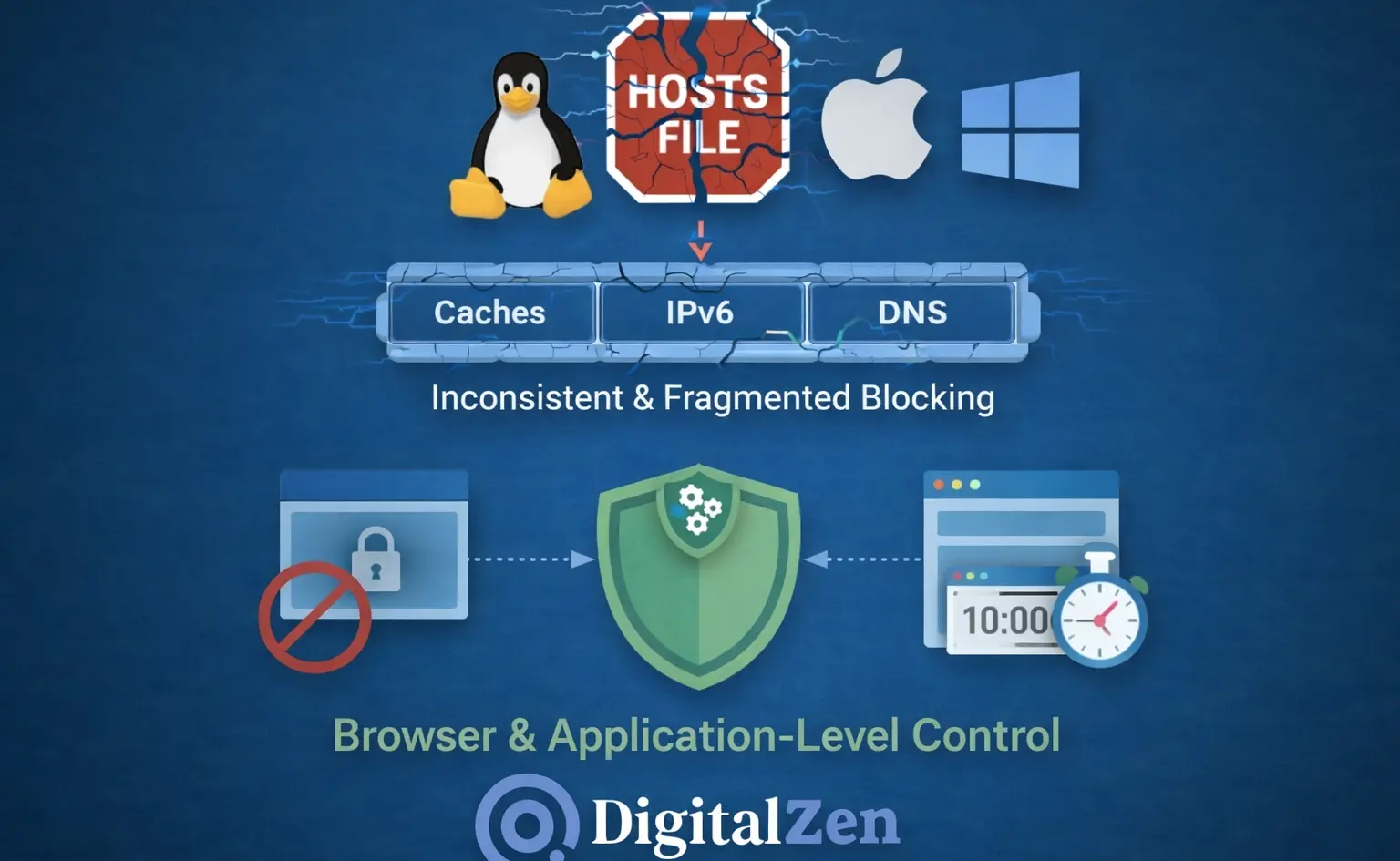
Hosts file blocking fails on modern systems for structural reasons, not because of misconfiguration. Across Linux, macOS, and Windows, applications resolve domains in different ways, browsers cache aggressively, IPv6 introduces parallel resolution paths, and DNS operates across multiple layers without a single enforcement point. In this environment, the hosts file cannot provide consistent control.
The hosts file still has value for basic hostname redirection and short-term testing. Once the goal shifts to managing focus, limiting distractions, or enforcing rules reliably across browsers and desktop applications, it stops being the right tool. Fixes like flushing DNS caches, adding more domains, or deploying local DNS servers increase complexity without removing fragmentation.
Reliable blocking works best when enforcement happens where decisions are made. That means browser- and application-level control with awareness of time, context, and usage patterns.
For users on Linux, macOS, or Windows who want blocking that actually sticks, tools like DigitalZen follow this approach. By enforcing rules directly inside browsers and desktop applications instead of relying on DNS behavior, scheduling, limits, and smart moderation work without editing system files or troubleshooting DNS issues, making it easier to stay focused across devices while keeping the operating system flexible.
Frequently Asked Questions
Why Does Hosts File Blocking Work Sometimes but Not Always on Linux?
Hosts file blocking works inconsistently on Linux because modern systems do not rely on a single name-resolution path. Browsers, desktop applications, DNS caches, and IPv6 can all bypass or override /etc/hosts. Even when the file is configured correctly, different apps may resolve the same domain in different ways, leading to partial or unpredictable blocking.
Do Browsers Ignore the Hosts File on Linux?
Many modern browsers do not consistently rely on the system resolver. Some use internal DNS resolvers and maintain their own DNS caches, which means they may never consult /etc/hosts. When this happens, changes to the hosts file have no effect inside the browser, even though other applications may still respect them.
Why Do Changes to the Hosts File Not Take Effect Immediately?
DNS results are cached at multiple levels. Operating systems may cache DNS responses through system services, and browsers often cache DNS independently. Editing the hosts file does not automatically clear these caches, so previously resolved IP addresses may continue to be used until caches expire or applications restart.
Is Flushing the DNS Cache Enough to Fix Hosts File Blocking Issues?
Flushing the DNS cache can help in some cases, but it is not a complete solution. Modern systems often have several active DNS caches, and browsers typically keep their own cached entries. Clearing one cache does not affect the others, which is why hosts file blocking may appear to work briefly and then fail again later.
Can the Hosts File Block HTTPS Websites or Specific Pages?
The hosts file cannot block HTTPS specifically, nor can it block individual pages or paths. It only maps hostnames to IP addresses. Blocking works at the domain or subdomain level, not at the URL level. If a website relies on multiple subdomains or content delivery networks, blocking a single hostname is usually not enough.
What Is the Best Alternative to Hosts File Blocking on Linux and Other OS?
Reliable blocking requires enforcement at the browser and application level rather than at the DNS layer. To consistently block websites on Linux and other operating systems, rules must apply where browsers and desktop apps actually make access decisions.
Tools designed for this purpose, such as DigitalZen, block websites and desktop apps directly without relying on DNS behavior. This approach avoids resolver inconsistencies and supports scheduling, limits, and consistent enforcement across browsers and applications on Linux, macOS, and Windows.
References:
- https://unix.stackexchange.com/questions/334838/why-isnt-etc-hosts-blocking-domains-after-i-add-blocked-sites-via-launchd
- https://forums.linuxmint.com/viewtopic.php?t=152383
- https://serverfault.com/questions/121890/hosts-file-seems-to-be-ignored
- https://superuser.com/questions/1811632/hostfile-is-not-blocking-this-website-why
- https://unix.stackexchange.com/questions/499792/how-do-etc-hosts-and-dns-work-together-to-resolve-hostnames-to-ip-addresses
- https://it.ucsf.edu/how-to/how-flush-dns-cache