
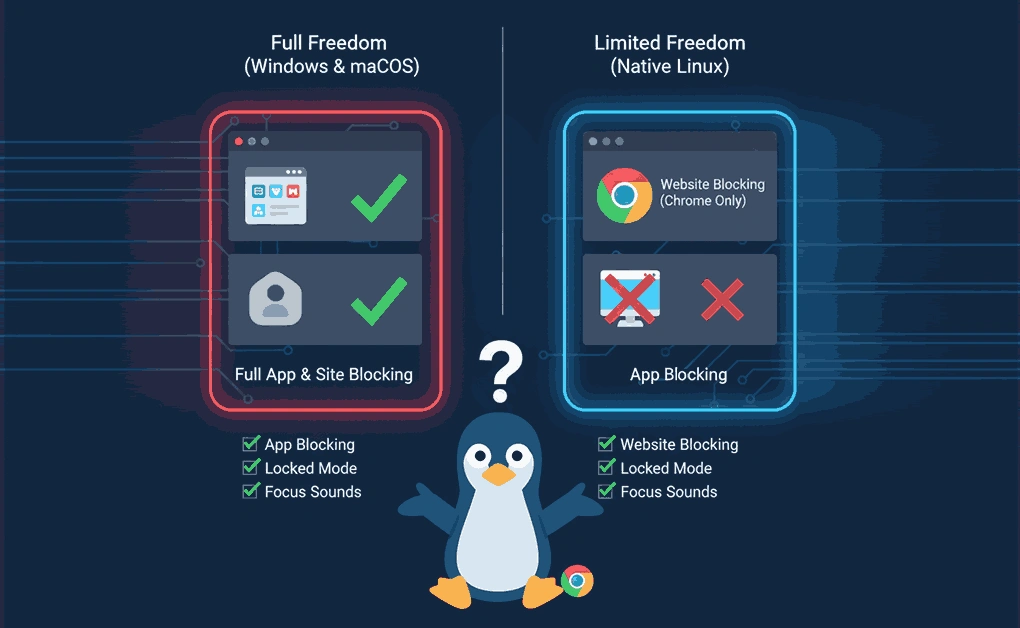
Yes, Freedom works on Linux through a Chrome browser extension that blocks distracting websites. Unlike Mac or Windows versions, Linux users can’t block desktop applications – only websites within the Chrome browser. Installation takes two steps through the Chrome Web Store, and your blocks sync across all devices on your account.
Key Takeaways
- Website blocking only cannot block Linux desktop applications
- Simple installation via the Chrome Web Store
- Same pricing as other platforms ($39.99/year for Premium)
- Limited functionality compared to Mac/Windows native apps
What is Freedom?
Freedom is a productivity app that blocks distracting websites and apps, helping users become more productive. Over 3 million people use Freedom, with users reporting an average of 2.5 hours of productive time gained each day.
Core Features
- Block Websites: Whether it’s Facebook, ESPN, or YouTube, block an unlimited number of distracting websites so you can focus on what matters.
- Block Apps: Spending too much time on apps? Freedom lets you block time-wasting apps, from email to addicting games. (Note: App blocking isn’t available on Linux.)
- Block the Internet: When you need a break or a deep focus boost, block the entire internet with a single click. (Not available on Linux.)
- Sync Across Devices: Include as many devices as you’d like in one Freedom session. Freedom supports Mac, Windows, Android, iOS, ChromeOS, and Linux (via Chrome extension).
- Blocklists: Choose from preset lists or create unlimited custom blocklists for different situations. You can even use website exceptions to block everything except the sites you need. (Website exceptions available only on Mac and Windows.)
- Advance Scheduling: Start sessions instantly or schedule them ahead of time. You can also create recurring sessions to build productive habits.
- Locked Mode: When your willpower needs extra reinforcement, enable Locked Mode to prevent yourself from ending a session early. (Available on Mac and Windows only.)
- Focus Sounds & Pomodoro Mode: Desktop versions include immersive focus sounds and Pomodoro-style timed sessions to support deep work. (Not available on Linux.)
- Additional Chrome Tools: Freedom’s optional Chrome extensions, Pause, Limit, and Insight, add features for mindful browsing, time tracking, and focus control.
How Freedom Works on Linux: Browser Extension Only
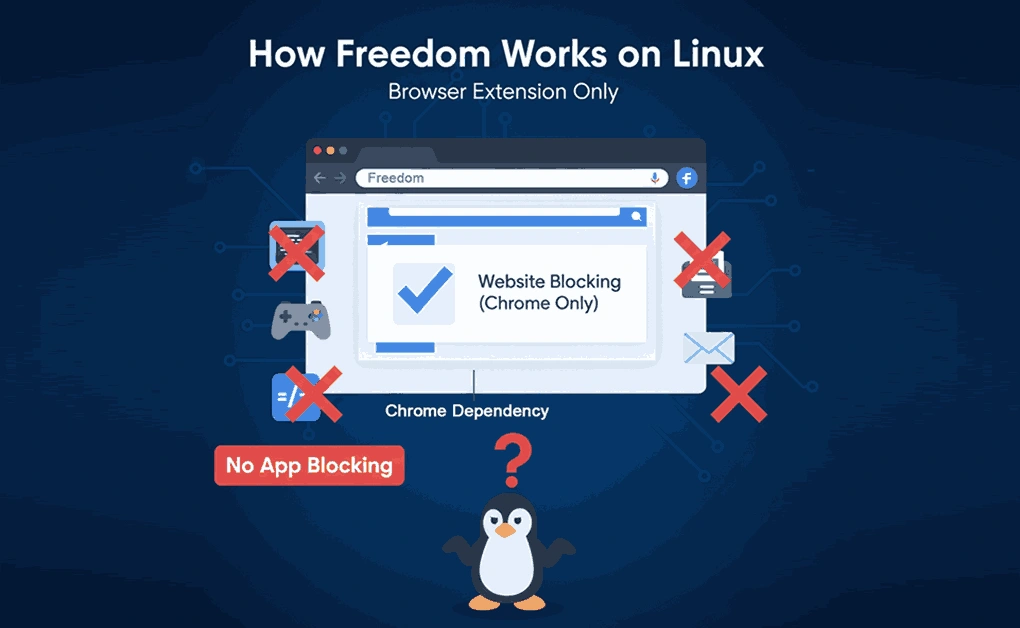
Freedom for Linux is managed through the Chrome browser extension. This allows you to use the website blocking functionality of Freedom on your computer via the extension.
What You Can Do on Linux
- Block distracting websites in the Chrome browser
- Sync blocking sessions with other devices
- Schedule recurring block sessions
- Use pre-made category filters (Social Media, Gaming, News, TV/Video)
- Create custom blocklists
Account Benefits
- One subscription covers all platforms: Mac, Windows, Android, iOS, and ChromeOS.
- Linux users can connect through the Chrome browser extension and participate in the same synced sessions.
- Premium plans include unlimited sessions and devices, with no separate pricing or restrictions for Linux users.
Freedom Limitations on Linux
- Browser Extension Only: Freedom on Linux works exclusively through the Chrome browser extension. It blocks websites within Chrome but can’t control desktop applications or enforce system-level blocking.
- Reduced Feature Set: The Linux version lacks several desktop features found on Mac and Windows, including app blocking, Locked Mode, website exceptions, Focus Sounds, and other in-app controls. It’s designed for basic website blocking and syncing only.
- No Offline or System-Wide Blocking: Because the extension functions inside a browser, Freedom can’t manage offline distractions or block programs outside Chrome. It requires an active session from the Freedom dashboard to apply blocks.
While Freedom’s browser extension is effective for basic website blocking, Linux users who want system-wide control and advanced focus tools can explore other Linux productivity apps like DigitalZen, which offers full desktop and web blocking, adaptive focus modes, and deeper distraction management for better productivity.
Freedom Alternatives for Linux Users
If you find Freedom’s Linux version too limited, there are several alternatives that offer stronger focus and distraction-blocking tools. Options range from lightweight browser extensions to full desktop-level blockers that give you complete control over your productivity environment.
DigitalZen is the most capable option among them, providing native Linux support, both website and app blocking, adaptive locks, and wellness tools for balanced focus sessions. Other alternatives include Chomper, PluckEye, StayFocusd, LeechBlock, SelfControl Linux Port, and Time Companion, each with varying levels of control and customization.
To explore a detailed comparison of these tools and find the best fit for your workflow, check out our full guide on Top Freedom App Alternatives for Linux.
Final Thoughts: Freedom’s Real Performance on Linux
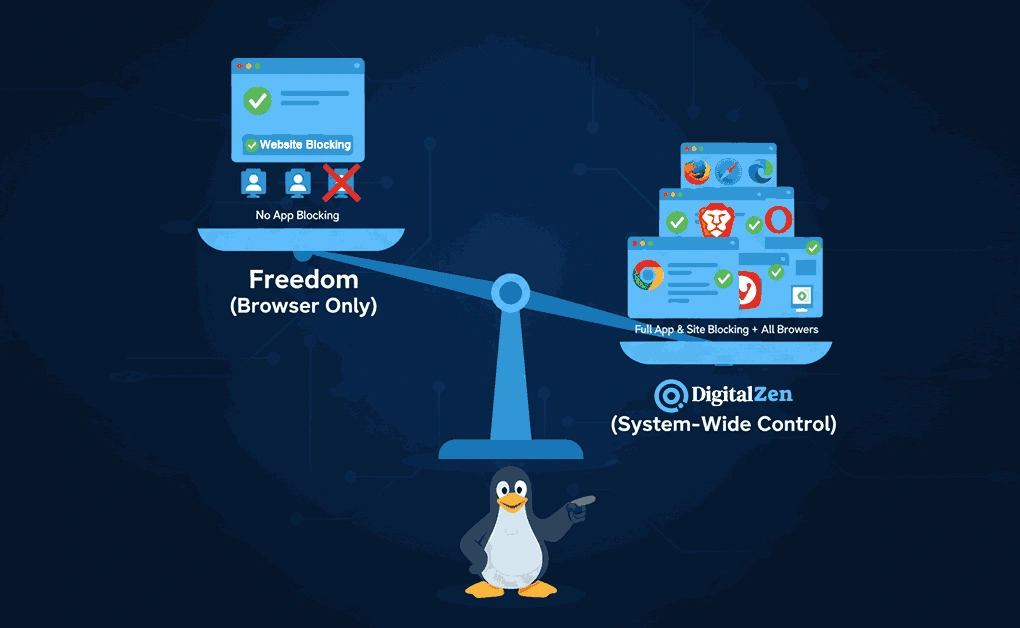
Freedom works on Linux through its Chrome browser extension, giving users website blocking that syncs across all devices. While Linux users miss out on the full app-blocking features available on Mac or Windows, the browser extension still helps reduce distractions during scheduled focus sessions.
For those who need true system-wide blocking on Linux, Digital Zen is a stronger choice. It offers both website and desktop app blocking, supports any modern browser (including Chrome, Firefox, Edge, Safari, Opera, Brave, and Vivaldi), and includes uninstall protection on Linux, a feature that other focus apps do not offer.
Digital Zen also offers modern, adaptive blocking tools, including multiple lock types, cooldown timers, and self-control protections that go beyond simple website filters.
Freedom remains an effective option for simple website blocking, but DigitalZen stands out for users seeking complete focus control across Linux desktops.
Frequently Asked Questions
Which Browsers Does Freedom Support on Linux?
Freedom for Linux officially supports Google Chrome through the browser extension.
Can Freedom Block Linux Applications?
No, Freedom on Linux only blocks websites through the Chrome browser extension. It cannot block desktop applications.
Is There a Different Price for Linux Users?
No, the same subscription ($39.99/year for Premium or free with limited features) works across all platforms, including Linux.
References:
- https://freedom.to/premium
- https://support.freedom.to/en/articles/5266497-freedom-for-families
- https://support.freedom.to/en/articles/3335825-using-freedom-on-chromeos-and-linux
- https://freedom.to/blog/how-to-block-websites-on-chromebooks-and-linux-devices/#:~:text=Freedom%20now%20supports%20website%20blocking%20on%20devices,Chrome%20extension%2C%20available%20through%20the%20Chrome%20Store
- https://freedom.to/features