
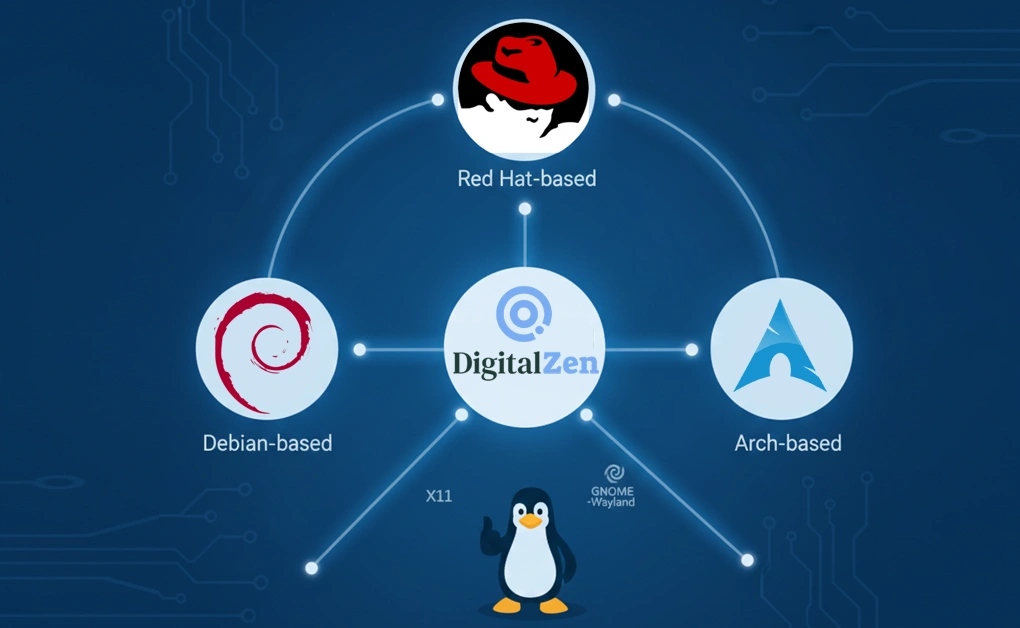
DigitalZen supports Linux systems that use modern X11 window managers or GNOME-Wayland. Compatibility does not depend on specific distro versions. Any Debian-based, Red Hat-based, or Arch-based Linux distribution that uses modern X11 or GNOME-Wayland is supported by the installation script.
DigitalZen also works on any other distros if dependencies are handled manually.
Key Takeaways
- Broad Compatibility Across Linux Families: DigitalZen supports any Debian-based, RedHat-based, or Arch-based Linux distribution that uses modern X11 window managers or GNOME-Wayland.
- Verified and Fully Tested Distros: DigitalZen is officially tested on several major distros, including Debian, Ubuntu, Fedora, Arch, and others that meet the X11 or GNOME-Wayland requirements.
- Unofficial Distros Require Manual Setup: openSUSE, NixOS, Gentoo, or any other distro can run DigitalZen, but users must install dependencies and set configuration manually because these distros are not supported out of the box.
- Simple Installation and Full Feature Support: DigitalZen installs root-free through an AppImage. The installation script downloads the AppImage and installs the required dependencies. Supported distros have full feature availability.
How DigitalZen Determines Linux Compatibility
DigitalZen determines Linux compatibility based on the windowing environment rather than distro releases. Any Debian-based, RedHat-based, or Arch-based Linux distribution is supported as long as it uses modern X11 with EWMH support or GNOME-Wayland. Compatibility does not depend on distro version numbers.
GNOME-Wayland is supported through a GNOME extension. Most modern X11 window managers already support EWMH, which allows DigitalZen to work without additional configuration. This gives Linux users access to a compatibility approach not offered by competitors, since none of the competitors support any Linux distros.
DigitalZen’s Linux support is an advantage because no other cross-platform productivity app or blocker supports Linux at all, positioning it clearly as the best Linux website blocker for users who need native compatibility.
Officially Supported Linux Distributions
DigitalZen is officially tested and guaranteed to work on several major Linux distributions that meet the compatibility requirements outlined above. Customer support is provided for all officially tested distros.
Tested On The Next Distros:
- Debian
- Ubuntu
- Linux Mint
- Pop!_OS
- Kali Linux
- Zorin OS
- Elementary OS
- Fedora Workstation
- RHEL
- CentOS Stream
- Rocky Linux
- AlmaLinux
- Oracle Linux
- ClearOS
- Arch Linux
- Manjaro
- EndeavourOS
- ArcoLinux
- Garuda Linux
- RebornOS
Version Support
DigitalZen does not depend on distro versions. If a distro uses modern X11 or GNOME-Wayland, it is supported regardless of its release version.
Distros with Limited or Unofficial Support
DigitalZen can run on any Linux OS, but some distros require manual configuration. These distros are not supported out of the box. Users need to install all dependencies themselves, and the support team does not provide assistance for these environments.
Distros That Are Known to Require Manual Setup
- openSUSE
- NixOS
- Gentoo
DigitalZen works on these distros but requires a non-automated setup. They are not included in official installation and therefore not covered by customer support.
Unsupported Linux Distributions
Unsupported Linux distributions refer to distros that are not part of DigitalZen’s tested list. Customer support does not help with these distros. However, DigitalZen can still work on them if the user installs the necessary dependencies.
Unsupported distros require users to handle installation and setup manually. Technically, DigitalZen will still run on these systems if dependencies are installed correctly.
Installation Methods for Linux
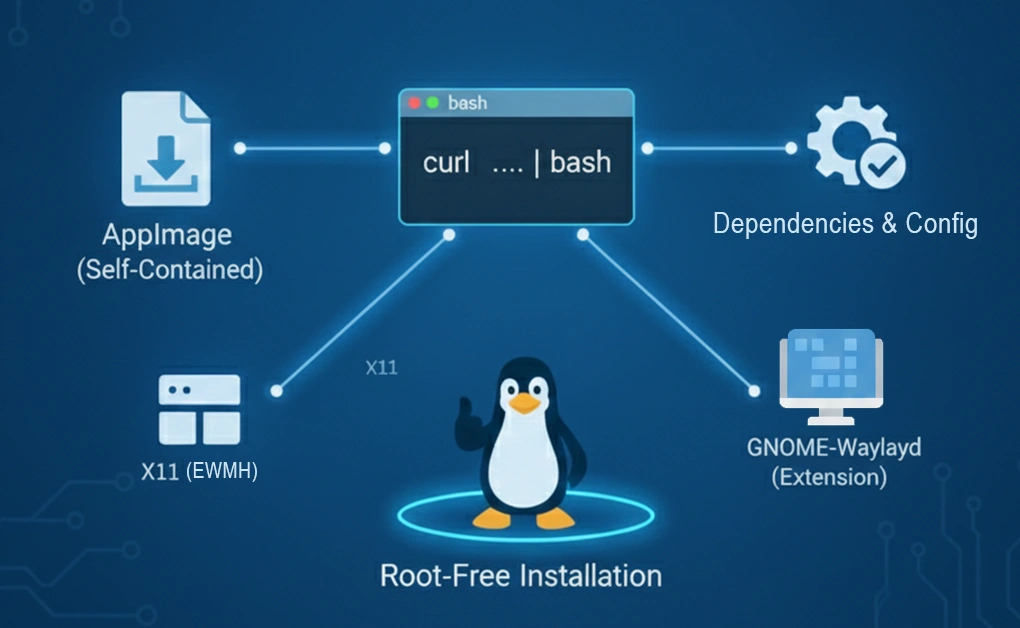
DigitalZen provides a simple installation method that works on many Linux systems. It operates as an AppImage, and a bash installation script is provided to automate dependency installation.
Installation Format
- DigitalZen works as an AppImage
- A bash script installs AppImage dependencies, configures the system, and downloads the AppImage automatically
- AppImage dependencies are not needed on most modern systems
Official Installation Command
curl -fsSL https://api.digitalzen.app/downloads/DigitalZen-setup.sh | bash
Root Requirements
- Installation is root-free, DigitalZen runs as a normal user
- If AppArmor is installed, DigitalZen offers a sudo command to configure AppArmor
Installation Differences Across Distros
- Package names may differ across distros
- Installation steps and dependencies remain the same
DigitalZen recommends installing through the official installation script.
Technical Requirements on Linux
DigitalZen is lightweight, requires minimal system resources, and installs smoothly on most modern Linux desktops. The installation script automatically handles all required dependencies, so most Linux systems can run the app without additional configuration.
Minimum System Requirements
- 64-bit x86_64 processor
- 2 GB RAM (minimum)
Kernel Requirements
- Kernel version 4.4 or later
- Older kernels are not officially supported
X11 and Wayland Support
- Works on any X11 environment with EWMH, which all modern X11 window managers support
- Wayland support is limited to GNOME/Ubuntu Wayland, functioning through a GNOME extension
- The GNOME extension should be activated out of the box
Dependencies
The installation script handles all dependencies:
- Ensures AppImage support
- Installs Fuse2 if AppImage support is missing
- Activates the GNOME extension when needed
Known Conflicts
- There are no known conflicts with firewalls, parental controls, SELinux, or similar tools
Feature Availability Across Linux Distros
All DigitalZen features are available on officially supported distros. Unsupported distros can still run DigitalZen, but some functionality is limited.
Feature Breakdown
- All features are supported on officially tested distros
- Unsupported distros support strict website blocking only
- App blocking is not supported on unsupported distros
Desktop Environment Behavior
- On X11: all desktop environments are supported
- On Wayland: only GNOME is supported (for now, as we are waiting for more Wayland desktop managers to mature)
DigitalZen’s feature set depends on whether the system uses supported window managers.
Performance and Stability on Linux
There are no known performance differences across supported Linux distros. DigitalZen has been tested on all officially supported distros, and all derivatives are expected to work as well.
Performance Notes
- No known distros perform noticeably better or worse
Stress Testing
- DigitalZen has been tested on the supported distros
- Derivatives (such as those based on Debian or Ubuntu) are expected to work similarly
Linux Support Roadmap
DigitalZen’s future Linux support depends on community demand. If many users request support for a particular distro, it will be added.
Community-Driven Support
- New distros are added based on user requests
- This is how Arch Linux became part of the supported list
Packaging Plans
- No plans for a Flatpak version
- No plans for a Snap version
- DigitalZen continues using AppImage for rapid version releases
ARM (Raspberry Pi) Support
- ARM support may be added if the community requests it
Conclusion: DigitalZen’s Linux Compatibility
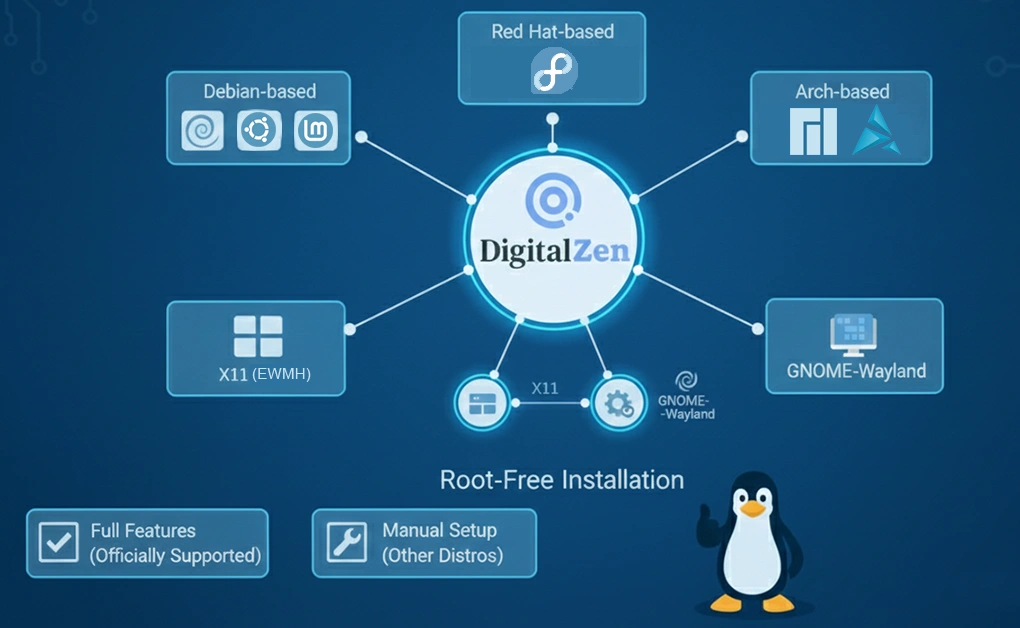
DigitalZen offers Linux users a reliable solution for website and app blocking across many Debian-based, RedHat-based, and Arch-based distributions that use modern X11 or GNOME-Wayland. All officially supported distros have full feature availability, while unsupported ones can still use strict website blocking with manual configuration.
Competitors do not support Linux at all, which gives DigitalZen a unique advantage for users who need productivity tools on this platform. With community-driven requests guiding future distro support, Linux users can expect wider compatibility as demand grows.
Frequently Asked Questions
How Do I Block Websites on Ubuntu Using DigitalZen?
DigitalZen can block websites on Ubuntu as long as the system uses modern X11 or GNOME-Wayland. The process works the same as on other supported distros, and users can follow any standard guide for blocking websites in Ubuntu to apply DigitalZen’s website blocking features effectively.
What Linux Distros Offer Full Feature Support in DigitalZen?
All officially tested distros have full feature availability. This includes Debian-based, RedHat-based, and Arch-based systems using modern X11 or GNOME-Wayland. Unsupported distros only support strict website blocking.
Why Do Linux Users Look for Alternatives to Cold Turkey?
Linux users often look for alternatives because Cold Turkey doesn’t work on Linux, and no competitor supports any Linux distribution. This is why DigitalZen provides an advantage for users who need blocking tools on Linux.
Does DigitalZen Work on Wayland?
DigitalZen supports Wayland only on GNOME/Ubuntu Wayland. It works through a GNOME extension that should be activated out of the box. Other Wayland environments are not supported.
Can DigitalZen Run on Distros Like openSUSE or NixOS?
Yes. DigitalZen can run on openSUSE, NixOS, and Gentoo, but these distros require manual dependency setup. They are not supported out of the box, and customer support does not assist with them.