5.0 (107 Ratings)
A lightweight productivity add-on that helps you stay focused — no desktop software required, no complicated setup, no hassle
Works on Chrome, Firefox, Safari, Edge, Brave, Opera & 30+ browsers
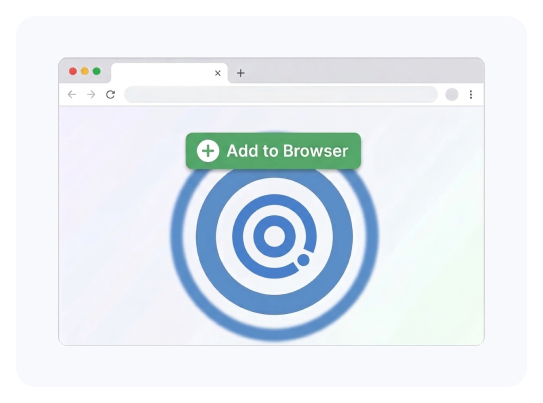
Install in seconds — just visit, add, and start blocking
Focus sessions, smart locks, daily limits & Pomodoro timer built in
Verified & reviewed by Chrome Web Store, Mozilla Add-ons & Apple App Store


If you’ve tried blocking distractions before, you know the frustrations:
Extensions with barely any features beyond a basic blocklist
Clunky interfaces that feel like they were built in 2010
Tools that only work on Chrome and ignore your other browsers
Extensions that require a separate desktop app just to function
“Blockers” you can disable in two seconds when temptation strikes
Most browser extensions offer a basic blocklist and nothing else.
No focus sessions. No smart locks. No daily limits.
And when you really need them, they’re too easy to turn off.
DigitalZen is different. It’s a full-featured productivity tool that lives right in your browser — lightweight enough to forget it’s there, powerful enough to keep you on track.
FEATURES
Block any website with flexible URL patterns
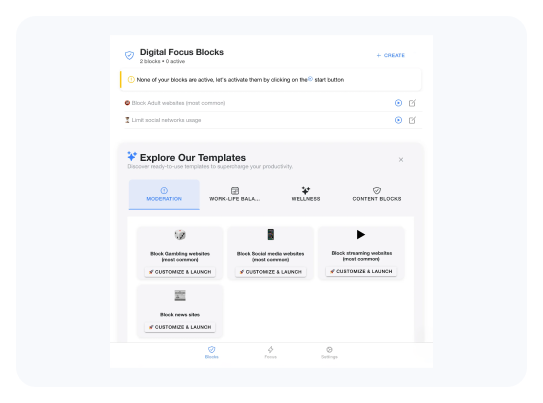
Create your own custom blocklists from easy templates
Set and forget — blocks run quietly in the background
Optional incognito/private browsing protection for stronger coverage
6 lock types: code lock, cooldown timer, friend approval, schedule lock, money fine & more
Daily allowances — give yourself 30 minutes of social media, then it’s blocked
Countdown timers — see exactly when your break ends
Pomodoro timer built in for structured work sessions
Focus mode: allow ONLY the sites you need for work — everything else is blocked
Scheduled blocking — set your productive hours and let DigitalZen enforce them
Flexible enough for your workflow, strict enough to keep you focused
Chromium-based: Chrome, Edge, Brave, Opera, Vivaldi, Arc, Yandex, Zen Browser & more
Firefox-based: Firefox, LibreWolf, Firefox ESR, Waterfox, Floorp, Tor Browser & more
Safari supported
Same features, same experience — no matter which browser you use
INSTALLATION
Select sites to block from easy templates
Set your schedule and daily limits in seconds
Turn on Focus mode and get to work
Visit my.digitalzen.app — we’ll redirect you to the right extension store
Click “Add to Browser” — only 2.61 MB
Drag to Applications – done!
No desktop software to download
No complicated configuration
No technical knowledge needed
WHY DIGITALZEN
DESKTOP APP
The DigitalZen extension is a powerful productivity tool on its own. But if you find yourself disabling the extension in moments of weakness, or need to block desktop apps and games — the desktop app takes your focus to the next level.
The extension is for users who want a productivity boost with basic self-control.
The desktop app is for users who need real control over procrastination.
Upgrading is seamless — just click “Download App” inside the extension. Your settings carry over automatically. No re-setup needed.
USE CASES
For Casual Productivity
"DigitalZen has transformed how I manage my digital life, super easy to use and the scheduling features seriously boost productivity. Highly recommend!"
For Students
"Can't study without it. I have ADHD and struggle to focus, but DigitalZen's Focus mode keeps me on track and off social media. Total lifesaver."
For Social Media Moderation
"I'm a news and social media addict, but DigitalZen helps me set limits — 1 hour a day, blocked at night, guilt-free on weekends."
4.9

4.8
Mozilla
4.9
Chrome
5.0
FAQ
Over 30 browsers! All Chromium-based browsers (Chrome, Edge, Brave, Opera, Vivaldi, Arc, Yandex, Zen Browser & more), Firefox-based browsers (Firefox, LibreWolf, Waterfox, Floorp, Tor Browser & more), and Safari. Same features everywhere.
Almost everything! Website blocking, focus sessions, scheduled blocking, daily time limits, Pomodoro timer, all 6 smart lock types, and customizable templates. The only features exclusive to the desktop app are app blocking, uninstall protection, pre-built category blocklists, and cross-browser management from one place.
The extension itself can’t prevent you from removing it (that’s a browser limitation). If you need that level of protection, the desktop app offers uninstall and disable protection. Many users start with the extension and upgrade when they need stronger control.
Yes — you can enable incognito access in your browser’s extension settings for stronger protection. The extension works without it, but enabling incognito access closes that loophole.
Not at all. At only 2.61 MB, DigitalZen uses fewer resources than a single browser tab. It runs quietly in the background.
Only for initial registration and certain network-based features (like emailing a friend your lock password). Day-to-day blocking works completely offline.
The extension needs to see your active tab URL and access all sites to block effectively. For the strongest protection, you can also grant incognito access — but it works without full permissions too.
Just click the “Download App” button in the top-right corner of the extension. Your settings sync automatically — no need to reconfigure anything. The upgrade is completely seamless full permissions too.
Yes! Installing the extension gives you a 14-day free Premium trial. After that, you can continue using the extension for free on our Basic plan, or upgrade to Premium (with or without the desktop app) to unlock all features.
Full cross-browser sync is a desktop app feature. With the extension alone, each browser has its own settings. When you install the desktop app, everything syncs from one place.

DOWNLOAD NOW
The simplest way to block distractions and stay productive — right in your browser.
No credit card • No desktop software required • Installs in seconds
Need stronger control? [Get the Desktop App] for app blocking, uninstall protection & more.