
The best website blocker for productivity is one that works across your entire system, not just a single browser. System-level blockers like DigitalZen, Cold Turkey, Freedom, and FocusMe can block multiple browsers and desktop apps at once, making them harder to bypass than browser extensions such as StayFocusd or LeechBlock.
Key Takeaways
- System-level blockers provide stronger productivity control: Tools like DigitalZen, Cold Turkey, Freedom, and FocusMe work across the entire operating system, blocking multiple browsers and desktop apps. Browser extensions like StayFocusd and LeechBlock only work inside one browser.
- Bypass resistance varies between tools: DigitalZen and Cold Turkey offer the strongest protection against disabling or uninstalling. Freedom and FocusMe provide moderate protection, while browser extensions can typically be removed or bypassed quickly.
- Cross-platform support matters for multi-device users: Freedom supports Windows, Mac, iOS, and Android with cross-device syncing. FocusMe and DigitalZen support Linux, while Cold Turkey currently does not.
- Pricing models range from free extensions to paid desktop tools: LeechBlock and StayFocusd are free browser extensions, while desktop blockers use paid models such as Cold Turkey’s one-time purchase, DigitalZen’s free and lifetime tiers, and subscription pricing for Freedom and FocusMe.
Top Website Blockers That Help Improve Focus
1. DigitalZen
DigitalZen is a web and app blocker for Windows, Mac, and Linux that blocks all modern browsers from a single configuration and can automatically block unknown browsers. It combines system-level enforcement with adaptive lock mechanisms that offer flexibility without sacrificing strength.
Notable Features:
- Blocks all browsers plus unknown/unsupported browsers automatically
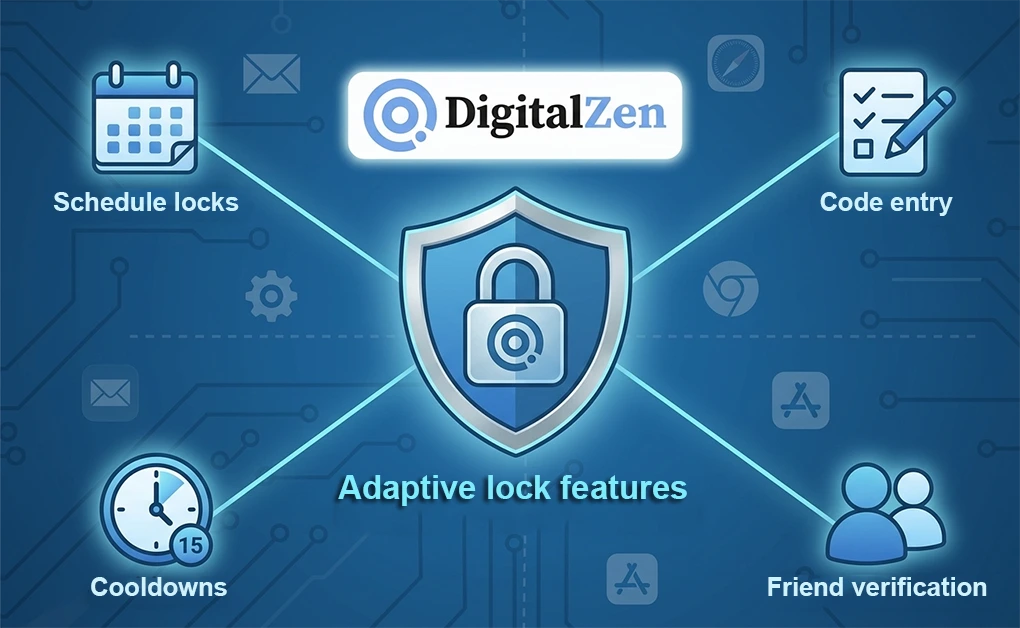
- Five adaptive locks: code, cooldown, friend verification, schedule, money penalty
- Anti-uninstall protection for app and browser extensions
Limitations: No mobile app.
Pricing: Free Basic / $3/month Premium / $119 lifetime
Best For: Users who need cross-browser enforcement and app blocking with adaptable lock strength.
2. Cold Turkey
Cold Turkey is a desktop app for Windows and macOS with the strongest bypass prevention available. It blocks the task manager, prevents system time changes, and offers Frozen Turkey mode to lock you out of your computer entirely.
Notable Features:
- Frozen Turkey locks you out of your entire computer for a set period
- Blocks task manager and system time changes to prevent workarounds
- Random text lock up to 999 characters
Limitations: No Linux, no mobile, no cross-device sync.
Pricing: Free basic / $45 one-time for Pro
Best For: Users who need strict enforcement and prefer one-time payment.
For a detailed comparison, see Cold Turkey vs Freedom.
3. Freedom
Freedom works on Windows, Mac, iOS, Android, and Chromebook with sessions that sync across all devices. If your phone is part of the distraction problem, Freedom is the only option that blocks it alongside your desktop.
Notable Features:
- Sessions sync across all devices simultaneously
- Full iOS and Android app blocking
- Focus sounds and ambient music for concentration
Limitations: Weaker bypass prevention than Cold Turkey or DigitalZen. Locked Mode requires Premium.
Pricing: Free limited / $39.99/year / $99.50 lifetime
Best For: Users who need mobile blocking and cross-device enforcement.
4. FocusMe
FocusMe offers time limiters that let you ration access (e.g., 30 minutes of social media per day) rather than block completely. Works on Windows, Mac, Linux, and Android.
Notable Features:
- Time limiters set hours per day/week/month for specific sites
- Launch limiters control how often and how long you can access sites
- Random text lock up to 2,000 characters
Limitations: Subscription pricing adds up. No iOS app.
Pricing: $6.95-$12.95/month
Best For: Users who want to moderate usage gradually rather than block entirely.
For a detailed comparison, see FocusMe vs Cold Turkey.
5. LeechBlock NG
LeechBlock NG is a free browser extension for Chrome, Firefox, Edge, Brave, Opera, and Vivaldi with flexible scheduling and time limits.
Notable Features:
- Up to 30 separate block sets with different schedules
- Time limits allow X minutes per hour or per day
- Works on multiple browsers (Chrome, Firefox, Edge, Brave, Opera, Vivaldi)
Limitations: Browser extension only. No app blocking. Easy to bypass by switching browsers.
Pricing: Free
Best For: Users who want a free browser extension with scheduling flexibility.
For more options, see StayFocusd Alternatives.
6. StayFocusd
StayFocusd is a popular free Chrome extension with the Nuclear Option for strict blocking and in-app blocking for YouTube. Over 700,000 users make it the most widely used free option.
Notable Features:
- Nuclear Option prevents changing settings once activated
- In-app blocking hides YouTube shorts, comments, and recommendations
- Require Challenge adds friction before modifying settings
Limitations: Chrome/Edge only. Easy to bypass or uninstall.
Pricing: Free
Best For: Chrome users who want a free, simple starting point.
For more options, see StayFocusd Alternatives.
Quick Comparison
| Tool | Type | Cross-Browser | App Blocking | Mobile | Linux | Uninstall Protection | Pricing |
| Cold Turkey | Desktop | Yes | Yes | No | No | Yes | $45 one-time |
| Freedom | Desktop + Mobile | Yes | Yes | iOS, Android | Limited | No | $39.99/yr |
| DigitalZen | Desktop + Extension | Yes (all) | Yes | No | Yes | Yes | Free / $3/mo / $119 |
| FocusMe | Desktop + Mobile | Yes | Yes | Android | Yes | Yes | $6.95-$12.95/mo |
| LeechBlock | Extension | No | No | No | No | No | Free |
| StayFocusd | Extension | No | No | No | No | No | Free |
Finding the Right Website Blocker for Your Workflow
The best website blocker is the one you can’t easily bypass when willpower fails. Browser extensions work for casual users, but anyone serious about productivity needs system-level enforcement that covers all browsers and blocks desktop apps.
Among the options available, DigitalZen stands out for its combination of cross-browser coverage, app blocking, and adaptive lock mechanisms that let you choose your level of commitment, from gentle friction to hard locks that require friend verification or future-date unlocking.
Start with what you think you need, and upgrade if you find yourself working around it. If you’re unsure what to block first, check out our list of sites to block for productivity.
Frequently Asked Questions
What’s The Difference Between A Browser Extension And A System-Level Blocker?
Browser extensions only work within one browser. You can bypass them by switching browsers or uninstalling. System-level blockers work at the operating system level, blocking all browsers and desktop apps simultaneously.
Which Website Blocker Is Hardest To Bypass?
Cold Turkey and DigitalZen are designed with strong bypass prevention features. Cold Turkey includes protections like task manager blocking and system time safeguards, while DigitalZen provides adaptive locks and anti-uninstall protection across Linux, Windows, and macOS.
Is There A Free Website Blocker That Works?
LeechBlock NG and StayFocusd are free browser extensions. DigitalZen offers a free Basic tier with system-level blocking across all browsers.
Do I Need Mobile Support?
If your phone is a distraction source, yes. Freedom is the only option with full iOS and Android support plus cross-device sync.
Can Website Blockers Block Desktop Apps?
System-level blockers can. Cold Turkey, Freedom, FocusMe, and DigitalZen all offer app blocking. Browser extensions cannot.
References:
- https://getcoldturkey.com/
- https://freedom.to/
- https://focusme.com/
- https://www.proginosko.com/leechblock/
- https://www.stayfocusd.com/