Home » Blog » StayFocusd Alternatives for Stronger Website Blocking
StayFocusd Alternatives for Stronger Website Blocking
Published:
March 24, 2026
Last Updated:
March 24, 2026
Share:
Table of Contents
A StayFocusd alternative is a website blocker that works beyond a single browser. While StayFocusd runs as a Chrome extension, many alternatives operate at the system level, blocking multiple browsers and desktop apps. Tools like Cold Turkey, Freedom, FocusMe, and DigitalZen provide broader enforcement and additional lock mechanisms.
Key Takeaways
StayFocusd only works within Chrome and Edge: Users can bypass blocks by switching to Firefox, Safari, or other browsers, which limits its effectiveness for broader distraction control.
Browser extensions can’t block desktop applications: StayFocusd blocks websites but cannot prevent access to games, messaging apps, email clients, or other desktop software.
System-level blockers enforce restrictions across all browsers: Tools like Cold Turkey, Freedom, FocusMe, Pluckeye, and DigitalZen operate beyond a single browser, making them harder to bypass.
Stronger alternatives include deeper lock mechanisms: Some StayFocusd alternatives offer delay systems, random text locks, scheduling controls, or uninstall protection to reduce impulsive overrides.
DigitalZen combines cross-browser blocking with adaptive lock options: It includes app-level control and multiple lock mechanisms designed to add friction and reduce bypass behavior.
Why Users Search for StayFocusd Alternatives
StayFocusd works well for basic website blocking in Chrome, but users often outgrow it as they discover its limitations. The issue isn’t that StayFocusd is bad. It’s that browser extensions have inherent constraints.
Browser-only blocking creates an obvious workaround: StayFocusd runs in Chrome and Edge, but it has no control over Firefox, Safari, Brave, or other browsers. Anyone determined to access a blocked site can simply open a different browser.
Desktop applications remain completely unblocked: StayFocusd can’t touch games, messaging apps, email clients, or any other desktop software. If your distractions extend beyond websites, you need a different solution.
Extensions are easy to disable or uninstall: In a moment of weakness, you can turn off StayFocusd or remove it entirely. The Nuclear Option adds friction, but it doesn’t prevent you from uninstalling the extension.
Incognito mode bypasses most extensions: Unless you specifically enable StayFocusd in incognito mode, opening a private window gives you unrestricted access to blocked sites.
No true cross-device enforcement: StayFocusd can sync usage data with StayFree mobile, but it can’t enforce blocks across your phone, tablet, and computer simultaneously.
These limitations lead many users to search for system-level alternatives. Understanding why browser extensions aren’t enough for distraction blocking helps explain the shift toward tools that work across all browsers and include stronger bypass prevention.
1. Cold Turkey: Strictest Enforcement for Desktop Users
Cold Turkey is a desktop application for Windows and macOS that takes a strict approach to blocking. It’s designed for users who need enforcement that’s genuinely difficult to bypass.Pros:
Blocks websites across all browsers at the system level
Very strong bypass prevention (blocks task manager, system time changes, installer)
Frozen Turkey locks you out of your computer entirely for a set period
Visual drag-and-drop weekly scheduler
Random text lock up to 999 characters
One-time purchase ($45) with lifetime updates
Statistics tracking stored locally for privacy
Cons:
Windows and Mac only (no Linux support)
No mobile app or cross-device sync
Can feel too rigid for users who want flexibility
No time limiters (sites are blocked or allowed, with limited middle ground)
Best for: Users who need the strictest possible enforcement and don’t mind a “nuclear” approach to blocking.
2. Freedom: Cross-Device Sync with Mobile Support
Freedom is a cross-platform blocker that works on Windows, Mac, iOS, Android, and Chromebook. Its main strength is syncing blocking sessions across all your devices, so your phone can’t become an escape route when your computer is blocked.Pros:
Works on Windows, Mac, iOS, Android, and Chromebook
Sessions sync across all devices simultaneously
Blocks websites and apps on both desktop and mobile
Locked Mode prevents ending sessions early (Premium)
Focus sounds and ambient music for concentration
Simple setup with preset blocklists
Advance and recurring scheduling
Cons:
Subscription pricing ($39.99/year or $99.50 lifetime)
Locked Mode requires Premium
Weaker bypass prevention than Cold Turkey or DigitalZen (no task manager blocking, no uninstall protection)
Linux support is Chrome extension only (limited functionality)
Best for: Users who need mobile blocking and want sessions that sync across all their devices.
3. FocusMe: Flexible Blocking with Time Limiters
FocusMe is a desktop and mobile blocker for Windows, Mac, Linux, and Android. It emphasizes flexibility and gradual habit-building rather than strict lockdown, offering time limiters that let you ration access rather than block completely.Pros:
Supports Windows, Mac, Linux, and Android
Time limiters (set hours per day/week/month for specific sites)
Launch limiters (control how often you can open a site and for how long)
Random text lock up to 2,000 characters
Forced Focus Mode removes all possibility of editing plans
Activity tracking shows where your time goes
Pomodoro timer built-in
Uninstall protection available
Cons:
Subscription pricing ($6.95-$12.95/month depending on plan)
No iOS app
Fewer system-level protections than Cold Turkey (no task manager blocking)
Interface has a steeper learning curve than some alternatives
Best for: Users who want to moderate usage gradually with time limits rather than block sites completely.
4. LeechBlock NG: Free Browser Extension Alternative
LeechBlock NG is a free browser extension for Chrome, Firefox, Edge, and other Chromium-based browsers. It offers more flexibility than StayFocusd with up to 30 separate block sets, but it shares the same core limitation: it’s still a browser extension.Pros:
Completely free
Works on Chrome, Firefox, Edge, Brave, Opera, Vivaldi
Up to 30 separate block sets with different schedules
Time limits (allow X minutes per hour or per day)
Combination of time periods and time limits
Password or random access code for options page
Lightweight and simple to configure
Privacy-focused (no data collection)
Cons:
Browser extension only (same core limitation as StayFocusd)
No desktop app blocking
No system-level enforcement
Easy to bypass by switching browsers, using incognito, or uninstalling
Each browser needs its own installation
Best for: Users who want a free, flexible browser extension with more scheduling options than StayFocusd and don’t need system-level blocking.
5. Pluckeye: Delay-Based Self-Control Filter
Pluckeye is a system-level filter for Windows, Mac, Linux, and Android that takes a unique approach: instead of passwords, it uses a delay system. Changes to your settings don’t take effect until later, giving you time to reconsider impulsive decisions.Pros:
Unique delay system (changes take effect after a waiting period you set)
System-level blocking across all browsers
Supports Windows, Mac, Linux, and Android
Blocks all images and videos from the internet by default
Can block specific browsers entirely
Uninstall prevention when delay is non-zero
Free tier available, or pay-what-you-want ($3-$7/month suggested)
Cons:
Very aggressive by default (blocks all images and videos)
Command-line configuration required for advanced features
Steeper learning curve than most alternatives
Less intuitive interface
Not designed for users who want quick, easy setup
Best for: Users who want a delay-based approach to self-control and don’t mind aggressive default settings or command-line configuration.
DigitalZen: System-Level Blocking Across All Browsers
DigitalZen directly addresses the core limitations that lead users away from StayFocusd. It combines a desktop application with browser extensions to provide system-level enforcement that works across all browsers and includes app blocking.
1. Why It Solves StayFocusd’s Limitations
Works across all modern browsers: DigitalZen blocks Chrome, Firefox, Edge, Safari, Brave, Opera, and other browsers from a single configuration. You can also set it to block unknown or unsupported browsers automatically, closing the “just use a different browser” loophole.
Includes app-level blocking: Unlike browser extensions, DigitalZen can block desktop applications. Games, messaging apps, and other distractions are covered alongside websites.
Desktop app and browser extension together: DigitalZen uses both a desktop application and browser extensions working together, providing deeper enforcement than extensions alone.
Anti-uninstall protection: You can prevent yourself from uninstalling the app or removing the browser extensions during active blocking sessions.
2. Adaptive Lock Mechanisms
DigitalZen offers multiple ways to lock yourself out of changing settings, each designed to create friction and give you time to reconsider:
Code lock: A long generated code appears on screen that you must type to unlock, which takes time and breaks the impulse
Cooldown timer: You must wait a set number of minutes before unlocking, creating a pause between impulse and action
Friend verification: A trusted friend receives a code by email and must approve your unlock request
Schedule lock: Lock your settings until a specific future date
Money penalty: Set a financial consequence for unlocking early
3. Additional Features
Easy interface with no technical skills required: Select from lists instead of adding complex paths or patterns
Pre-defined templates: Content blocker (adult, gambling, social media), wellness schedules, work-life balance, and moderation templates
Lock screen reminders: Display custom messages when distractions are blocked
One-click focus sessions: Start saved focus sessions instantly from the app icon
Prevents browser extension removal: Stops you from disabling extensions during active sessions
Platforms: Windows, Mac, LinuxPricing: Free Basic plan (website blocking, 2 schedulers, focus time, Pomodoro) or Premium at $3/month billed annually. Lifetime Premium available for $119 one-time.Best for: Users who need cross-browser enforcement, app blocking, and strong bypass resistance with flexible lock mechanisms.
Quick Comparison Table
Feature
StayFocusd
Cold Turkey
Freedom
FocusMe
LeechBlock
Pluckeye
DigitalZen
Type
Extension
Desktop
Desktop + Mobile
Desktop + Mobile
Extension
Desktop
Desktop + Extension
Cross-Browser
No
Yes
Yes
Yes
No
Yes
Yes (all browsers)
App Blocking
No
Yes
Yes
Yes
No
Limited
Yes
Team Focus
No
No
No
No
No
No
Yes
Linux Support
No
No
Limited
Yes
No
Yes
Yes
Mobile Support
Sync only
No
Yes
Android
No
Android (alpha)
No
Uninstall Protection
No
Yes
No
Yes
No
Yes
Yes
Pricing
Free
$45 one-time
$39.99/yr
Subscription
Free
Free / $3-$7/mo
Free / $3/mo or $119 lifetime
What to Look for in a StayFocusd Alternative
Before choosing an alternative, consider what specific limitations are driving you away from StayFocusd. The right replacement depends on which gaps you need to fill.
System-level vs browser-level blocking: If you find yourself bypassing StayFocusd by switching browsers, you need a system-level blocker that works across all browsers. Extensions like LeechBlock NG won’t solve this problem.
App blocking capability: If desktop applications are part of your distraction problem, you need a tool that blocks apps, not just websites. Cold Turkey, Freedom, FocusMe, and DigitalZen all offer app blocking.
Lock mechanisms and bypass prevention: StayFocusd’s Nuclear Option is helpful, but you can still uninstall the extension. Stronger alternatives offer random text locks, delay timers, password protection, and uninstall prevention.
Uninstall protection: If you’ve ever removed a blocker in a moment of weakness, look for tools with anti-uninstall features. Cold Turkey, FocusMe, Pluckeye, and DigitalZen offer this protection.
Platform support: Make sure the alternative works on your operating system. Linux users have fewer options (FocusMe, Pluckeye, and DigitalZen support Linux; Cold Turkey and Freedom do not).
Scheduling flexibility: If you want time-based rules rather than permanent blocks, look for tools with schedulers and time limiters.
Final Thoughts: When It’s Time to Move Beyond StayFocusd
StayFocusd works well for basic Chrome website blocking, but its limitations become obvious once you need broader enforcement. Browser extensions can’t block desktop apps, are easy to disable, and don’t prevent you from switching browsers. That’s why many users eventually look for a system-level alternative.Tools like Cold Turkey, Freedom, FocusMe, LeechBlock, and Pluckeye all move beyond basic extension blocking in different ways. Some focus on strict lockdown, others emphasize flexibility or cross-device sessions. The key difference is whether the tool operates at the browser level or the operating system level.If you’re looking for a true blocker that works across all browsers and includes app-level control, DigitalZen provides system-wide enforcement with adaptive lock mechanisms and uninstall protection. It closes the common loopholes that make extension-based blocking easy to bypass, giving you a stronger and more reliable way to stay focused.For a broader comparison of blocking tools beyond StayFocusd alternatives, see our guide to the best website blockers for productivity.
Frequently Asked Questions
Does StayFocusd Work on Firefox or Safari?
StayFocusd is designed for Chrome and Edge only. Users can bypass StayFocusd blocks by opening Firefox, Safari, or any other browser, which is why many users look for system-level alternatives that work across all browsers.
Can StayFocusd Block Desktop Apps?
StayFocusd only blocks websites within the browser. It cannot block desktop applications like games, messaging apps, or email clients. For app blocking, you need a system-level tool like Cold Turkey, Freedom, FocusMe, or DigitalZen.
What’s the Difference Between a Browser Extension and a System-Level Blocker?
Browser extensions like StayFocusd only work within the browser they’re installed on. System-level blockers work at the operating system level, blocking websites across all browsers and blocking desktop applications. System-level tools are harder to bypass because they don’t depend on a single browser.
Is There a Free Alternative to StayFocusd With System-Level Blocking?
Pluckeye offers system-level blocking with a free/donation model, though it has a steeper learning curve and aggressive default settings. LeechBlock NG is free but shares StayFocusd’s browser-only limitation.
Which StayFocusd Alternative Has the Strongest Bypass Prevention?
Cold Turkey and DigitalZen offer the strongest bypass prevention. Cold Turkey blocks the task manager, system time changes, and the installer during locked sessions. DigitalZen offers multiple adaptive locks, including friend verification and money penalties, plus anti-uninstall protection.References:


 StayFocusd works well for basic website blocking in Chrome, but users often outgrow it as they discover its limitations. The issue isn’t that StayFocusd is bad. It’s that browser extensions have inherent constraints.
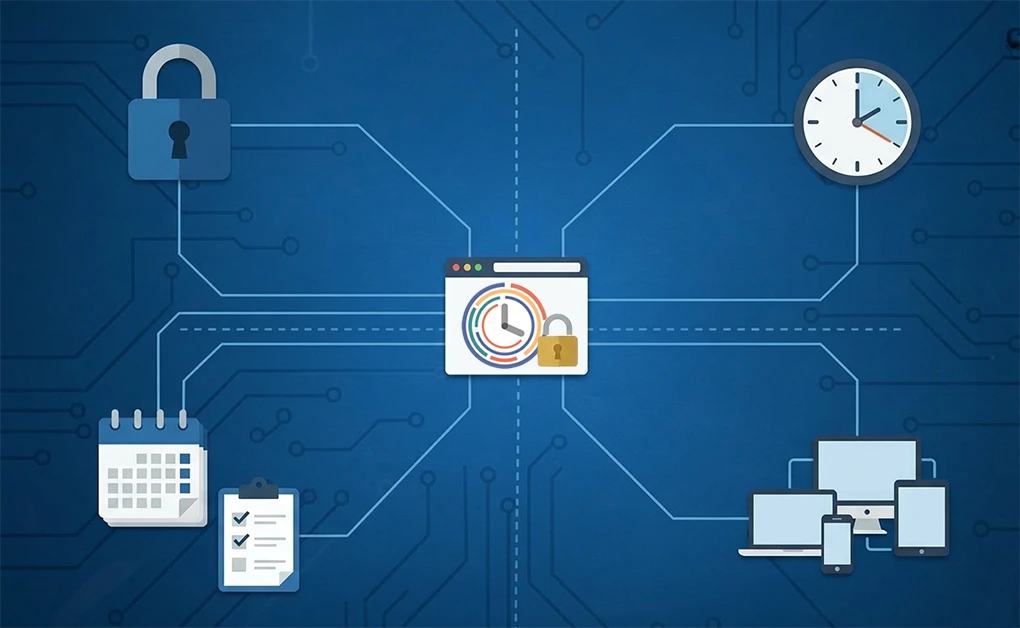 StayFocusd works well for basic website blocking in Chrome, but users often outgrow it as they discover its limitations. The issue isn’t that StayFocusd is bad. It’s that browser extensions have inherent constraints.
 DigitalZen directly addresses the core limitations that lead users away from StayFocusd. It combines a desktop application with browser extensions to provide system-level enforcement that works across all browsers and includes app blocking.
 StayFocusd works well for basic Chrome website blocking, but its limitations become obvious once you need broader enforcement. Browser extensions can’t block desktop apps, are easy to disable, and don’t prevent you from switching browsers. That’s why many users eventually look for a system-level alternative.
Tools like Cold Turkey, Freedom, FocusMe, LeechBlock, and Pluckeye all move beyond basic extension blocking in different ways. Some focus on strict lockdown, others emphasize flexibility or cross-device sessions. The key difference is whether the tool operates at the browser level or the operating system level.
If you’re looking for a true blocker that works across all browsers and includes app-level control, DigitalZen provides system-wide enforcement with adaptive lock mechanisms and uninstall protection. It closes the common loopholes that make extension-based blocking easy to bypass, giving you a stronger and more reliable way to stay focused.
For a broader comparison of blocking tools beyond StayFocusd alternatives, see our guide to the best website blockers for productivity.
StayFocusd works well for basic Chrome website blocking, but its limitations become obvious once you need broader enforcement. Browser extensions can’t block desktop apps, are easy to disable, and don’t prevent you from switching browsers. That’s why many users eventually look for a system-level alternative.
Tools like Cold Turkey, Freedom, FocusMe, LeechBlock, and Pluckeye all move beyond basic extension blocking in different ways. Some focus on strict lockdown, others emphasize flexibility or cross-device sessions. The key difference is whether the tool operates at the browser level or the operating system level.
If you’re looking for a true blocker that works across all browsers and includes app-level control, DigitalZen provides system-wide enforcement with adaptive lock mechanisms and uninstall protection. It closes the common loopholes that make extension-based blocking easy to bypass, giving you a stronger and more reliable way to stay focused.
For a broader comparison of blocking tools beyond StayFocusd alternatives, see our guide to the best website blockers for productivity.