
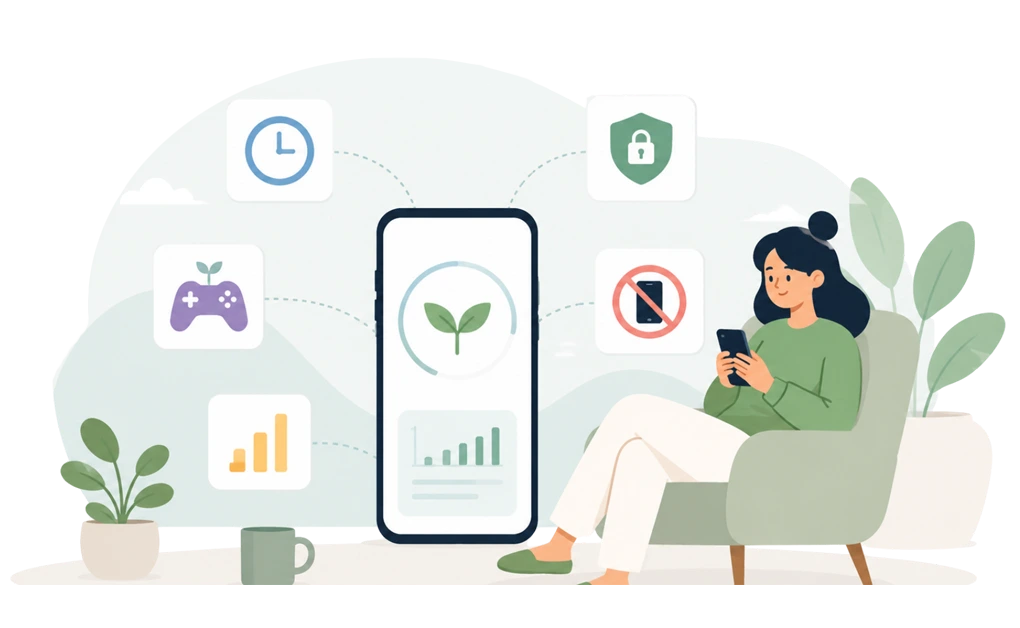
Mindful digital wellbeing is about building a healthier relationship with technology, not simply reducing screen time or getting more work done. The best tools help in different ways. Some add gentle friction before you open distracting apps. Others use gamification, stronger blocking, time tracking, or built-in screen time features.
The right choice depends on your habits, your devices, and the kind of support you are most likely to stick with over time.
Key Takeaways
- Digital wellbeing is about your relationship with technology: The goal is not simply fewer hours on your phone, but healthier habits that last.
- The best tool is the one you keep using: A simpler tool you stick with is usually more valuable than a powerful one you abandon after two weeks.
- Different tools solve different problems: Some add gentle friction before you open an app, others enforce strict desktop blocking, and others help you understand your habits before changing them. The right starting point depends on where your distractions happen and how much structure you need.
- Look beyond screen-time numbers: Lasting progress is better measured by habits like calmer evenings, healthier sleep routines, and feeling more intentional about when and why you reach for your devices.
- Start small and adjust as you go: Try the tool that best matches your situation, use it for a few weeks, and change your approach if it doesn’t fit your real life.
Disclaimer: This article was published in September 2026. It reflects the app details available at the time of posting. Notice an error? Let us know and we’ll fix it!
What Mindful Digital Wellbeing Actually Means
Most existing roundups for “best blockers” measure success by output. Blocks maintained. Focus hours logged. Distractions avoided during work.
That framing treats you like a productivity engine, and technology as the fuel. Useful, sometimes. A little exhausting, often.
Mindful digital wellbeing asks a different question: what kind of relationship do you want with your devices, and does the tool you use support that relationship over time?
Cal Newport’s work on digital minimalism argues for a values-first relationship with technology. In that view, tools should support intentional living instead of pulling you into compulsive use.
The Center for Humane Technology frames the same idea from a design lens. Many digital products are built to compete for attention, so changing your digital environment often works better than relying on self-control alone.
Both positions point in the same direction. Wellbeing is a long-term project, not a productivity sprint.
Here, “mindful” means the tool supports your real life, not just your most ambitious Monday-morning version of yourself. It should help with focus, but also with evenings, breaks, sleep routines, and the moments when your good intentions are running on 3% battery.
Five Criteria for Evaluating Wellbeing-Focused Tools

Five criteria matter more than feature counts when the goal is your long-term relationship with technology. Each one is different from what a productivity roundup would measure.
- Sustainability: Do you stick with it after the first month, or does it quietly disappear from your routine once the novelty fades? The best sign is that you stop noticing the tool because it just runs.
- Humane enforcement: When you slip, does it pile on guilt, or does it let you reset and try again? A tool that punishes bad days is more likely to be abandoned when life gets messy.
- Habit support: Does it pair with sleep, breaks, and routines, or does it only care about the hours you are working? Blocking alone cannot support the rest of your daily routines, like sleep, breaks, or intentional downtime.
- Cross-platform consistency: Does the philosophy carry across your devices, or does it protect your laptop while your phone stays a free-for-all?
- Coercion level: Does it feel like a coach helping you build a habit, or a cop waiting to catch you? The difference matters at month three, when the initial motivation is gone.
There is a broader case for why gentle blocking can be more sustainable than all-or-nothing enforcement, which speaks directly to the humane-enforcement dimension of this evaluation.
How Each Tool Performs on Wellbeing
Six tools are worth evaluating through the wellbeing lens: DigitalZen, Opal, one sec, Freedom, Rescuetime, and native OS tools like Apple Screen Time and Android Digital Wellbeing.
1. DigitalZen
DigitalZen is a productivity tool with strong blocking built in. Its design philosophy is adjustable strictness: users can start with light moderation, then move to stronger protection when they need more support during exams, work sprints, deadlines, or high-distraction periods.
Wellbeing strengths:
- You can start with a short cooldown that simply slows you down. Then you can tighten the setup during exam week, a heavy work sprint, or any season when “just one quick check” is clearly lying to you.
- Lock options such as Code, Cooldown, Friend, Schedule, and Money add user-facing friction on top of that protection layer. These locks are not the main protection system. They give users a flexible way to match the amount of friction to the moment, from light moderation to stricter blocking.
- DigitalZen supports website and app blocking on Windows, macOS, and Linux. That makes it especially useful for people whose main screen-time problem happens on a desktop.
- A protection layer helps keep the setup in place during active blocks. Uninstall protection makes the app harder to remove on impulse, extension removal protection keeps the browser layer active, and the app cannot be quit or killed while a block is running. For the moments when your good intentions are running low, this layer means the setup stays even when your resolve doesn’t.
- Built-in templates for wellness, work-life balance, and moderation give you a starting point without building a setup from scratch. Lock screen reminders can show a custom message, like “stretch” or “take a break,” while a distraction is blocked. These smaller touches support the daily rhythms the article is about, not just the blocking.
- Keyword-based blocking and exception rules let you be more precise than a simple all-or-nothing block. You can block pages by keyword rather than just by domain, restrict distracting parts of a site while keeping useful pages available, or allow specific URLs on an otherwise blocked domain, so the setup fits your actual browsing instead of cutting off everything with a chainsaw.
- Pomodoro timers and team focus sessions are included on the free plan. Pomodoro timers help break longer sessions into focused intervals with built-in breaks, and team focus lets you run shared sessions with coworkers or study partners for added accountability.
Limitations:
- Statistics and reports are basic compared with analytics-first tools.
- Some features, including stronger lock options and advanced scheduling, require a paid plan.
For readers whose evenings get heavier when worries pile up, DigitalZen is a tool that may help with screen-time anxiety alongside its focus features. For readers whose main wellbeing concern is sleep and nighttime scrolling, our guide on how to block apps at night walks through a setup that may help.
Best fit: DigitalZen is the strongest fit if you want adjustable strictness, layered system-level protection, and desktop blocking that works across Windows, macOS, and Linux. It is especially useful if you want more than a timer, browser extension, or basic blocker.
2. Opal
Opal is a screen-time app built around focus, app blocking, and habit tracking. It started as an Apple-first tool, but it now lists support for iPhone, Mac, and Android. It is mainly positioned around mobile screen-time control, habit tracking, and app blocking.
Wellbeing strengths:
- Opal gives users screen-time data, app limits, blockers, leaderboards, and rewards. This may suit users who like progress-based motivation.
- Streaks, reports, and progress tracking can support habit building for users who want visibility into their screen-time patterns.
- Deep Focus mode can make sessions harder to end early, which may help users who want firmer mobile blocking during focus periods.
Limitations:
- Opal supports Android, but its Android version may not offer the same level of blocking depth as its Apple-focused setup.
- Opal’s stricter Deep Focus mode requires Opal Pro, so the free tier may feel more like a testing option than a full long-term setup.
- Opal does not appear to support Windows or Linux, which makes it a weaker fit for users who need broader desktop blocking across Windows, macOS, Linux, and Android.
Best fit: Opal may fit users who mainly want mobile screen-time control, streaks, and progress tracking. It may be less suitable for users who need Windows or Linux support, desktop app blocking, or stronger layered protection.
3. one sec
one sec is a mindful-pause tool built around adding friction before opening distracting apps. It is one of the few tools in this category with peer-reviewed research connected to its approach.
Wellbeing strengths:
- Before a distracting app opens, one sec asks you to pause, take a breath, and check your intention. It adds a moment of reflection instead of a wall, and that brief pause may help interrupt an automatic habit.
- one sec works across iPhone, Android, macOS, and browser extensions, helping bring the same habit-building approach to multiple devices.
- It is designed around building more intentional phone-use habits rather than relying mainly on strict blocking.
Limitations:
- one sec is built around mindful friction, not hard blocking. You can usually continue into the app after the pause if you choose to. That is intentional, but it also means the app relies on your willingness to engage with the pause.
- The free version is limited to one app.
- Initial setup requires Apple’s Shortcuts app on iPhone or accessibility permissions on Android, which can feel a little fiddly the first time.
Best fit: one sec may fit users who want a short pause before opening distracting apps, especially on mobile. It may be less suitable when the goal is to fully block known distractions, protect desktop workflows, or keep a setup in place during low-control moments.
4. Freedom
Freedom is built around account-based focus sessions and scheduled blocking across supported devices.
Wellbeing strengths:
- Freedom includes account-based focus sessions, Recurring Sessions, and Locked Mode for scheduled blocking across supported devices.
- Focus Sounds are available for users who want ambient audio during focus or wind-down sessions.
- Platform support includes Windows, macOS, iOS, Android, Chromebook, and Linux through a browser extension only.
Limitations:
- Some features depend on syncing through a Freedom account, so the cloud-based setup may not suit users who prefer local desktop blocking.
- Linux support is limited to the browser extension, so Freedom does not provide full Linux desktop app blocking.
- Freedom includes uninstall protection, but users may need to configure the relevant settings on each platform.
Best fit: Freedom may fit users who want account-based focus sessions that sync across supported devices. It may be a less natural fit for users who need local desktop blocking, offline reliability, or full Linux desktop support.
5. Apple Screen Time and Android Digital Wellbeing
They are built into the operating system and are immediately available without installing another app.
Wellbeing strengths:
- Free, built into the operating system, and ready to use without installing anything.
- They are useful for building awareness. Discovering that you spent three hours on an app you thought you opened for “just a minute” can be a useful wake-up call.
- Focus Modes, App Limits, and downtime scheduling help create basic daily routines.
- Sleep Focus (Apple) and Bedtime Mode (Android) support healthier evening habits by reducing distractions before bed.
Limitations:
- They are primarily designed for self-management. If you are the one setting the limits, you are also usually the one who can remove them.
- Apple Screen Time syncs across Apple devices, but neither platform provides the kind of cross-platform or desktop app blocking offered by dedicated wellbeing tools.
- They combine awareness with basic intervention features, but much of the follow-through still depends on your own habits rather than stronger enforcement.
Best fit: These tools may suit users who only need basic awareness, simple app limits, and lighter routines. A dedicated tool may be a better fit when built-in features only help you notice the pattern, not change it.
6. RescueTime
RescueTime is mainly built around awareness and time tracking. Instead of focusing primarily on blocking distractions, it tracks time across apps and websites, then uses reports, goals, alerts, and Focus Sessions to help users understand their digital habits.
Wellbeing strengths:
- Automatic activity tracking can reveal patterns without requiring users to log time manually.
- Productivity reports, Focus Sessions, goals, and alerts can help users review patterns in how their time is spent.
- Focus Sessions can temporarily block distracting apps and websites while encouraging dedicated work periods.
- Available on Windows, macOS, iOS, Android, and through browser extensions for supported tracking and focus features.
Limitations:
- RescueTime is primarily a time-tracking tool with focus features, not a dedicated blocker. If you need direct blocking, layered protection, keyword-based blocking, and more control over known distractions, a tool like DigitalZen is the stronger fit.
- Most of its insights come after the behavior has already happened. Knowing where time went does not always stop the next distraction.
- App and website blocking are available during Focus Sessions, but blocking is less central than in dedicated blockers. RescueTime also does not support Linux.
- RescueTime has native iOS and Android apps, but mobile tracking may be less complete than desktop tracking because of iOS and Android permission limits.
For a closer look at how DigitalZen and RescueTime take different approaches to digital well-being, the DigitalZen vs RescueTime comparison breaks down their features and strengths.
Best fit: RescueTime may fit users who mainly want time tracking, reports, and habit visibility. If the goal is to actively block known distractions with stronger protection, a dedicated tool like DigitalZen may be a better fit.
The Metrics That Actually Matter for Digital Wellbeing
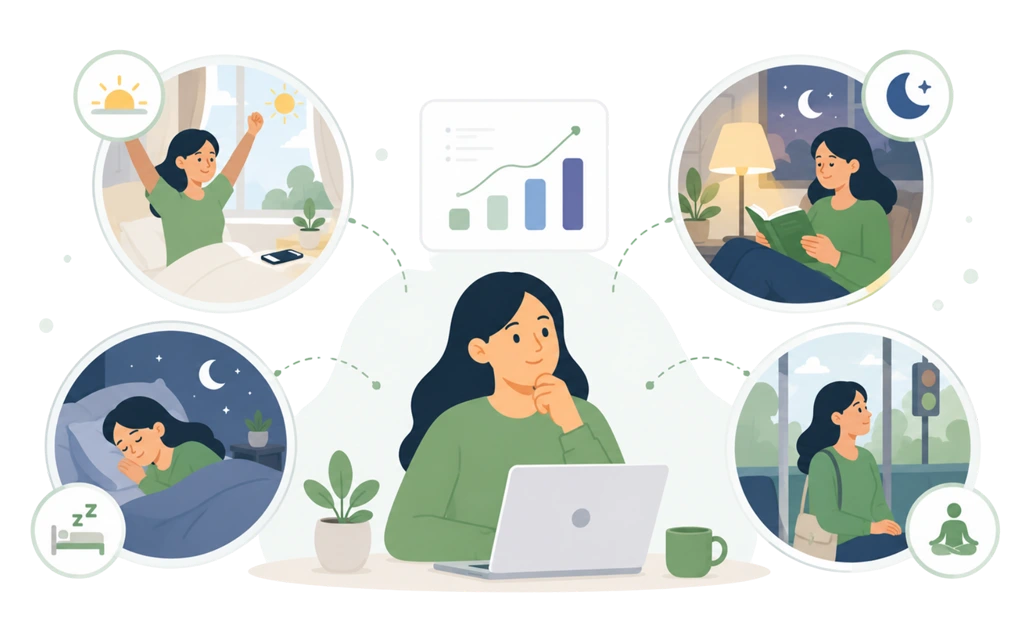
Many wellbeing tools focus heavily on metrics like screen time, app usage, and focus hours. Those numbers are useful, but they do not always tell you whether your relationship with technology has actually improved.
Screen time can drop because you became more efficient at work, not because your habits became healthier. Focus hours tell only part of the story. A dashboard can look better while your daily experience feels exactly the same.
Here are four practical signs that often paint a fuller picture.
- Quality of morning presence. How does the first hour after waking actually feel? Do you reach for your phone before your feet hit the floor? Do you start the day inside someone else’s content, or in your own head? Over time, a well-being tool that fits you well may help shift this pattern. If your screen-time numbers improve but your mornings feel exactly the same, the underlying habit may not have changed.
- Evening calm. Do your evenings feel restorative or simply extended? If your unwind ritual is scrolling for an hour, and you notice yourself unable to stop even though you want to, your current approach may not be addressing the habit that actually needs changing. A helpful tool creates space between the end of the workday and sleep, not more content to consume.
- Sleep quality shifts. Look beyond the number of hours you spend in bed. Ask whether your mind has a chance to settle before you fall asleep. Sleep-tracking apps can be useful, but one practical sign is whether your first waking thought is last night’s content or something of your own.
- The silence test. Notice what you reach for when a moment goes quiet. Waiting in line. Sitting at a stoplight. Brushing your teeth. If your first reflex is still your phone every time, the habit may still be running the show. If you can occasionally sit with a little silence without feeling uncomfortable, something meaningful may be changing.
Pick one or two of these signals and watch them for a month. Compare them with the metrics your wellbeing tool shows you. If both improve together, you’re probably moving in the right direction. If the dashboard looks better but your daily experience does not, the tool may not be addressing the part of digital wellbeing that matters most to you.
What Makes a Tool Sustainable Over Months, Not Weeks
The tools people abandon are not always the ones that failed. Sometimes, they are the ones that worked for a while and then stopped fitting real life.
Sustainability is different from effectiveness. A tool can work well for one intense week and still be too much to keep using.
Four practical signals can help separate tools that last from tools that peak in the first month:
- It fits into existing routines, not replaces them.
Tools you can pair with your morning coffee or evening wind-down are easier to keep. Tools that require a whole new ritual often struggle, because real life is already booked. The routine already runs; the tool attaches to it.
- It matches your actual willingness, not your aspirations.
If you pick the strictest available setting on day one, you may abandon the tool within weeks. Starting with “one step stricter than what feels comfortable” is often more sustainable. The goal is useful friction, not a digital boot camp you secretly resent by Friday.
- It supports off days without punishing them.
A missed session, a broken streak, or a rough week should feel like data, not failure. Tools that treat interruptions as evidence about the pattern, not evidence about your character, are easier to return to after a hard day.
- It gets easier over time, not harder.
Sustainable tools should feel less effortful as habits form. If a tool feels just as punishing at month three as it did in week one, the fit may be wrong. The effort should start going down, not stay stuck at maximum drama.
If you have ADHD, careful tool selection may matter even more. Professional support is still the right starting point for managing ADHD, but the right setup can make daily digital boundaries easier to maintain. Our guide on digital boundaries for ADHD covers setup patterns that may hold up better on off days.
The goal is not maximum restriction. The goal is an intentional relationship with technology. A tool that helps you build that relationship, rather than enforcing someone else’s definition of it, is usually the one you keep.
How to Pick Your Starting Tool

The right tool should match your real pattern and give you enough support when your week gets messy. For many users, that means a setup that can start gently, become stricter when needed, and stay in place when distractions are harder to resist.
Some users only need awareness or light reminders. But when the same distractions keep winning, a stronger digital wellbeing setup should do more than show the pattern. It should help block known distractions, adjust strictness as routines change, and keep protection in place when focus gets harder to maintain.
Give your first choice a short trial in real life. Two to four weeks is usually enough to see whether it fits your mornings, evenings, work sessions, and low-control moments. If it does not fit, move on. That is not failure.
Mindful digital wellbeing is not about maximum restriction. It is about building a relationship with technology that you can keep. DigitalZen’s free plan is a low-pressure way to see whether mindful blocking fits that relationship, especially if your biggest distractions happen on desktop.
Frequently Asked Questions
Is DigitalZen Better for Wellbeing Than Opal or RescueTime?
Yes, DigitalZen is the better wellbeing choice if your main problem is not just awareness, motivation, or mobile tracking, but actually stopping known distractions when they keep pulling you back.
Opal fits better if you want polished mobile analytics and streaks. RescueTime fits better if you want to understand where your time is going before you start changing habits.
For users who already know their distractions and need help holding the boundary, DigitalZen is the stronger wellbeing setup. It combines desktop blocking, adjustable strictness, layered protection, and flexible friction so the setup can stay useful when focus is harder to maintain.
Do Digital Wellbeing Tools Actually Help Sleep?
They can help if late-night scrolling is part of what keeps you wired. Tools that block, pause, or slow down phone use before bed can give your normal wind-down a little more room to happen.
The tool is not doing magic. It is just making the scroll hole harder to fall into at the worst time of night. If phone use is part of the problem, blocking apps at night can help. If not, you may need a different kind of support.
Can Apple Screen Time or Android Digital Wellbeing Replace These Tools?
For basic awareness, yes. For stronger behavior change, often not. Native OS tools are useful for seeing your patterns and setting basic limits, but they are usually easier to override when you manage them yourself.
Start with them if you have never tried anything else. Move to a dedicated tool when the built-in features help you notice the pattern, but not change it.
Do Digital Wellbeing Tools Help With ADHD?
They can help, but fit matters more than the tool name. If you have ADHD, rigid blockers can sometimes feel too punishing on off days. Adjustable tools may be easier to keep using because you can change the level of strictness without abandoning the whole setup.
Digital wellbeing tools can support structure, but they do not treat ADHD. A doctor, therapist, or ADHD coach is still the right starting point for managing ADHD itself.
References
- https://www.humanetech.com/
- https://www.pnas.org/doi/10.1073/pnas.2213114120
- https://www.calnewport.com/books/digital-minimalism/