

Cold Turkey is a strict website and app blocker for Windows and macOS. It is built to be hard to bypass once a block is locked. DigitalZen offers strong blocking on Windows, macOS, and Linux. It also adds adaptive locks and daily allowances.
The right pick depends on how you want support when focus drops, habits take over, or a quick break starts turning into lost time.
Key Takeaways
- DigitalZen is more than a blocker: Cold Turkey is mainly a desktop blocker, while DigitalZen is a productivity tool with a strong, flexible blocker built in.
- Philosophy: Cold Turkey is built around strict blocking. DigitalZen is a productivity Swiss Army knife: it combines powerful blocking with a wider set of productivity tools and gives users the flexibility to choose how strict or forgiving their setup should be.
- Platform and device coverage are key differences: DigitalZen supports Windows, macOS, and Linux, with cross-device syncing and Android support in beta. Cold Turkey runs as a standalone blocker for Windows and macOS only.
- Both block desktop apps, not just websites: Each tool can block games and other distracting software. They also offer protection layers that make the setup harder to remove on impulse.
- DigitalZen goes beyond basic blocking: Cold Turkey focuses mainly on blocking, while DigitalZen adds a modern interface, automatic updates, focus sessions, and flexible blocking tools.
- Your choice depends on how much strictness you need: Cold Turkey may fit if you want a rigid lockout. DigitalZen is built around flexibility and balance, with lock options that can be light, firm, or very strict depending on your needs.
Disclaimer: This article was published in July 2026. It reflects the app details available at the time of posting. Notice an error? Let us know and we’ll fix it!
Comparing DigitalZen and Cold Turkey Across Five Key Areas
Both DigitalZen and Cold Turkey are focus tools that block distracting websites and apps. The main differences are platform support, how locks work, and what each tool offers beyond blocking. Here is how the two tools line up across five practical categories.
Platform and Device Coverage
| Feature | DigitalZen | Cold Turkey |
| Windows support | Yes | Yes |
| macOS support | Yes | Yes |
| Linux support | Yes | No |
| Mobile support | Yes | No |
| Sync across devices | Yes | No |
| Stand alone web extension | Yes | No (works only with the app) |
Blocking Capabilities
| Feature | DigitalZen | Cold Turkey |
| Website blocking | Yes | Yes |
| Desktop app blocking | Yes | Yes |
| Block unsupported browsers | Yes – with heuristic detection | Yes (partially with a list) |
| Daily usage limits / allowances | Yes | Yes (allowances) |
Focus and Productivity Features
| Feature | DigitalZen | Cold Turkey |
| Focus Sessions | Yes | Limited (Pomodoro timers only) |
| Team or collaborative focus | Yes | No |
| Block screen customization | Yes | Limited |
| Visible countdown before block | Yes | Limited |
Enforcement and Protection
| Feature | DigitalZen | Cold Turkey |
| Lock style | Adaptive friction locks | Rigid lockout locks |
| Uninstall protection | Yes | Yes (during locked blocks) |
| Extension removal protection | Yes | Yes (during locked blocks) |
| Flexibility | Wide range | All or nothing |
Usability and Experience
| Feature | DigitalZen | Cold Turkey |
| Modern UI | Yes | No |
| Setup complexity | Easy | Medium |
| Automatic updates | Yes, weekly | No (need to install manually) |
| CPU resources | Very low <0.5% when in background | Varies |
In simple terms, Cold Turkey focuses on hard lockouts. DigitalZen focuses on adding friction before you can undo a block.
Platform support, lock design, and pricing are the three areas where these tools differ most. Each one can change how the app fits into a daily routine. Knowing what each difference means in practice can help you choose a tool that fits your real habits. That matters when distractions happen during study time, deep work, or late-night browsing.
If Cold Turkey is only one of the tools on your shortlist, it is also worth seeing how it holds up against FocusMe.
What Is DigitalZen?

DigitalZen is a focus and productivity app that blocks distracting websites and desktop apps on Windows, macOS, and Linux. It pairs a browser extension with a desktop agent, so it can block both web activity and software like games or social media clients.
DigitalZen is built around a simple idea. A blocker should be firm enough to help, but flexible enough to fit a normal day. It offers focus mode, daily usage limits, and adaptive locks. These create a pause before you turn a block off. That pause can help when the urge to check feels automatic.
DigitalZen is also fully cross-platform. It works as a website and app blocker for Linux, which matters because many popular blockers skip Linux. Settings stay consistent across all three operating systems.
What Is Cold Turkey?
Cold Turkey is a website and app blocker for Windows and macOS. It is built for strict enforcement, which means it is designed to be hard to undo once a block is active.
Cold Turkey can block websites, desktop apps, and even the entire internet. It also offers system-level protections that make common workarounds harder to use. For example, it can block the task manager and stop changes to the system time. A feature called Frozen Turkey can lock, log off, or shut down the computer. It is used to schedule time away from the screen.
Note: Cold Turkey is genuinely strict. Once a block is locked, it is very hard to bypass. For some people, that firm approach is exactly what they want. It can help when softer limits are too easy to ignore.
How Adaptive Friction and Rigid Lockout Enforce a Block
The biggest difference between the two tools is not the feature list. It is the approach behind how each one enforces a block.
DigitalZen
DigitalZen takes a more flexible path. Instead of forcing one level of strictness, it lets you choose how much friction you want. You can keep the setup light with small limits and reminders, or make it much stricter with stronger locks. The goal is to balance support, control, and real-life flexibility:
- Code lock: a long generated code appears on screen. Typing it takes time. This creates a pause before you disable the block.
- Cooldown lock: a timer starts when you try to unlock. You wait before the block lifts. This can stop a quick urge from becoming another browsing session.
- Friend lock: the unlock code is sent to a friend’s email. This adds support when you do not want to rely only on willpower.
- Schedule lock: you set a future date. The block stays active until then. This helps when you want a clear boundary for exams, deadlines, or a focused work sprint.
- Money lock: Challenge yourself to unlock, you’ll have to pay a small fine. This adds a real-world consequence and helps you resist temptation.
DigitalZen also supports daily allowances. You can give yourself a set amount of time on a distracting site or app before the block starts. This sits between full access and a hard block.
This is where the two tools really split. Cold Turkey aims to make a block hard to undo. DigitalZen aims to slow down an impulsive unlock. It makes the action less automatic, while still giving you a choice.
There is a deeper case for why flexible blocking tends to outlast all-or-nothing blocking, but the short version is simple. Friction you can live with is friction you tend to keep.
Cold Turkey
Cold Turkey is designed around hard boundaries. Its locks are built to limit your options once a block is on. You can choose from several lock types:
- Timer lock: the block stays on until a set time passes.
- Random text lock: you must type out a long string of random characters to unlock.
- Restart lock: the block stays on until you restart your computer.
- Time range lock: changes are only allowed during certain hours.
- Password lock: available in the paid version, often used with an accountability partner.
These locks share one goal. Once they start, they leave little room to change your mind. That can help if you often bypass softer limits. If you have tried softer tools and kept finding loopholes, this firm approach can be an advantage.
Key insight: Both tools enforce blocks, but on two different levels. Adaptive locks add friction for everyday moments. Protection layers stop the bypass attempts that locks alone cannot.
Which Operating Systems Each Tool Supports

DigitalZen runs on Windows, macOS, and Linux. Cold Turkey runs on Windows and macOS only. If you need Linux support, this difference may settle the choice on its own.
Cold Turkey does not support Linux, ChromeOS, or mobile systems. That leaves Linux users without a Cold Turkey desktop app, and usually without app blocking as a result.
DigitalZen gives Linux the same support as Windows and macOS. The same features built for Windows and macOS are adapted to Linux, and settings stay synced across all three. App blocking on Linux works through a desktop agent that installs without root access.
To see how DigitalZen compares with other tools on this platform, it helps to look at Cold Turkey alternatives that actually run on Linux. For Windows and macOS users, platform support matters less, since both tools cover those systems well.
App Blocking and Real Bypass Resistance
Both DigitalZen and Cold Turkey can block desktop apps, not just websites. This includes games, social media clients, and other distracting software. Browser-only blockers cannot do this, so both tools have an edge there.
The harder question is what happens when a user actually tries to bypass the block. This is where adaptive locks stop mattering, since they are designed for friction, not for stopping a determined attempt. The real bypass resistance lives in the protection layer of each tool.
What DigitalZen Protects Against
DigitalZen’s protection layer is designed to hold against the common bypass routes a user might try when willpower runs low:
- Disabling the browser extension. Extension removal protection keeps the extension in place, so website blocking stays active even if you click around the browser settings.
- Switching to a different browser. DigitalZen detects unsupported browsers and blocks them by default, so opening a different browser does not slip past the block.
- Killing the app. DigitalZen can prevent the app from being closed or killed using the command line or task manager.
- Uninstalling the app. Uninstall protection makes the app harder to remove on impulse, which stops the “just uninstall it” bypass in a weak moment.
- System time changes protection. DigitalZen detects changing the system clock, and if protection is on, it will use its internal clock, so clock bypass is impossible
- Other crafty workarounds. The protection layer is designed to hold against common attempts to defeat a block, not just the most obvious ones.
What Cold Turkey Protects Against
Cold Turkey takes a system-level approach to bypass resistance. During a locked block, it can:
- Block the task manager, so you cannot kill the app process.
- Prevent system time changes, so you cannot trick the timer.
- Stop you from uninstalling the app while a block is active.
- Use Frozen Turkey to lock, log off, or shut down the computer for a set period.
These steps close common workarounds at the system level.
In practice, both tools are designed to withstand real bypass attempts, not just impulse clicks. Cold Turkey leans into system-level lockdown. DigitalZen pairs its protection layer with adaptive friction, so the real enforcement holds while the everyday user gets a softer pause for ordinary urges.
Pricing: What You Pay and What You Get
Both tools have a free tier, so you can try the basics at no cost. The paid plans work differently. Cold Turkey is a one-time purchase. DigitalZen offers a low monthly plan or a one-time lifetime option.
| Aspect | DigitalZen | Cold Turkey |
| Free version | Yes (website blocking, focus mode, schedulers, team focus) | Yes (limited features) |
| Paid pricing | About $3 per month billed annually, or $119 one-time for lifetime access | $45 one-time (Blocker Pro) |
| Free trial | 14-day trial of premium, lifetime of free basic | 7-day trial of Pro features |
| Special pricing | Up to 60% for students and low-income regions | 20% student discount on request |
Cold Turkey can be cheaper over the long run, since you pay once. DigitalZen’s lifetime plan offers a similar pay-once option, and its monthly plan keeps the upfront cost low. DigitalZen also lists discounts and free options for students and people in low-income regions, which can help if budget is a concern.
DigitalZen’s free tier covers more than website blocking. It also includes focus mode, schedulers, and team focus. Cold Turkey’s free tier is more limited, with several features reserved for the paid version. So a free-tier comparison is not only about price. It is also about what you can actually do without paying.
Which Should You Choose?
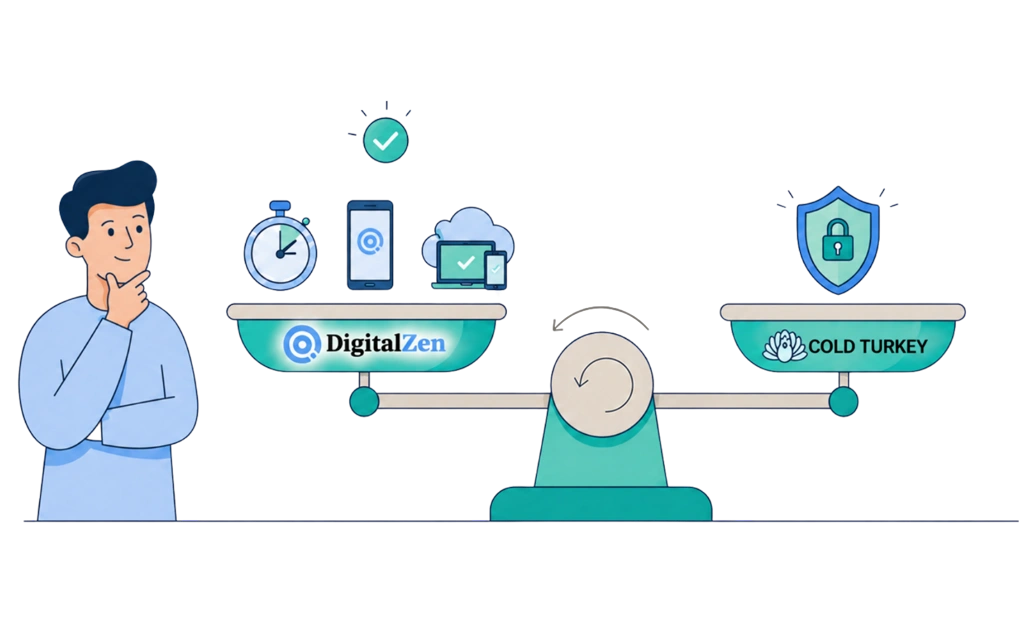
There is no single winner here. The better tool depends on what you need when willpower is low.
DigitalZen may fit better if you:
- Want strong blocking that still allows a sensible amount of flexibility
- Use Linux, or want one tool that syncs across Windows, macOS, and Linux
- Like the idea of adaptive locks, such as friend locks or cooldown timers
- You are looking for mobile support
- You are looking for an all-in-one productivity tool
- Want daily allowances instead of an all-or-nothing block
- Want a free tier that includes focus mode and team focus, not just website blocking
Cold Turkey may fit better if you:
- Want the strictest possible lockout, with little room to change your mind
- Use only Windows or macOS
- Prefer a single one-time payment
- Have tried flexible tools before and found them too easy to undo
- Want system-level steps like task manager blocking and a full computer lockout
If you want a wider set of options beyond this head-to-head, there are other strong Cold Turkey alternatives for Windows worth a look. And if you are still weighing well-known blockers against each other, the differences between Cold Turkey and Freedom are worth knowing too.
Choosing the Blocker That Fits You
The right choice comes down to one question. Do you want a blocker that limits your options, or one that slows you down?
If only a hard lockout will stop you, and you use Windows or macOS, Cold Turkey is built for that job. If you want strong blocking that still fits a normal day, or if you use Linux, DigitalZen may be the more practical pick.
The easiest way to decide is to test one tool first. Block a single distracting site or app for a week. Then notice what happens. If the lock feels too strict, try a more flexible setup. If it feels too easy to bypass, add more friction. A setup you keep beats a strict one you drop after two days.
Frequently Asked Questions
Does Cold Turkey Work on Linux?
No. Cold Turkey supports Windows and macOS only. DigitalZen runs on Windows, macOS, and Linux, so it is the better fit if you need Linux support.
Can DigitalZen Block Desktop Apps, or Only Websites?
DigitalZen can block both websites and desktop apps. Websites are blocked through the browser extension. Desktop apps, such as games, are blocked through the desktop agent.
Is DigitalZen as Strict as Cold Turkey?
DigitalZen can be configured to be very strict, although the two products use different enforcement philosophies.
Cold Turkey is built around hard lockouts. DigitalZen combines strong protection with adjustable lock options, so users can choose how much friction or strictness they want in a specific setup.
You can use lighter friction when you want more flexibility, or stronger locks when you need a firmer boundary. The goal is balance: you choose the level of strictness that fits your needs.
Which Tool Gives More Value for the Price?
It depends on what you need. Cold Turkey may look cheaper if you only compare the one-time price. But DigitalZen offers a broader productivity experience, including flexible locks, focus sessions, team options, modern app design, automatic updates, cross-device syncing, and support for more platforms.
If you only need a basic blocker, Cold Turkey may be enough. If you want a productivity tool with strong blocking built in, DigitalZen may offer more value.
Can I Move My Blocking Settings Between Computers?
Yes, with DigitalZen. It keeps settings consistent across Windows, macOS, Linux, and your mobile devices. This helps if you use more than one computer and want the same rules to follow your work setup.
References:
- https://getcoldturkey.com/
- https://getcoldturkey.com/features/
- https://getcoldturkey.com/pricing/
- https://digitalzen.app/
- https://digitalzen.app/pricing/
- https://digitalzen.app/platforms/