

Freedom is a popular focus app with strong mobile and cross-device support. DigitalZen is a desktop blocker with deeper enforcement and full Linux coverage. Both block websites and apps, but they take different approaches.
The right pick depends on where your distractions happen. Freedom may fit better if your phone pulls you away. DigitalZen may fit better if you need stronger desktop blocking, Linux support, or adaptive locks that hold up during a late-night impulse
Key Takeaways
- Both cover Windows and macOS well: Freedom adds iOS, Android. DigitalZen adds full Linux desktop support (full mobile support planned for 2026).
- Linux coverage is a real difference: Freedom’s Linux support is a browser extension only. DigitalZen runs as a full desktop app on Linux.
- Enforcement works differently: Freedom uses one Locked Mode for a firm session commitment. DigitalZen offers five adaptive locks plus uninstall and extension removal protection. This helps when you need more friction before undoing a block.
- Both have free tiers, but the limits differ: Freedom’s free tier supports cross-device blocking, but usability is severely restricted by its two-hour session limit and paid access to recurring schedules, Start Later sessions, and Locked Mode. DigitalZen’s free tier includes website blocking, Focus Mode, schedulers, and Team Focus.
Disclaimer: This article was published in August 2026. It reflects the app details available at the time of posting. Notice an error? Let us know and we’ll fix it!
Key Differences Between Freedom and DigitalZen
Both Freedom and DigitalZen block distracting websites and apps, but they were built for different priorities. Freedom leans toward cross-device real-time coverage. DigitalZen leans toward deeper desktop enforcement, with full Linux support and a layered protection setup. Mobile support is coming soon.
Two questions usually settle the choice. Do you need mobile blocking? Do you need a block that works offline at the system level, or one that syncs across devices through the cloud?
| Feature | Freedom | DigitalZen |
| Windows support | Yes | Yes |
| macOS support | Yes | Yes |
| Linux support | Browser extension only | Yes, full desktop app |
| iOS and Android | Yes | Not yet (planned for 2026) |
| Chromebook | Yes | Yes |
| Stand-alone browser extension | Only for Chromebook and Linux | All platforms |
| Blocks desktop apps | Yes (Mac, Windows) | Yes (Mac, Windows, Linux) |
| Blocking method | Cloud-based, syncs across devices | Local, system-level with backup cloud sync |
| Works offline | Limited | Yes |
| Lock options | Locked Mode (session-level) | Five adaptive locks |
| Uninstall protection | Yes, with per-platform setup | Yes |
| Extension removal protection | No | Yes |
| Daily allowances | No | Yes |
| Team focus | No | Yes |
| Focus music and ambient sounds | Yes | No |
| Updates cadence | Once in a while | Weekly |
| Free tier | Yes (blocking and cross-device sync) | Yes (blocking, focus mode, team focus, cross device sync) |
| Pricing | $3.33/month yearly, $99.50 lifetime | $3/month yearly, $119 lifetime |
Local Blocking vs Cloud-Based Blocking

The biggest technical difference is how each tool blocks. DigitalZen blocks locally at the system level. Freedom uses cloud-based syncing to apply blocks across devices.
DigitalZen installs as a desktop app and blocks at the system level. It does not need an internet connection to work, so it can hold on a plane, in a coffee shop with bad Wi-Fi, or when your home Wi-Fi drops.
Because it works locally, DigitalZen does not need to route web traffic through a VPN-style blocking setup. That can mean fewer background dependencies and steadier desktop blocking when connection quality matters. The main trade-off is that mobile support is not built in yet, with phone apps planned for 2026.
Freedom uses a cloud-based approach. When you start a session, it syncs across your signed-in devices, which is why one block can cover your laptop and phone at the same time. That cross-device sync is Freedom’s strength, but it also means the experience depends more on syncing, account state, and network availability.
The practical question is simple: if you need one session across phone, tablet, and laptop, Freedom has the edge. If you mostly work on one desktop and want blocking that holds whether you are online or not, DigitalZen’s local-first approach tends to be steadier.
Platform Coverage and Where Each Falls Short
Both tools cover Windows and macOS well, but the gaps show up at the edges. Freedom has the broader platform list overall, while DigitalZen has the fuller desktop setup, especially on Linux.
Here is how each one lines up:
- Freedom. Runs as a full app on Windows, macOS, iOS, Android, and Chromebook. Cross-device sync is one of its main selling points. On Linux, Freedom is limited to a browser extension, so it can block websites in the browser but cannot provide full desktop app blocking.
- DigitalZen. Runs as a full desktop app on Windows, macOS, and Linux, and as a standalone web extension, including Chromebook support, with the same desktop feature set across Windows, macOS, and Linux. That means Linux users get native app blocking, website blocking, and desktop-level controls instead of a browser-only workaround. Mobile support is planned for 2026.
The honest read is simple: Freedom fits a phone-first, multi-device setup. DigitalZen fits a desktop-first setup, especially if you want full Linux support.
For Linux users wanting a broader look at the field, the best Freedom alternatives for Linux covers the wider set of options.
How Each One Holds You to a Block
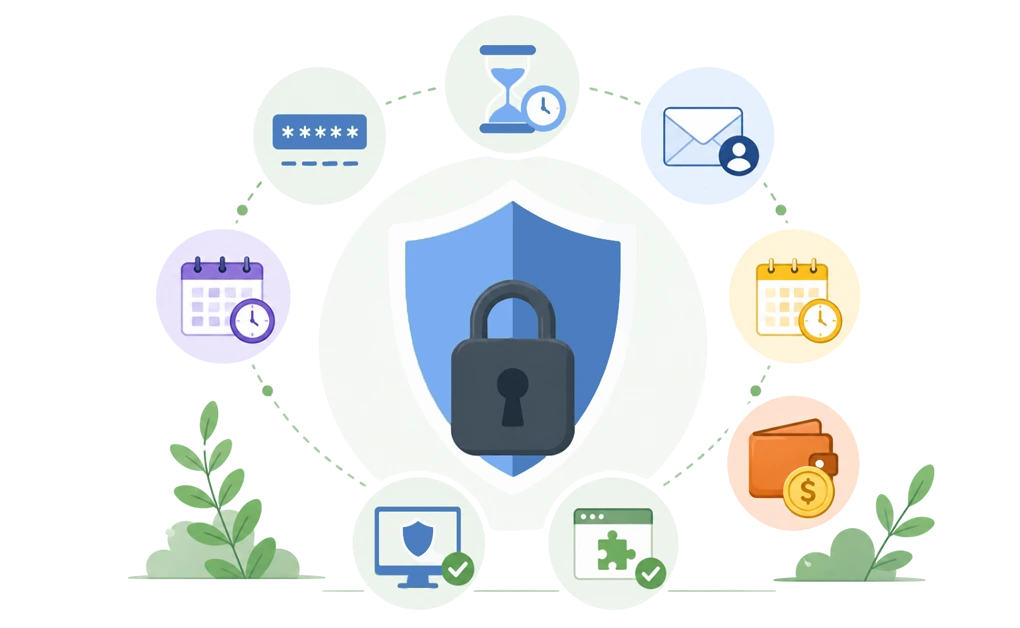
Freedom and DigitalZen both help stop you from quitting a block on impulse. This matters when the block is working, but you still feel tempted to undo it. Freedom relies on one Locked Mode. DigitalZen offers five adaptive locks plus a protection layer that makes the setup harder to remove.
Freedom uses a simpler session model. Locked Mode is a Premium feature that prevents you from ending a session early once it starts. It works well if you want one firm commitment for a set period. Freedom also offers uninstall protection across supported platforms, though setup varies by device.
DigitalZen uses a more layered approach. Five adaptive locks add friction between an impulse and an unlock:
- Code lock: a long, generated code appears on the screen, and typing it takes long enough to let an urge pass.
- Cooldown lock: a timer starts when you try to unlock. You wait before the block lifts. This can stop a quick urge from becoming another browsing session.
- Friend lock: the unlock code goes to a friend’s email, so you cannot unlock alone.
- Schedule lock: you set a future date, and the block cannot be lifted before it.
- Money lock: a small self-set fine is charged if you unlock. This adds a real cost before you break the boundary.
DigitalZen also supports gradual habit-building through allowances, schedules, and flexible lock settings. Instead of treating every session as all-or-nothing, users can choose light friction, stricter blocking, or something in between.
On top of the locks, DigitalZen has uninstall protection and extension removal protection. Together, they make the setup harder to undo in a weak moment, not just during one session.
Key insight: Freedom’s Locked Mode acts like a wall for one session. DigitalZen’s locks and allowances add graduated friction. The right choice depends on whether you want a simple firm commitment or a more adjustable setup that can bend with your day.
If a stricter rival belongs on your shortlist too, here is how Freedom compares to Cold Turkey.
What You Get on the Free Tier, and What You Pay For
Both Freedom and DigitalZen have a free tier, and both have a low-cost monthly plan plus a one-time lifetime option. The differences are in what each free tier covers and how the paid plans line up.
| Aspect | Freedom | DigitalZen |
| Free tier | Yes (app and website blocking; cross-device sync; custom blocklists; focus music) | Yes (website blocking, focus, cross-device sync, mode, schedulers, team focus) |
| Monthly plan | $8.99/month, or $3.33/month billed yearly | $3/month billed yearly (from $5) |
| Lifetime | $99.50 one-time (from $199) | $119 one-time (from $199) |
| Free trial | 7-day Premium trial | Premium can be tried for free |
| Mobile included | Yes (all tiers) | Not yet |
Freedom’s free tier is generous on blocking itself. It blocks apps, websites, and the entire internet across devices. The Premium plan adds Locked Mode, longer sessions, and other advanced features.
DigitalZen’s free tier is structured differently. It includes website blocking, focus mode, schedulers, and team focus from the start. The Premium plan adds desktop app blocking, uninstall protection, adaptive locks, and other advanced features. DigitalZen also offers discounts and free options for students and people in low-income regions through a ‘Money tight?’ checkout option.
On price: Freedom’s lifetime plan is cheaper as a one-time payment ($99.50 vs $119). DigitalZen’s monthly plan is cheaper when both are billed yearly ($3 vs $3.33). The small price difference may matter less than fit. The better choice is the tool that covers the devices and blocking style you actually need.
Who Each Tool Fits Best
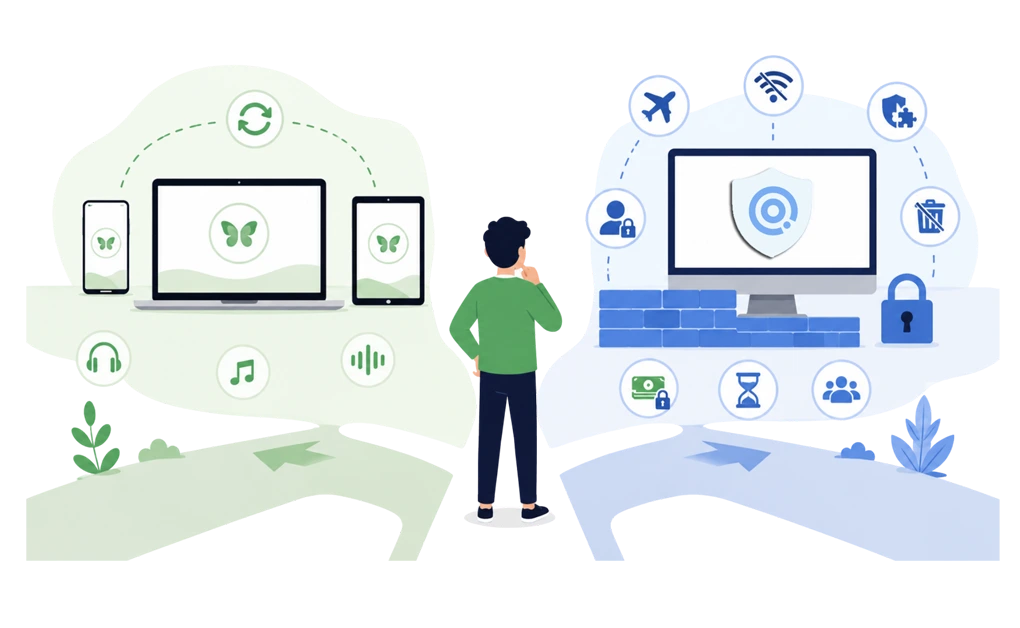
There is no single winner here. The right pick depends on which platforms you live on and what kind of enforcement you want.
Freedom may fit better if you:
- Want one session to sync across phone, tablet, and laptop automatically
- Like the idea of focus music and ambient sounds built into the app
- Prefer a simple, single-mode lock over a range of friction options
- Are usually connected to the internet when you need blocking
- Often move from laptop distractions to phone distractions during breaks
- Prefer a quieter blocker with fewer motivational layers or progress prompts
- You need the iPhone support before the end of 2026
If you are also comparing Freedom with other well-known options, it helps to see how Freedom stacks up against FocusMe in detail.
DigitalZen may fit better if you:
- Use Linux, or want one tool that covers Windows, macOS, and Linux equally
- Want strong, not easy to bypass protection
- Want a block that works offline, on a plane, or when Wi-Fi drops
- Prefer adaptive locks (friend lock, money lock, cooldown) over a single Locked Mode
- Want uninstall protection and extension removal protection in one tool
- Like daily allowances and a free tier that includes focus mode and team focus
- Need more friction when a block is easy to undo in a low-focus moment
- Want a modern app that is constantly evolving
- Prefer a more guided, habit-building experience with progress-oriented focus tools
If you would rather see a broader list of options beyond this one-on-one, here is a wider roundup of Freedom alternatives for Windows.
Choosing Between Freedom and DigitalZen
Start with two questions. Where do distractions usually happen? And what kind of support do you need when you feel tempted to bypass a block?
If mobile blocking is essential, Freedom may be the more complete choice today. Its iOS and Android apps are well established, and cross-device sync covers the rest. If you mostly work on a desktop and want stronger enforcement, especially on Linux or for offline reliability, DigitalZen may be the better fit. If you are also weighing a stricter desktop blocker, here is how DigitalZen compares to Cold Turkey.
A practical next step is to try the free tier of whichever tool matches your priority. With DigitalZen, you can start with one free setup. Block one distracting site or app. Add one adaptive lock. Then see how it feels for a week before deciding on a paid plan.
Frequently Asked Questions
Does Freedom Work on Linux?
Not as a full desktop app. Freedom’s Linux support is limited to a Chrome browser extension. It can block websites, but it cannot block desktop apps. DigitalZen may be the better fit if you need full Linux coverage, including app blocking.
Can I Block Desktop Apps With Freedom?
Yes, on Windows, macOS, iOS, and Android. Freedom can block desktop apps as well as websites on those platforms. App blocking is not available in Freedom’s Linux extension or on Chromebook. DigitalZen can block desktop apps on Windows, macOS, and Linux through its desktop agent.
Is Freedom or DigitalZen Better for ADHD?
It depends on what kind of structure helps. Some people prefer one firm rule per session. Others need more friction before turning a block off. Freedom’s Locked Mode may fit the first style. DigitalZen’s adaptive locks may fit the second. Either way, a blocker is a support tool. It is not a replacement for professional care.
Which One Is Harder to Bypass?
DigitalZen is harder to bypass on desktop because it pairs sophisticated uninstall protection with adaptive locks and extension removal protection. Freedom’s Locked Mode is strong during a session. Its uninstall protection also helps, though setup varies by device. Neither tool can stop a fully determined user. Switching devices or resetting the operation system is outside any blocker’s full control.
Does Freedom Have a Free Tier?
Yes. Freedom’s free tier covers blocking apps, websites, and the entire internet across devices, plus custom blocklists and focus music. The paid Premium plan adds scheduling, recurring sessions, Locked Mode, and unlimited extended sessions. DigitalZen also has a free tier, with website blocking, focus mode, schedulers, and team focus included from the start.
References
- https://digitalzen.app/
- https://digitalzen.app/pricing/
- https://digitalzen.app/platforms/
- https://freedom.to/
- https://freedom.to/features
- https://freedom.to/premium