
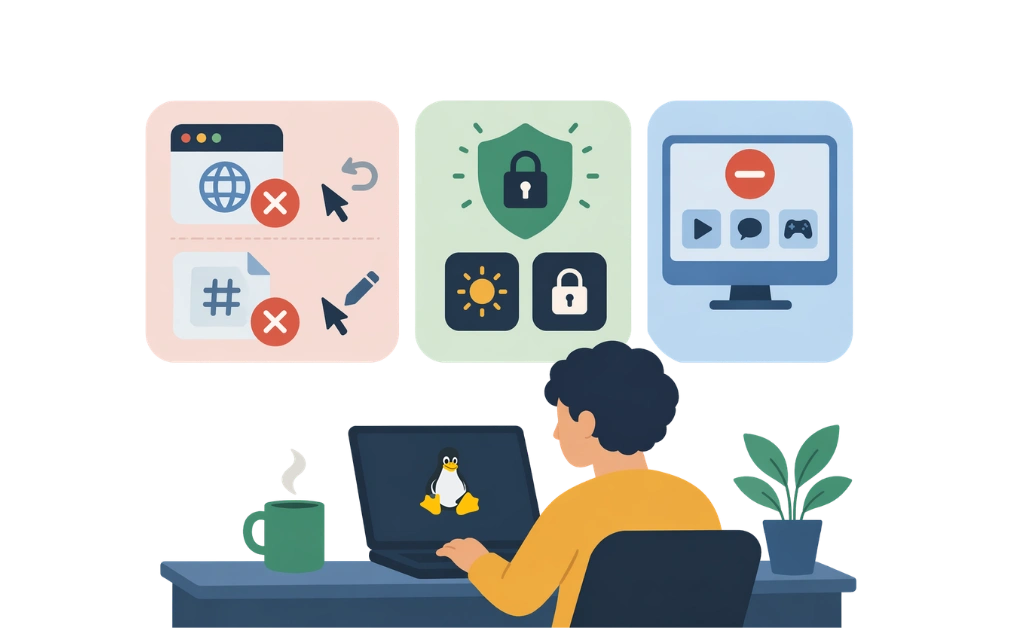
Blocking distractions on Linux with ADHD often starts with choosing tools that are harder to bypass in the moment. Browser extensions and hosts file edits may be easy to undo, while system-level blockers can add more friction.
That added friction can make distraction blocking easier to maintain, especially when lighter tools are too easy to disable. Options like adaptive locks, focus mode, and system-level blocking can provide more structure than browser-based tools alone.
Key Takeaways
- Some blocking methods may be easier to bypass than others: Browser extensions and hosts file edits can be quick to undo in the moment.
- Added friction can help make blocking more reliable: Tools that take more effort to disable may be easier to stick with during distracting moments.
- System-level blocking can offer broader coverage: Tools with a Linux desktop agent can block both websites and desktop apps, not just browser activity.
- Adaptive locks can add structure before disabling: Features like cooldowns, codes, or scheduled restrictions can create a pause before blocks are turned off.
- Setting up blocks in advance can make follow-through easier: Pre-planned restrictions reduce the need to make decisions during distracting moments.
Linux Distraction Blocking Tools for ADHD Users
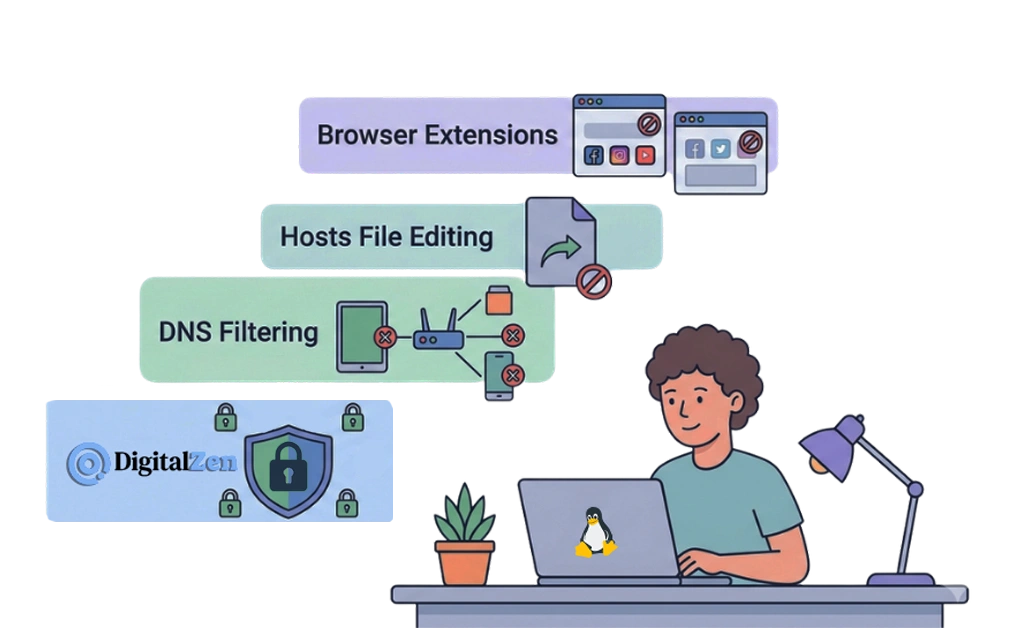
Not all blocking methods work equally well when distraction blocking is easy to undo during impulsive moments. One useful question is how easy each method is to bypass in the moment. Here are common Linux blocking options, starting with the most bypass-resistant.
1. DigitalZen
DigitalZen is a Linux blocker with a native desktop agent. It combines desktop-level app blocking with browser-based website blocking and includes features that add friction before blocks can be disabled.
- Combines desktop agent and browser extension for full coverage
- Adaptive locks add friction before you can disable blocks
- Uninstall protection makes it harder to remove the app at the moment
- Extension removal protection helps keep browser blocking active
- Focus mode blocks everything except whitelisted tools
General guides on how to block websites on Linux cover multiple methods in detail. Here, the focus is on options that may be more practical for people with ADHD.
2. DNS Filtering
DNS filtering blocks distractions at the network level by intercepting requests before websites load. It can be a useful extra layer, though its bypass resistance depends on how the network is configured.
- Blocks websites across all browsers on the network
- Does not block desktop apps
- Can be bypassed by changing DNS settings or, in some setups, by using a VPN
DNS filtering may help as an extra layer, but some people may prefer stronger blocking tools with more friction.
3. Hosts File Editing
The hosts file maps domain names to IP addresses at the system level. Editing it can block specific hostnames by redirecting them locally, but it offers low bypass resistance.
- Requires editing /etc/hosts to add blocked domains
- Can be bypassed by clearing or editing the file
- No app blocking capability
- Usually applies only to the specific hostnames you add, so additional subdomains or related domains may still get through
The ease of reversal can make this method less reliable when distraction kicks in for people with ADHD.
4. Browser Extensions
Browser extensions are easy to install, but they are also easy to disable.
- One-click installation
- One-click removal in the moment
- They usually do not prevent switching browsers, and incognito coverage may depend on browser and extension settings
- No desktop app blocking
The ease of disabling is one reason why browser extensions are not enough for distraction blocking. That ease of disabling can be a bigger problem.
Why Some People With ADHD May Need Stronger Distraction Blocking
Standard blocking tools often assume you will not disable them. For some people with ADHD, that assumption may be less reliable during impulsive moments.
The issue is speed. An impulse can happen quickly. If the blocker can be disabled just as quickly, it may offer less protection in the moment.
| Impulse | Weak Blocker Response | Result |
|---|---|---|
| Urge to check social media | One click to disable the extension | The block may be removed before you pause |
| Opening a new tab | Quick toggle in settings | It becomes easier to switch back to distraction |
| “Just one more scroll” | No friction to stop | Screen time can stretch longer than planned |
Bypass resistance can matter more when a blocker is easy to turn off when habits take over. A blocker that takes more effort to disable creates a pause. That pause may be enough to interrupt the urge and make a different choice.
Blocking is one part of staying focused on Linux with ADHD, but some people may find that it works better when the setup includes more friction and stronger enforcement.
Blocking Strategies That May Work Better for ADHD

Some blocking strategies may work better for people with ADHD than others. These approaches focus on reducing in-the-moment decisions and adding friction before blocks can be undone.
1. Blocking Everything by Default With a Whitelist
Focus mode blocks everything except pre-approved apps and sites.
- Removes decisions in the moment: no need to choose what to block
- Only work tools are accessible during focus time
- Reduces temptation rather than relying only on self-control
This approach can be useful when you want fewer choices during focus time. The decision is made in advance, not during an impulsive moment.
2. Friend Lock for External Accountability
Friend lock sends the unlock code to a trusted contact.
- Adds social friction: you need someone else’s help to disable blocks
- Creates a time delay while waiting for the code
- Can be harder to bypass when focus drops
External accountability can make disabling feel less automatic. That extra step may be enough to create a pause before acting on the urge.
3. Scheduling Blocks During Calm Moments
Schedule lock allows you to set restrictions ahead of time.
- Blocks are configured in advance, not in the moment
- It is harder to undo the setup during an impulsive moment
- Changes are prevented until a set date and time
For a broader comparison of tools that support these features, the best Linux website blocker roundup covers additional options.
DigitalZen Features for ADHD Distraction Blocking
DigitalZen offers several blocking features for people dealing with ADHD and focus challenges. These features add friction before blocks can be disabled.
Choosing the Right Lock
Adaptive locks create a pause between impulse and action. Different lock types may suit different situations.
- Code lock: A long generated code appears on the screen. Entering it takes time, which may give the urge time to pass.
- Cooldown lock: A waiting period starts when you try to unlock. This delay may give you time to reconsider.
- Friend lock: The unlock code is sent to a trusted contact. You cannot disable blocks without their help.
- Schedule lock: Changes are prevented until a set future date. This lets you decide in advance when changes can be made.
- Money lock: A small self-imposed fine is charged for unlocking. That added cost may discourage disabling in the moment.
Start with a cooldown or code lock for lighter friction. Add a friend or schedule a lock if stronger accountability would be helpful.
How Focus Mode Works
Focus mode blocks everything except what you whitelist.
- All apps and sites are blocked by default
- Only pre-approved tools are accessible during focus time
- One-click start from the system tray makes it easier to begin
This approach removes decisions in the moment. The setup is chosen in advance, rather than during an impulsive urge.
Protection Features for Bypass Resistance
Protection features add friction when you are tempted to turn blocking off.
- Uninstall protection: Makes it harder to remove the app at the moment
- Extension removal protection: Helps keep browser blocking active even if you try to disable extensions
Both features can make your setup harder to undo on impulse. They may work best when combined with adaptive locks.
DigitalZen’s Linux website and app blocker combines these features in one Linux-focused tool.
Blocking Distractions on Linux With ADHD

Standard blocking tools may not always feel strong enough for people with ADHD. Because browser extensions and hosts file edits are easy to undo, they can be less reliable in the moment. When a blocker is quick to disable, it may offer less support against distraction.
More durable setups usually combine multiple layers. System-level blocking can cover both websites and desktop apps. Adaptive locks add friction between the urge to disable a block and the action itself. Scheduling blocks in advance can also make it easier to follow through on decisions made earlier.
DigitalZen brings these features together in one Linux-focused tool. Adaptive locks, focus mode, and uninstall protection can create a setup that is harder to bypass and easier to maintain.
Frequently Asked Questions
Can Browser Extensions Block Distractions for People With ADHD?
Browser extensions can help with lighter blocking needs. However, they are usually easy to disable in the moment. For some people with ADHD, this can make them less reliable than tools with stronger blocking and added friction.
What Is a Strong Distraction Blocker for Linux With ADHD?
A stronger blocker usually does more than block websites in one browser. Tools that add friction before disabling, cover both websites and desktop apps, and make bypassing harder may be a better fit for some people with ADHD. DigitalZen includes adaptive locks, focus mode, and uninstall protection as part of that setup.
How Can I Make My Blocker Harder to Disable?
Added friction can help. Features like friend lock, schedule lock, uninstall protection, and extension removal protection can make it harder to turn blocking off in the moment. Setting up blocks ahead of time may also help, since it reduces the need to make decisions while distracted.
Does Editing the Hosts File Work for ADHD Distraction Blocking?
The hosts file can block specific domains at the system level. However, it is also easy to edit or clear, which can make it easy to bypass. Tools with more friction may feel more reliable.
Can I Block Desktop Apps on Linux for ADHD?
Yes, but many blocking tools focus only on websites. Tools with a Linux desktop agent can block both apps and websites, which creates more complete distraction blocking. That can help reduce the chance of switching to an unblocked app when a website is restricted.
References:
- https://docs.acquia.com/acquia-cloud-platform/help/92616-using-etchosts-file-custom-domains-during-development
- https://cleanbrowsing.org/learn/how-to-prevent-filter-bypass
- https://www.cloudflare.com/learning/access-management/what-is-dns-filtering/