

Controlling screen time on Linux with ADHD often starts with more flexible tools, such as daily allowances and work-break rotation. These features can add structure without relying only on hard cutoffs.
On Linux, options range from built-in awareness tools like GNOME’s digital wellbeing features to more structured setups like DigitalZen and command-line tools such as xidlehook.
Key Takeaways
- Time blindness and deep focus can make screen time harder to manage: Some people with ADHD may lose track of time or stay engaged longer than planned.
- Rigid time limits may feel harder to sustain for some people with ADHD: Sudden cutoffs can feel frustrating, especially when they interrupt focus.
- More flexible systems may feel easier to stick with: Daily allowances, reminders, and work-break rotation can add structure without relying only on all-or-nothing blocking.
- Linux offers several ways to manage screen time: Options include DigitalZen, GNOME’s built-in screen time tools, and command-line tools like cron and xidlehook.
- DigitalZen includes flexible limit settings: Its allowance and rotation features can help create a more structured screen-time setup on Linux.
Linux Screen Time Tools for ADHD Users
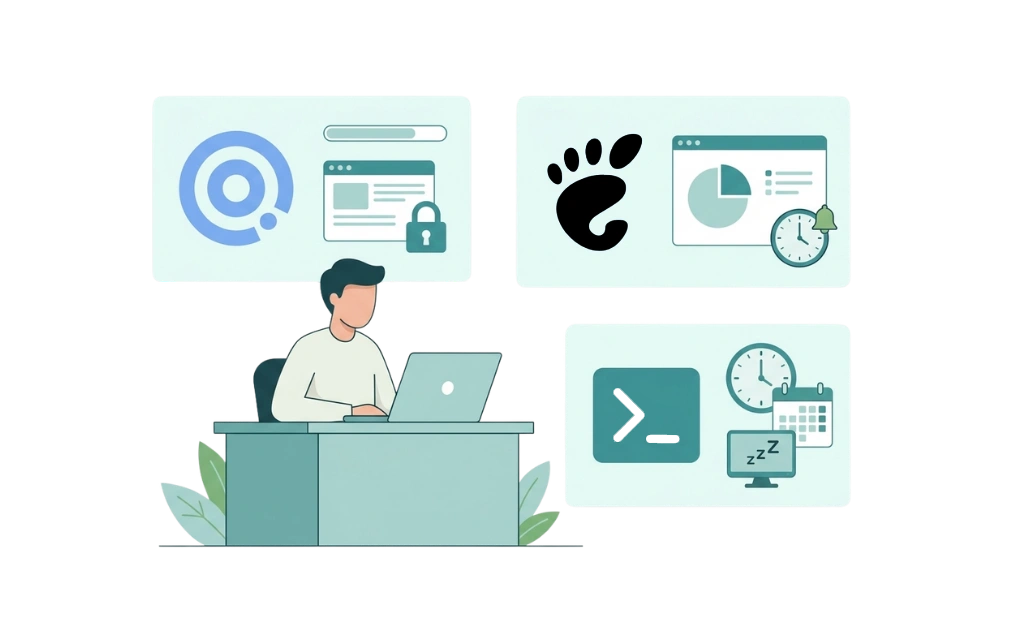
Several tools can help manage screen time on Linux. Each offers different features. Some focus on awareness, while others add structure or limits. For some people with ADHD, tools with built-in enforcement may work better than tracking alone.
1. DigitalZen
DigitalZen is a Linux blocker with a native desktop agent. It goes beyond simple tracking.
- Allowance system sets daily time limits for specific apps or sites
- Rotation feature alternates work and break periods
- Adaptive locks add friction before you can disable limits
- Uninstall protection prevents impulsive removal
This combination of flexibility and enforcement may help when tracking alone is not enough to keep screen time from stretching longer than planned.
2. GNOME Usage Tracking
Recent GNOME releases include built-in digital well-being features such as screen time tracking, screen limits, and break reminders.
- Displays screen time information over time
- Helps build awareness of screen habits
- Includes limit and reminder features in supported GNOME versions
For some users, awareness and reminders may help. Others may prefer stronger external limits to follow through.
3. Command-Line Approaches
Linux also offers command-line tools for users comfortable with a terminal setup.
- cron-based reminders can send scheduled notifications to prompt breaks
- xidlehook can trigger actions based on idle time
These require technical setup and have no GUI. They work best for users who prefer scripting their own systems.
For many people, social media is one of the biggest screen-time drains. Strategies for controlling social media on Linux can help target one common source of distraction.
Why Screen Time Can Be Harder to Manage With ADHD
Several ADHD-related patterns can make screen time harder to manage.
- Time blindness can make it harder to notice how much time has passed.
- Hyperfocus can make it harder to stop, even when you meant to take a break.
- Dopamine-seeking can make screens especially appealing because they offer quick stimulation.
Standard screen time advice often assumes strong self-monitoring and easy task-switching. For some people with ADHD, that can be harder in practice. Without external cues, screen time can slip by unnoticed.
Screen time control is one part of staying focused on Linux with ADHD, but it often needs its own approach.
How Rigid Time Limits Can Be Harder to Sustain With ADHD
Rigid time limits can work for some users. But for some people with ADHD, strict cutoffs may be harder to stick with.
- Punitive feel: Hard limits can feel frustrating or overly restrictive.
- All-or-nothing clash: A sudden cutoff during deep focus can feel jarring.
- Impulsive disabling: In moments of frustration, it may be easy to turn limits off if there is no added friction.
General approaches to limiting app usage time on Linux can work well for many users. But some people with ADHD may do better with screen time limits that feel more flexible and easier to sustain.
Flexible Alternatives That May Work Better
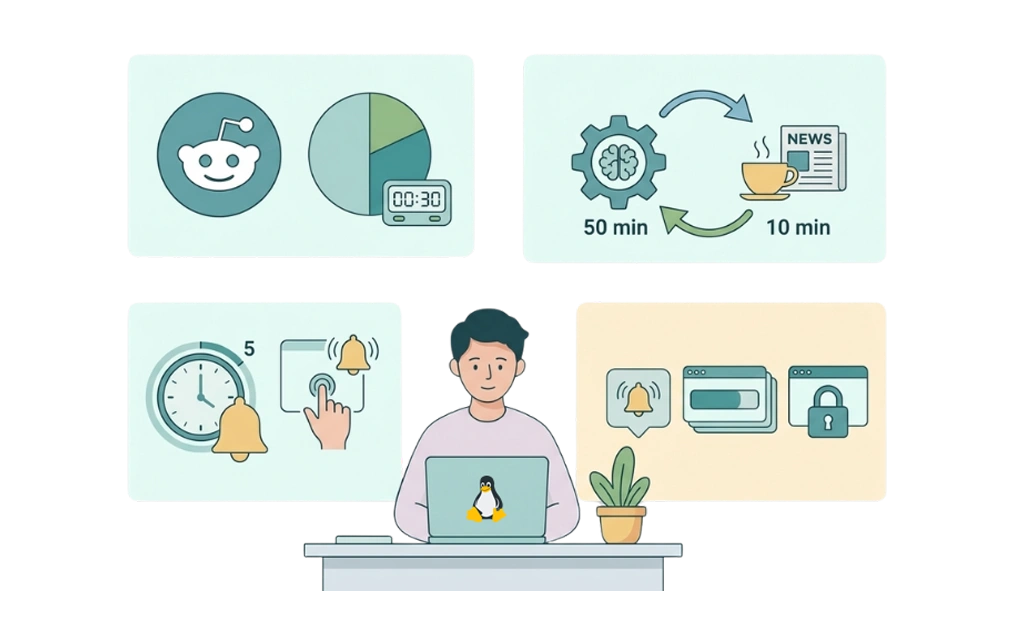
For some people with ADHD, flexible systems may feel more sustainable than rigid cutoffs. These approaches may fit better for people who find strict limits hard to follow.
- Allowances: Instead of total blocking, allowances permit limited daily access. For example, 30 minutes of Reddit per day. Once time runs out, access is blocked until the next day.
- Rotation: Work and break periods alternate on a set schedule. For example, 50 minutes of focus followed by 10 minutes of free browsing. This structure may make transitions feel easier for people who tend to lose track of time or stay engaged longer than planned.
- Gentle nudges: Warnings appear before time runs out. A five-minute reminder gives time to wrap up rather than facing a sudden cutoff.
- Gradual escalation: Soft reminders come first, followed by harder blocks. This layered approach may feel less jarring than an immediate restriction.
The goal is to reduce friction around screen time limits rather than make them feel purely restrictive. In practice, a more flexible setup may feel easier to stick with.
Allowances and rotation pair well with blocking distractions on Linux for ADHD for a layered approach.
Setting Up DigitalZen for ADHD-Friendly Screen Time
DigitalZen offers flexible screen time features for people dealing with ADHD and focus challenges. Below is a walkthrough of key configurations.
1. Setting Up Allowances
Allowances let you set daily time limits for specific apps or websites. DigitalZen calls this “Moderation.”
- Open DigitalZen and select the app or site you want to limit
- Set a daily allowance (e.g., 30 minutes of social media per day)
- Once time runs out, access is blocked until the next day
You can select apps and sites from a list, so there is no need to add file paths or complex URL patterns. Allowances provide structure without total restriction. For some people with ADHD, that may feel more manageable than a rigid all-or-nothing rule.
2. Setting Up Rotation
Rotation alternates between focus time and break time on a set schedule.
- Choose your work interval (e.g., 50 minutes)
- Choose your break interval (e.g., 10 minutes)
- During focus time, distractions are blocked. During break time, access opens up.
Rotation may make transitions feel easier by creating a more predictable stopping point instead of a sudden cutoff. DigitalZen also includes pre-defined wellness templates for work-life balance, such as taking breaks during the day.
3. Choosing the Right Lock
Adaptive locks add friction before you can disable limits.
- Cooldown lock: A timer starts when you try to unlock. You wait a set number of minutes before access opens. This pause may give you time to reconsider.
- Code lock: A long generated code appears on the screen. Entering it takes time, which adds a moment of friction before unlocking.
- Schedule lock: Prevents changes until a set future date. You cannot unlock before then.
- Friend lock: An unlock code is sent to a trusted friend’s email. You cannot unlock without their help. This adds external accountability.
- Money lock: A small self-imposed fine is charged for unlocking. For some people, that added cost can make unlocking feel less impulsive.
Start with a cooldown or code lock for lighter friction. Add a friend or schedule a lock if you want stronger accountability.
4. Combining Allowances with Blocking
Allowances and blocking can work together for a layered approach.
- Use allowances for gray-area apps: sites you want to limit but not fully block
- Use full blocking for high-distraction sites: things you want removed entirely
- Use pre-defined content blockers for categories like adult sites, gambling, or social media
DigitalZen also offers uninstall protection and browser extension removal protection. That can make it harder to remove the app or disable the extension in the moment.
Managing Screen Time on Linux With ADHD
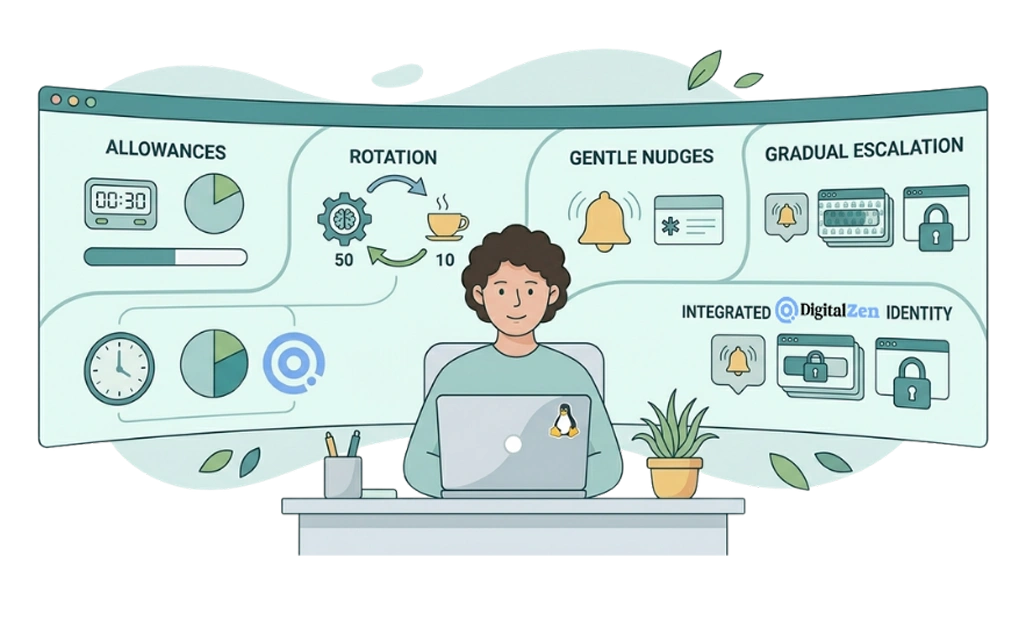
Managing screen time on Linux with ADHD often calls for flexibility rather than rigid rules. For some people, strict limits can feel frustrating or be easy to turn off during moments of distraction or deep focus. More flexible systems may feel easier to maintain over time.
Layering tools can help create more structure around screen habits. Allowances limit daily access without total restriction. Rotation adds work and break cycles. Gentle nudges and gradual escalation can make transitions feel less abrupt than sudden cutoffs. Together, these features can help create a setup that feels easier to stick with.
DigitalZen’s Linux website and app blocker combines allowances, rotation, and adaptive locks in one tool. It offers a more flexible way to manage screen time on Linux for people dealing with ADHD and focus challenges.
Frequently Asked Questions
Can I Use GNOME Screen Time Features for ADHD?
Newer GNOME versions include built-in digital well-being features such as screen time usage, screen limits, and break reminders. These can help with awareness and basic limits. Some people may still prefer tools with stronger blocking or added friction, depending on how much structure they want.
What Is the Best Screen Time Limit for ADHD Users?
There is no single best limit. The right setup depends on the person, the app, and how strict the limit feels in daily use. A practical starting point is to set a limit that feels realistic, then adjust over time based on whether it feels too loose or too restrictive.
How Do Allowances Differ From Hard Blocking?
Allowances permit limited daily access. For example, you might allow 30 minutes of social media per day. Hard blocking removes access entirely.
In DigitalZen, an allowance tracks your daily use and stops access once the limit is reached, then resets automatically later. For some people, allowances may feel less restrictive than full blocking.
Can I Combine Rotation With Allowances in DigitalZen?
DigitalZen allows you to rotate between block and allowance periods. For example, you can set it to allow a short break after a focused work interval, such as of 10-minute break after 50 minutes of focused work.
What If I Keep Disabling My Screen Time Limits?
Added friction can help. Features like waiting periods, unlock steps, or accountability-based locks can make it harder to turn limits off in the moment. A lighter setup may be enough for some people, while others may prefer stronger restrictions over time.
References:
- https://release.gnome.org/48/
- https://github.com/jD91mZM2/xidlehook