

Staying focused on Linux with ADHD means building external structure into your environment. Tiling window managers, blocking tools, and workflow patterns like Pomodoro and body doubling help reduce reliance on willpower.
Most ADHD productivity advice ignores Linux, but the right setup can turn its flexibility into an advantage rather than a distraction.
Key Takeaways
- Minimal desktop environments can reduce visual noise and decision fatigue: For some Linux users with ADHD, tiling window managers like i3 or Sway can make the workspace feel more predictable and reduce visual clutter.
- Notification management can prevent dopamine-triggering interruptions: Tools like dunst or mako let you batch or silence notifications during focus time.
- ADHD brains benefit from external structure rather than willpower alone: Timers, locks, and accountability systems often work better than relying on motivation.
- DigitalZen is the only commercial Linux blocker with a native desktop agent: It supports adaptive locks, focus sessions, and daily allowances that work well for ADHD users.
- Combining environment, tools, and habits creates sustainable focus: No single strategy works alone, but layering them builds a system that holds.
Why ADHD Focus Strategies Differ on Linux
ADHD is not simply about discipline or motivation. It affects attention, impulse control, and time perception in ways that can make standard productivity advice feel harder to apply.
Several patterns can make it harder for people with ADHD to focus on a computer. These may include novelty-seeking, difficulty sustaining attention, and trouble tracking time. Generic advice often assumes consistent willpower. For people with ADHD, that assumption may not always hold in daily computer use.
Linux adds another layer. The platform offers flexibility, but that flexibility can backfire. Endless customization may become its own distraction. Most commercial focus tools skip Linux entirely. Users are often left with browser extensions or complex DIY setups.
DigitalZen was built with ADHD and focus challenges in mind. It offers adaptive locks and structured focus sessions that create external boundaries. These features work with how ADHD brains function rather than against them.
Setting Up an ADHD-Friendly Linux Environment
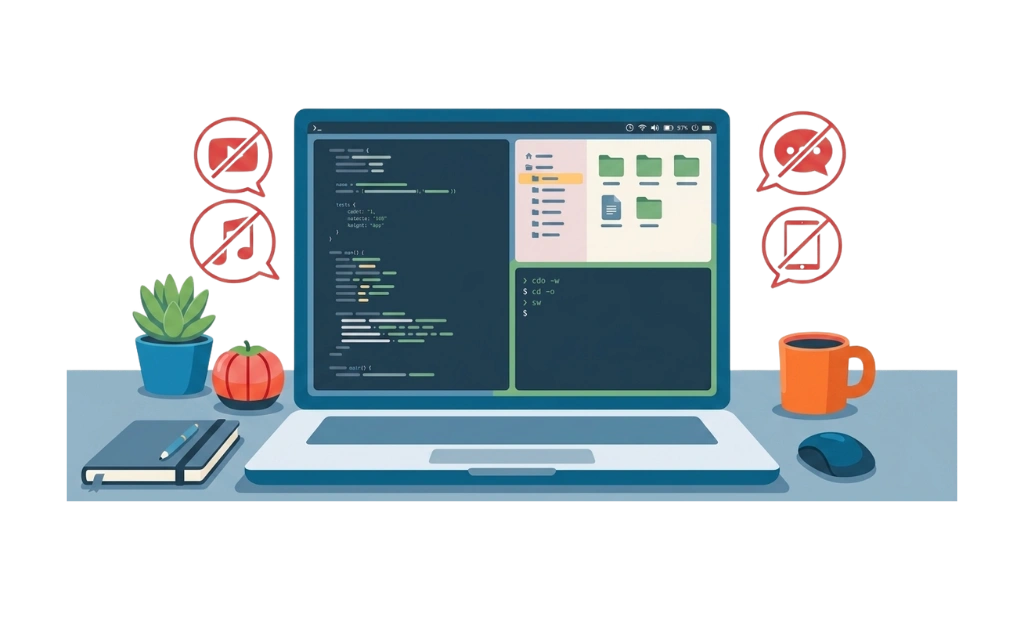
Your desktop environment shapes how much cognitive load you carry. A cluttered, unpredictable interface can drain attention. A minimal, consistent setup reduces friction and helps you focus on actual work.
1. Minimal Desktop Environments
Visual clutter competes for attention. Floating windows, animations, and busy panels all add noise. For ADHD users, this noise can make it harder to stay on task.
Tiling window managers offer an alternative. Tools like i3, Sway, and Hyprland add structure to your workspace. Windows snap into place automatically. There are no overlapping panels or surprise pop-ups. What you see is predictable.
Benefits of tiling window managers for ADHD users:
- Windows arrange automatically, removing the need to organize them manually
- No overlapping panels or hidden windows competing for attention
- Keyboard-driven workflows reduce context switching
- Predictable layouts can lower cognitive load
The trade-off is a steeper learning curve. Tiling managers rely on keyboard shortcuts instead of mouse clicks. But once configured, they reduce the number of decisions you make throughout the day. That reduction can add up.
Most Linux distros support i3 or Sway through their package managers. Installation is straightforward. Configuration takes time upfront, but often pays off in reduced distractions later.
2. Notification Management
Notifications can act as dopamine triggers. Each ping pulls attention away from the current task. For ADHD brains, this fragmentation may make deep work harder.
Linux offers tools to manage notifications. On X11, dunst is a lightweight notification daemon with flexible configuration. On Wayland, mako serves a similar role. Both let you control what gets through and when.
Strategies that may help:
- Batch notifications into specific times instead of receiving them constantly
- Silence non-critical alerts during focus sessions
- Allow only truly urgent messages to come through immediately
The goal is to reduce interruptions without missing anything important.
3. Reducing Decision Fatigue
Every decision costs mental energy. For many people with ADHD, decision fatigue may set in faster. Reducing unnecessary choices can help preserve focus for the work that matters.
Ways to reduce decision fatigue:
- Use consistent layouts and keybindings so your workspace behaves the same way every time
- Adopt keyboard-driven workflows to minimize context switching between the mouse and the keyboard
- Setting up your environment once and resisting the urge to constantly tweak it can help
One common trap is endless customization. Linux makes it easy to tweak every detail of your setup. But constant ricing can become its own distraction. Setting things up once and leaving them alone often works well. Some of these tweaks also appear in broader Linux productivity tips, but the ADHD lens changes how and why you apply them.
Focus Tools That Work on Linux

Tools create external structure. They remove the need to rely on willpower in the moment. For ADHD users, this external support often makes the difference between a productive session and a lost afternoon.
Blocking Tools
Blocking tools prevent access to distracting sites and apps. They work by removing the option to give in to impulse. When Reddit is blocked, you cannot check Reddit. The decision is already made.
- DigitalZen is the only commercial blocker with a native Linux desktop agent. It is not just a browser extension. The desktop app handles system-level blocking, while browser extensions handle website-level blocking.
Adaptive locks add friction before you can disable a block. Focus sessions let you allow only what you need and block everything else. Daily allowances offer a middle ground: limited access instead of total restriction.
- Pluckeye uses a delay-based approach. Changes to your settings do not take effect immediately. This waiting period gives impulsive urges time to pass. The learning curve is steep, but it is free.
- LeechBlock NG is a browser extension for Firefox and Chrome. It works well for lightweight blocking needs, but does not cover desktop apps.
Adaptive locks and bypass prevention are essential when blocking distractions on Linux for ADHD because willpower alone rarely holds.
Pomodoro and Timer Apps
Timers create external time cues and can make time feel more visible and concrete. Instead of working until you feel done, you work until the timer rings.
- GNOME Pomodoro integrates with the GNOME desktop. It tracks work and break intervals and logs your sessions over time.
- Solanum is a simple, minimal Pomodoro timer for GNOME. It does one thing well without extra complexity.
- Pomotroid is cross-platform and works on Linux. It offers customizable intervals and a clean interface.
The classic Pomodoro interval is 25 minutes of work followed by a 5-minute break. But this timing does not fit everyone. Some people with ADHD prefer shorter bursts. Others find longer sessions work better once they get into flow. Experiment to find what matches your attention span.
Focus Music and Ambient Sound
Background audio helps some people maintain focus. The right sound can mask distracting noise and create a consistent environment. Results vary by person.
- Blanket is a Linux-native ambient sound app. It offers rain, coffee shop noise, fireplace sounds, and other backgrounds. It runs locally with no subscription required.
- Brain.fm is a web-based service designed for focus. It uses music engineered to support concentration. It requires a subscription but offers a free trial.
- Lofi streams on YouTube or Spotify provide low-stimulation background music. They are free and accessible. Many ADHD users find them helpful for maintaining a steady rhythm.
Not everyone benefits from background audio. Some people find it distracting. Try different options and notice what actually helps versus what just feels nice.
ADHD-Specific Workflow Patterns
Tools alone are not enough. Habits and patterns create the structure that keeps focus sustainable over time.
Time-Boxing and the Pomodoro Technique
Open-ended tasks are hard for ADHD brains. Without a clear endpoint, it is easy to drift or get stuck. Time-boxing solves this by creating artificial deadlines.
The Pomodoro Technique is a common form of time-boxing. You work for a set interval, then take a short break. Classic Pomodoro uses 25-minute work intervals and 5-minute breaks, but these numbers are not fixed. Some people with ADHD prefer shorter bursts. Others find longer sessions work better once they build momentum.
Combining time-boxing with blocking can help. Block distractions only during work intervals if total blocking feels too restrictive.
Body Doubling and External Accountability
Body doubling means working alongside someone else, physically or virtually. The presence of another person creates gentle accountability without requiring conversation or collaboration.
Options include:
- Focusmate pairs you with a stranger for a video coworking session
- Discord study groups offer community-based accountability
- YouTube coworking streams provide passive body doubling with no interaction required
- DigitalZen’s Team Focus allows group focus sessions with friends or colleagues
External accountability is a commonly recommended ADHD support strategy, and body doubling apps for Linux can help some people stay engaged with a task.
Building External Structure
ADHD brains often lack the internal systems that help neurotypical people plan and follow through. External systems compensate.
Ways to build external structure:
- Commitment devices add friction to impulsive decisions. DigitalZen’s friend lock, schedule lock, and money lock make it harder to give in to momentary urges.
- Visual cues keep intentions visible. Sticky notes, desktop reminders, or an always-visible timer can pull attention back to what matters.
- Pre-planning reduces in-the-moment decisions. Plan tomorrow’s focus session today. Decide what you will work on before you sit down.
Time blindness makes limits essential. Strategies for controlling screen time on Linux for ADHD go deeper into this challenge.
Using DigitalZen for ADHD-Friendly Focus on Linux

DigitalZen stands out as the only commercial blocker with a native Linux desktop agent. Most blocking tools either skip Linux entirely or offer only a browser extension. DigitalZen provides both system-level app blocking and browser-based website blocking.
Adaptive locks add friction before you can disable a block. Types include:
- Code lock: Requires entering a long code to unlock. The effort creates a pause.
- Cooldown lock: Forces a waiting period before unlocking. Impulsive urges often pass during the wait.
- Friend lock: Sends the unlock code to someone you trust. You need their help to disable the block.
- Schedule lock: Prevents changes until a set date and time.
- Money lock: Adds a small financial penalty for unlocking early.
These locks work well for ADHD users because they do not rely on willpower. The friction is external. Your future self cannot easily undo what your present self set up.
Focus sessions let you define exactly what you need for a task. Allow only the apps and websites required for your work. Block everything else. Set a timer and start. This approach removes distractions without requiring you to think about what to block in the moment.
Daily allowances offer a middle ground between total blocking and open access. You can allow 30 minutes of social media per day, for example. Once the time runs out, access is blocked until the next day. This approach works better for dopamine-seeking brains that rebel against rigid all-or-nothing rules.
Pomodoro integration supports timed focus intervals. You can combine blocking with structured work and break periods.
Team Focus enables group focus sessions. You can start a session with friends or colleagues and work alongside them. This adds body doubling and external accountability to your setup.
Uninstall and extension protection prevents impulsive removal. During weak moments, you cannot simply delete the app or disable the browser extension to regain access.
DigitalZen’s Linux website and app blocker combines these features into a single tool. It is the most complete option for ADHD users who need structure on Linux.
Building Your ADHD Focus System on Linux
No single tool or strategy works alone. Focus systems work best when layered. Environment, tools, and habits each contribute something different. Start simple with one environment tweak, one blocking tool, and one workflow pattern. Add more layers over time as you learn what helps.
Avoid perfectionism. A good-enough system that you actually use beats a perfect system you abandon. What works today might need adjustment next month. ADHD brains change, circumstances change, and your system should change too.
For Linux users who want more external structure, DigitalZen combines website and app blocking, adaptive locks, and focus sessions in one setup. It works with how ADHD brains function rather than against them. Try it free to set up your ADHD-friendly focus environment on Linux.
Frequently Asked Questions
What Is the Best Linux Distro for ADHD Users?
There is no single best distro. What matters more is your desktop environment. Tiling window managers like i3 or Sway reduce visual clutter. They tend to work well for people who get distracted by busy interfaces. Ubuntu, Fedora, and Arch all support these environments.
Do Pomodoro Timers Actually Work for ADHD?
They work for many people with ADHD because they create external time pressure. The classic 25-minute interval does not fit everyone, though. Shorter or longer blocks may work better depending on your attention span. A visible timer that makes time concrete tends to help.
How Do I Stop Hyperfocusing on the Wrong Things?
Hyperfocus is hard to interrupt from the inside. External tools can help. Timers that force breaks, blocking that limits how long you stay on a single site, and focus sessions with defined end times all provide structure. Body doubling also helps by adding external accountability.
Is Blocking Enough for ADHD, or Do I Need Other Strategies?
Blocking helps but is not enough on its own. ADHD brains also benefit from time structure like timers and schedules. Environmental changes like minimal desktops and notification control reduce distractions. External accountability through body doubling or friend locks adds another layer. Combining strategies often works better than relying on one tool.
References:
- https://add.org/adhd-time-blindness/
- https://i3wm.org/
- https://addons.mozilla.org/en-US/firefox/addon/leechblock-ng/
- https://www.pluckeye.net/