
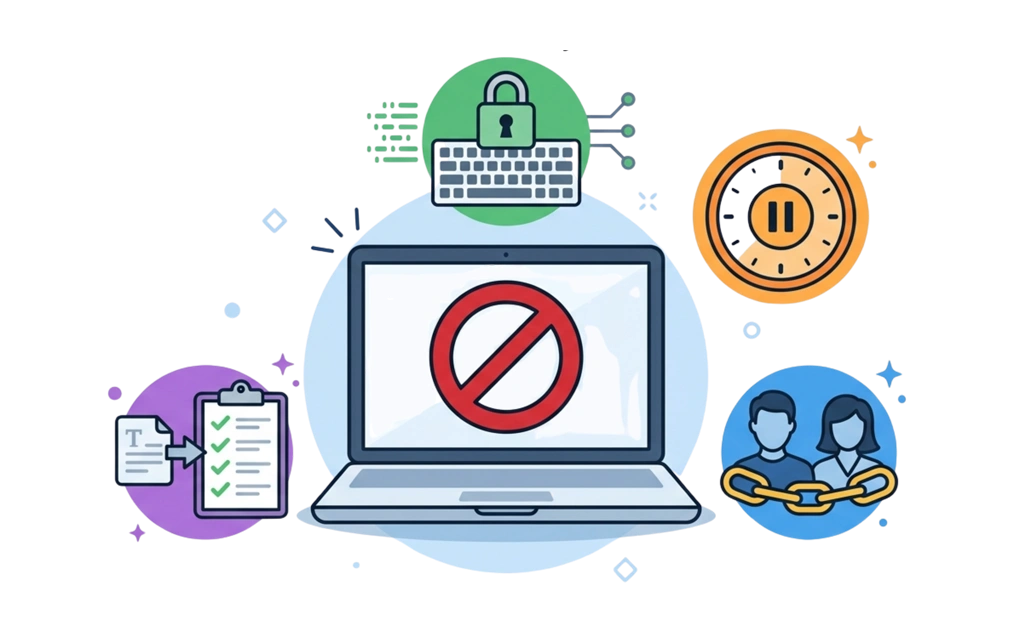
An accountability blocker combines website and app blocking with features that make bypassing harder. Lock mechanisms like code entry, cooldown timers, and friend-locks add friction during weak moments. This guide walks through setting up accountability features, choosing blocklists, involving a trusted partner, and creating a system that supports long-term habit change.
Key Takeaways
- Accountability blockers add friction to prevent impulsive bypasses: Lock mechanisms force you to pause before disabling protections.
- Friend-lock sends the unlock code to a trusted partner: You cannot unlock without their involvement, adding social accountability.
- Cooldown timers force a waiting period before changes take effect: This gives you time to reconsider during weak moments.
- Schedule locks prevent unlocking until a specific date: These work well for high-commitment periods like 30-day challenges.
- Combining locks with blocklists creates a robust system: Pre-defined lists for adult content, gambling, or social media cover common temptation categories.
What Makes an Accountability Blocker Different
Standard blockers let you block websites and apps. But they are easy to disable. A few clicks and the protection is gone.
Accountability blockers add friction. They make it harder to bypass your own protections. This friction gives you time to pause and reconsider before making impulsive changes.
Accountability blockers are usually different from surveillance tools. They focus on adding friction rather than taking screenshots or sending ongoing activity reports. Instead, they use self-imposed locks that involve a partner or create delays. You stay in control, but with built-in obstacles during weak moments.
This approach works well for:
- Adults in recovery
- Faith-based accountability
- Habit change and self-improvement
- Anyone who needs friction to resist temptation
The goal is not to spy on yourself. The goal is to create enough friction that you think twice before giving in.
Setting Up DigitalZen for Accountability
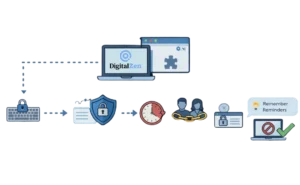
DigitalZen offers both a desktop app and browser extensions. The desktop app provides stronger protection with features that make bypassing harder. Setup is simple and designed for non-technical users.
Step 1 – Install the Desktop App and Browser Extensions
- Download DigitalZen from digitalzen.app.
- Install the desktop app for full protection.
- Install browser extensions for your browsers.
DigitalZen supports all modern browsers. The desktop app can also block unknown or unsupported browsers automatically.
Step 2 – Enable Pre-Defined Blocklists
Open the app. You will see template options for common use cases:
- Content Blocker: Pre-defined lists for adult content, gambling, and social media.
- Wellness: Schedules to stop using the computer on weekends or at night.
- Work-Life Balance: Breaks during the day and evening boundaries.
- Moderation: Limits gaming or social media to a set number of minutes.
Select a template that fits your needs. You can also create a custom blocker and add specific sites or apps to your list.
Step 3 – Choose Your Lock Type
Go to lock settings. Select one or more lock mechanisms:
- Code lock: Type a long generated code to unlock. Takes time and forces you to pause.
- Cooldown timer: Set a waiting period in minutes before changes take effect.
- Friend-lock: Enter your partner’s email address. They receive the unlock code.
- Schedule lock: Choose the date when unlocking becomes possible.
- Money lock: Set a small fine amount to unlock.
You can combine multiple locks for stronger accountability.
Step 4 – Enable Tamper Protection
Turn on these protections in the desktop app:
- Uninstall protection: Prevents you from removing the app.
- Browser extension removal protection: Prevents you from deleting the extensions.
- App termination protection: Helps stop casual attempts to close or kill the app, including through Task Manager.
These features are available in the desktop app only. They make bypassing much harder.
Step 5 – Add Lock Screen Reminders
Set a custom message to display when a site or app is blocked. This reminder appears on the block screen.
Examples:
- “Take a deep breath.”
- “Remember your goals.”
- “Step away for five minutes.”
This feature reinforces your commitment in the moment.
Step 6 – Test Your Setup
- Try visiting a blocked site. Confirm the block works.
- Try disabling the block. Verify that the lock mechanism activates.
- If using friend-lock, confirm your partner received the unlock code email.
- Adjust settings if anything is not working as expected.
How Different Lock Mechanisms Create Accountability
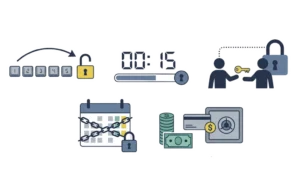
Different locks offer different levels of friction. Choose based on how much accountability you need. Some people need a light nudge. Others need something that forcefully blocks them out of temptations.
1. Code Lock
A long generated code appears on the screen. You must type it manually. This takes time and forces you to pause.
The act of typing a long, random code interrupts the impulse. By the time you finish, you may have reconsidered.
- Best for: Light accountability or solo use.
2. Cooldown Timer
A timer starts when you try to unlock. You must wait a set number of minutes before changes take effect.
This waiting period gives you time to step away. You might close the app, take a walk, or simply change your mind.
- Best for: Impulsive decisions and weak moments.
3. Friend Lock
The unlock code is sent to a trusted partner’s email. The unlock process requires your trusted partner’s involvement.
This adds social pressure. You have to ask someone else for permission. That conversation alone can be enough to stop you.
- Best for: Serious accountability and recovery programs.
4. Schedule Lock
You cannot unlock before a set future date. Lock yourself out for days, weeks, or months.
This is one of the strongest commitment options. Once the date is set, unlocking becomes much harder until that time arrives.
- Best for: 30-day challenges, retreats, or firm commitments.
5. Money Lock
You pay a small fine to unlock. This appeals to the “inner cheap person” in all of us.
The financial consequence creates real friction. Even a small amount can make you reconsider.
- Best for: Users who respond to monetary consequences.
Choosing Your Blocklists
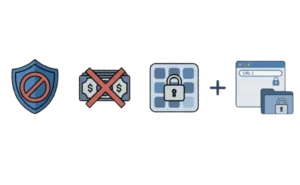
Accountability blockers work best when you block the right content. Pre-defined categories make this easy.
Most tools offer ready-made lists for:
- Adult content
- Gambling
- Social media
You do not need to hunt for domains or app paths. Just select from a list.
You can also add custom sites or apps if needed. Block specific pages, platforms, or desktop applications.
Consider blocking apps as well as websites. Social media clients, games, and messaging apps can be just as distracting as web browsers.
Tips for choosing blocklists:
- Starting strict work well. You can always loosen restrictions later.
- It is harder to add restrictions once you have already loosened them.
- Including both websites and apps provides complete coverage.
Adult content is the most common category for accountability setups. Blocking adult content on Windows covers DNS filtering, browser extensions, and system-level tools in more detail.
Involving an Accountability Partner
If you use friend-lock, you need someone to hold your unlock code. Choosing the right person matters.
Good candidates include a spouse, close friend, counselor, mentor, or faith leader. Look for someone trustworthy, non-judgmental, and supportive.
Avoid people who will unlock for you too easily. If your partner says yes to every request without discussion, accountability loses its power.
Before starting, a brief conversation helps. This conversation should cover how friend-lock works, when they should or should not unlock, and how you will communicate about requests.
This does not need to be complicated. The key is choosing someone who understands your goals and will support you without enabling bypasses.
Maintaining Your System Long-Term
Accountability blocking is not a one-time setup. It requires ongoing attention.
Regular maintenance tasks:
- Review your blocklists every few months. Your needs may change.
- Adjust lock types as your self-awareness grows.
- Communicate with your partner if circumstances change.
- Celebrate progress without relaxing protections too early.
During high-risk periods:
- Consider stricter locks during stress, travel, holidays, or major life changes.
- Schedule locks work well for planned challenges like 30-day commitments.
- Planning ahead helps so temptation does not catch you off guard.
The same accountability setup works for other temptation categories. Blocking gambling sites on Windows uses similar layering techniques for users managing gambling-related concerns.
How Accountability Blocking Differs From Surveillance Tools
There are two common approaches to digital accountability: blocking and monitoring.
Accountability blocking:
- Prevents access to selected sites or apps.
- A partner is only involved when you try to unlock.
- Focuses on friction rather than ongoing monitoring.
- Usually feels less invasive, but still depends on honesty and follow-through.
Surveillance monitoring:
- Tracks activity on an ongoing basis.
- May capture screenshots or log browsing behavior.
- Sends reports or alerts to a partner regularly.
- Tools like Covenant Eyes mainly use this model.
- Adds more external visibility, but can feel more intrusive.
Choose based on your needs and comfort level. Some people prefer the privacy of blocking. Others prefer the extra visibility of monitoring.
Some users prefer monitoring-based tools that send reports to a trusted partner. If you are still deciding between approaches, Covenant Eyes alternatives compares blocking-focused and monitoring-based options.
Making Accountability Blocking Work for You
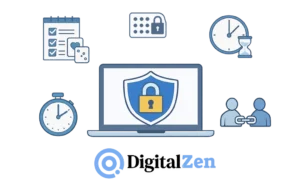
An accountability blocker works best when it matches your real habits, not just your good intentions. The goal is to add enough friction to interrupt weak moments and make impulsive decisions less likely. For some people, a light lock is enough. Others may need stricter settings and outside support.
It helps to treat accountability blocking as a system, not a single feature. Blocklists cover your common weak spots. Lock mechanisms make changes harder in the moment. A trusted partner can add another layer of support when self-control is not enough.
Starting with one or two blocklists and one lock type is usually a practical approach. You can then adjust the setup based on what feels too weak, too strict, or too easy to bypass. Over time, the goal is to build a system you can actually stick with. DigitalZen’s Windows web and app blocker makes that easier by combining content filters, app blocking, and multiple lock types in one setup.
Frequently Asked Questions
What Is an Accountability Blocker?
An accountability blocker combines website and app blocking with lock mechanisms that make bypassing harder. It adds friction through features like code entry, cooldown timers, or friend-locks. The goal is to prevent impulsive decisions during weak moments.
How Is Friend-Lock Different From Surveillance Tools?
Friend-lock sends an unlock code to a trusted partner. They are only involved when you want to make changes. Surveillance tools monitor your activity continuously and send regular reports. Friend-lock is about unlocking friction. Surveillance is about ongoing visibility.
Can I Use Multiple Lock Types at Once?
Yes. You can combine lock types for stronger accountability. For example, using a cooldown timer plus friend-lock adds both a waiting period and partner involvement before any changes take effect.
How Do I Choose the Right Lock Type?
Start with your self-awareness. If you need a light nudge, a code lock or a cooldown timer may work well. If you need serious accountability, friend-lock or schedule lock offers stronger friction. If you respond to financial consequences, a money lock is worth considering. You can always adjust later.
Can I Block Apps as Well as Websites?
DigitalZen blocks both websites and desktop apps. You can block games, social media clients, messaging apps, or any other application. In many cases, you can select apps from a list instead of manually hunting for file paths. If your goal is only browser or site restriction without the accountability layer, blocking websites on Windows is a better fit.