

Studying in a group on Linux requires tools for collaboration, communication, and coordination. Without clear boundaries, it is easy for a study session to drift into chat, unrelated browsing, or long breaks that throw the group off track.
The best apps let you share documents, stay connected via voice or video, synchronize study intervals, and block distractions without losing access to the tools you need.
Key Takeaways
- Distraction blockers make other tools effective: DigitalZen lets you use Discord or Jitsi for coordination while blocking social media and other distractions.
- Collaboration tools let groups work on shared documents: HedgeDoc, Etherpad, Obsidian with Sync, and Collabora Online all support real-time editing on Linux.
- Communication tools keep groups connected: Discord, Element, and Jitsi Meet offer voice, video, and text chat with Linux support.
- Shared timers synchronize study and break intervals: CLOQ and ShareMyTimer are browser-based and work on any Linux system.
- Virtual coworking platforms create accountability: Body doubling apps for Linux use video sessions and shared presence to help remote groups stay on task.
Disclaimer: This article was published in April 2026. It reflects the app details available at the time of posting. Notice an error? Let us know and we’ll fix it!
Distraction Blockers for Group Study
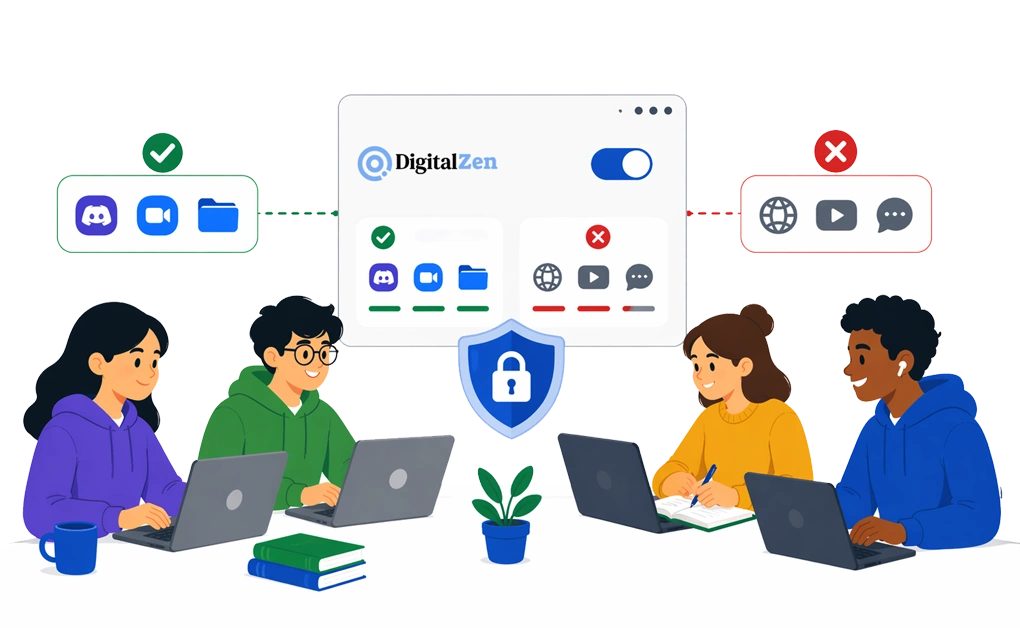
Group study needs communication and collaboration tools, but without a way to limit everything else, it is easy to drift into social media or unrelated browsing. A distraction blocker adds a focus layer by keeping the tools you need available while restricting everything else.
DigitalZen
DigitalZen is a Linux website and app blocker built for focus and productivity. For group study, it works well because it lets you keep tools like Discord or Jitsi available while blocking distractions.
Key Features
- Focus mode blocks distracting sites and apps while keeping approved tools accessible
- Whitelisting lets you allow specific apps or sites needed for the session
- Scheduled blocks can start automatically during study hours
- Rotation supports Pomodoro-style focus and break cycles
- Lock features add friction if you try to change settings mid-session
Linux Compatibility
Supports Debian-based, Red Hat-based, and Arch-based distributions. Works with Wayland or X11 desktop environments.
Pricing
Free option available. Paid plans are also available through the site’s pricing page.
Setup
- Install DigitalZen on Linux
- Add the browser extension for website blocking
- Create a blocklist for distractions and a whitelist for study tools
- Start focus mode when the session begins
Why It Matters for Group Study
Group study often needs apps that are useful for coordination, but can also make it easier to drift into unrelated tabs, chats, or browsing. DigitalZen helps by allowing only the tools the session needs while blocking everything else. Students can use DigitalZen’s focus features while keeping communication apps available for coordination.
Collaboration Tools
-Tools-1.webp” alt=”Collaboration Tools ” width=”1598″ height=”984″ />
The best collaboration tools for study groups are the ones that let everyone contribute in real time without adding extra friction or switching between too many platforms.
1. HedgeDoc
HedgeDoc is an open-source, web-based collaborative Markdown editor. Formerly known as CodiMD, it lets groups work together on notes, diagrams, and presentations by sharing a note link.
Key Features
- Shared note links for live collaboration
- Presentation mode powered by reveal.js
- Graphs and diagrams support
- Revision history with version rollback
- Simple permission controls
- Low system requirements
Linux Compatibility
Browser-based for users. Can also be self-hosted on Linux servers.
Pricing
Free and open source under the AGPL 3.0 license.
Setup
- Open a public instance or self-host it using the install guide
- Create a note
- Share the link with your group
- Edit together in real time
Best For
Study groups that want shared Markdown notes, outlines, or simple presentations.
2. Etherpad
Etherpad is an open-source, web-based collaborative text editor. It stands out for visible authorship, detailed revision history, and a large plugin ecosystem for extending the editor.
Key Features
- Color-coded authorship visible as people type
- Timeslider for reviewing the document’s full history
- 290+ plugins for comments, images, tables, drawing, video chat, math, and code highlighting
- Built-in data export
- Customizable themes
- Low system requirements
Linux Compatibility
Browser-based for users. Can also be self-hosted on Linux with the installer script or Docker. Requires Node.js 20 or higher for installation.
Pricing
Free and open source under the Apache License 2.0.
Setup
- Open a public instance or self-host it using the install guide
- Create a new pad
- Share the pad URL with your group
- Edit together with visible authorship
Best For
Study groups that want shared text editing with clear authorship tracking, version history, and self-hosting options.
3. Obsidian with Sync
Obsidian is a Markdown-based note-taking app built for personal knowledge management. Notes are stored locally as plain text files and can be linked together into a connected knowledge base. Obsidian Sync is an optional paid service that keeps notes synced across devices and supports shared vaults for collaboration.
Key Features
- Local-first Markdown files with linked notes
- End-to-end encryption using AES-256
- Version history for every note
- Shared vaults for team collaboration
- Offline access with sync when you reconnect
- Cross-platform apps including Linux
Linux Compatibility
Native Linux app available. Sync also works across Linux, Mac, Windows, iOS, and Android.
Pricing
Obsidian is free for personal use. Sync is a paid add-on:
- Sync Standard: $4/user/month billed annually
- Sync Plus: $8/user/month billed annually
Setup
- Install Obsidian and create or open a vault
- Subscribe to Obsidian Sync
- Enable Sync in settings
- Share the vault with your group
Best For
Study groups that want linked notes, synced access across devices, and a more structured shared knowledge base.
4. Collabora Online (LibreOffice Online)
Collabora Online is the browser-based collaborative office suite built on LibreOffice technology. It is a strong fit for study groups that need shared documents, spreadsheets, or presentations with broad file-format compatibility. LibreOffice remains the desktop office suite, while Collabora Online handles browser-based collaboration.
Key Features
- Browser-based collaborative editing for documents, spreadsheets, and presentations
- Compatibility with major Microsoft Office and OpenDocument formats
- Self-hosted deployment for more control over data
- Integrations with platforms such as Nextcloud and ownCloud
- Built on LibreOffice technology
Linux Compatibility
LibreOffice has native Linux support, while Collabora Online runs in the browser and can be integrated into Linux-based infrastructure.
Pricing
LibreOffice desktop is free and open source. Collabora Online also offers commercial deployment options through Collabora.
Setup
- Install LibreOffice if you also want desktop editing
- Deploy or access Collabora Online through a supported setup
- Share document links with your group
- Collaborate in the browser
Best For
Study groups that need collaborative documents, spreadsheets, and presentations with office-suite features and strong file compatibility.
Communication Tools

Once your distraction blocker is in place, the next layer is communication. These tools help study groups talk, share screens, and coordinate without switching between too many apps.
1. Discord
Discord is a communication platform that combines voice, video, and text chat. Although it started with gaming communities, Discord now supports many other groups and is widely used for ongoing group conversations organized into servers and channels.
Key Features
- Voice, video, and text chat in one platform
- Servers with multiple channels for different topics
- Screen sharing and streaming during calls or voice chats
- See who is online and available
- Extra social features like custom emoji, stickers, and built-in activities
Linux Compatibility
Discord is available on Linux and in the browser. The official download page lists Linux support, and Discord’s Linux download flow includes .deb and tar.gz packages.
Pricing
Core features are free. Discord Nitro is a paid upgrade that adds perks such as larger file uploads and HD screen sharing. The current Nitro price shown in official and widely referenced sources is $9.99 per month or $99.99 per year.
Setup
- Install Discord or open it in the browser
- Create an account and make a server for your study group
- Add channels for different subjects or tasks
- Invite group members with a server link
- Use voice channels during study sessions while blocking unrelated distractions with DigitalZen
Best For
Study groups that want voice chat, text channels, and screen sharing in one place.
2. Element (Matrix)
Element is an open-source communication platform built on the Matrix standard. It supports text, voice, and video chat, with a stronger focus on security, interoperability, and self-hosting than most mainstream chat apps.
Key Features
- Text, voice, and video communication
- End-to-end encryption for supported chats and calls
- Rooms and spaces for organizing conversations
- Federation across Matrix servers
- Self-hosting options for more data control
- Apps for desktop, mobile, and web
Linux Compatibility
Native Linux app available, plus a web app in the browser. Element also supports Linux-based self-hosting through Matrix servers such as Synapse.
Pricing
The Element app is free to use. Paid plans and enterprise offerings are also available for organizations that need hosting, support, or additional admin features.
Setup
- Install Element or open the web app
- Create an account on a Matrix server
- Create a room or space for your study group
- Invite group members
- Use chat, voice, or video during sessions
Best For
Study groups that want secure communication, flexible hosting options, and a platform built on an open standard.
3. Jitsi Meet
Jitsi Meet is a free, open-source video conferencing tool that works without an account. It is a good fit for study groups that want quick video calls, screen sharing, and simple meeting links without extra setup.
Key Features
- Video meetings with no account required
- Screen sharing for presentations or shared work
- Integrated chat with messages and emojis
- Etherpad support for collaborative editing
- Custom meeting links for easy sharing
Linux Compatibility
Browser-based, so it works in modern Linux browsers. It can also be self-hosted for more control.
Pricing
Free and open source. Self-hosting is also available.
Setup
- Go to meet.jit.si or a self-hosted instance
- Create a meeting link
- Share it with your group
- Join in the browser
- Use video, screen sharing, and chat during the session
Best For
Study groups that want fast, no-signup video calls with screen sharing and simple collaboration.
Shared Timer and Pomodoro Tools
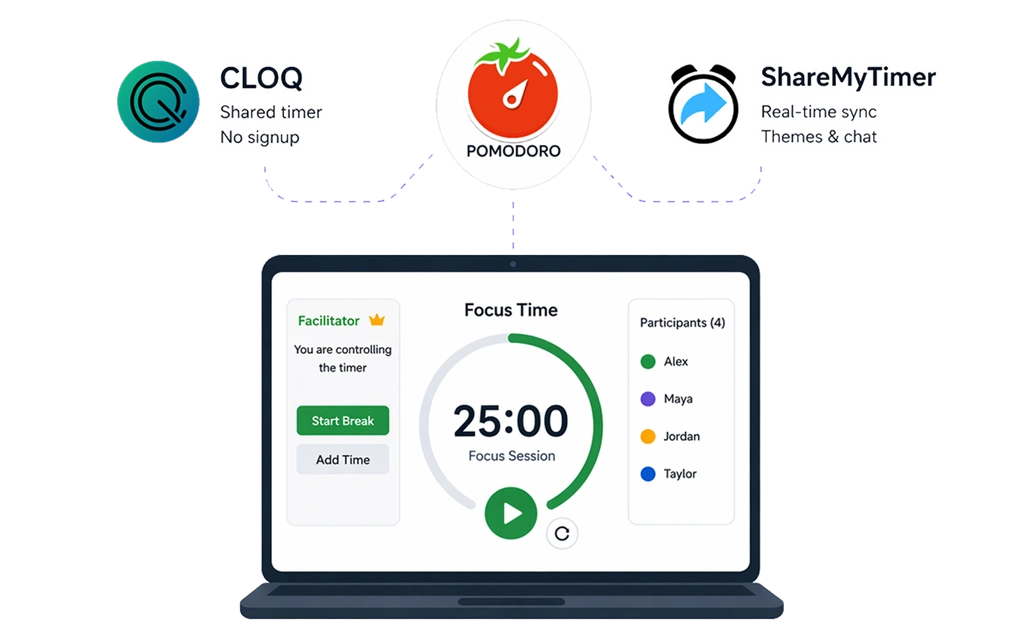
Shared timers help groups stay synchronized during study sessions. When everyone sees the same countdown, it becomes easier to coordinate focus blocks and breaks without constant check-ins.
1. CLOQ
CLOQ is a web-based shared timer built for remote and hybrid teams. It works without an account or setup, and one person can create the timer and share a link for everyone else to follow.
Key Features
- Shared timer visible to participants by link
- Facilitator controls the timer for the group
- Works with any number of participants
- Designed for Pomodoro sessions and other time-boxed activities
- No signup required
Linux Compatibility
Browser-based, so it works in modern Linux browsers. No installation required.
Pricing
Free to use, with no account required.
Setup
- Go to cloq.digital
- Start a timer
- Share the link with your group using the Share button
- Let participants follow the timer while the facilitator controls it
Best For
Study groups that want a simple shared timer with facilitator control and no signup.
2. ShareMyTimer
ShareMyTimer is a real-time collaborative timer for teams, events, and group sessions. One person controls the timer while everyone else sees the same countdown in sync. No signup or credit card is required to try it.
Key Features
- Real-time synchronization across connected viewers
- Share by link or QR code
- 10+ display themes
- Live messaging to all connected viewers
- Count up and count down modes
- Multiple timers from one controller
- Zoom and OBS are ready for streaming and presentations
Linux Compatibility
Browser-based. Works in modern Linux browsers with no installation required.
Pricing
Free plan available. Pro costs $4 per month. A single-event plan costs $6 for 15 days of access.
Setup
- Go to sharemytimer.live
- Create a timer and set the duration
- Share the link or QR code with your group
- Control the timer while participants follow it in real time
Best For
Study groups that want a polished shared timer with themes, live messaging, and streaming-friendly features.
Building Your Linux Study Group Toolkit

A good study group setup on Linux usually combines focus, communication, collaboration, and timing.
A distraction blocker like DigitalZen can help keep attention on the task while still allowing the apps your group needs to coordinate. Shared timers can keep study and break intervals aligned. Collaboration tools can make it easier to work on notes, documents, and presentations together.
For remote accountability, body doubling apps for Linux offer structured video sessions where the presence of others helps you stay on task.
You do not need every tool at once. Start with the categories that match how your group studies, then adjust as your routine becomes clearer. For tools beyond group study, Linux productivity apps cover a broader range of options for solo work and general productivity.
DigitalZen works well here as the focus layer, helping the rest of your study group toolkit stay useful without opening the door to unrelated distractions.
Frequently Asked Questions
What Are the Best Collaboration Tools for Group Study on Linux?
HedgeDoc and Etherpad are good for simple shared notes. Obsidian with Sync is better for linked notes and shared vaults. Collabora Online is best for documents, spreadsheets, and presentations.
How Do I Block Distractions While Using Communication Apps?
DigitalZen lets you allow the apps your group needs and block everything else. You can keep Discord or Jitsi open while blocking social media, YouTube, and other distractions.
Can I Use Discord for Group Study on Linux?
Discord works on Linux and in the browser. You can create a server, make channels for each subject, and use voice chat during study sessions. DigitalZen can help by blocking distractions while keeping Discord available.
What Shared Timer Apps Work on Linux?
CLOQ and ShareMyTimer all work on Linux in the browser. They help groups follow the same timer during study and break blocks.
What Other Tools Help With Remote Study Group Accountability?
Body doubling apps for Linux offer virtual coworking sessions where you work alongside others on video. The shared presence creates accountability and makes it easier to start and stay focused during remote study sessions.
References:
- https://hedgedoc.org/
- https://etherpad.org/
- https://docs.etherpad.org/
- https://obsidian.md/sync
- https://www.libreoffice.org/
- https://www.collaboraonline.com/
- https://discord.com/
- https://element.io/en/pricing
- http://element.io/
- https://element.io/en/download
- https://jitsi.org/jitsi-meet/
- https://cloq.digital/
- https://www.sharemytimer.live/