

Staying focused while studying in a group on Linux takes both personal discipline and shared structure. Off-topic conversations, one person opening distractions, and the pull to socialize can quickly throw the session off track.
Focus mode on your own device, synchronized study intervals, shared timers, and simple coordination tools can help the group stay focused.
Key Takeaways
- Group study brings distractions that solo study does not. Off-topic chats, one person drifting off task, and social pressure can make it harder to stay focused.
- Your own device setup still matters. Blocking distractions on your own machine can help you stay on track even when others lose focus.
- Shared timing helps the group stay aligned. Agreed study and break intervals, along with a shared timer, can make it easier for everyone to stay on the same schedule.
- Simple coordination tools can support the session. Shared notes, voice channels, and timers can help the group work together without adding unnecessary friction.
- Structure matters as much as willpower. Clear expectations and the right setup can make group study on Linux more focused and less chaotic.
Why Group Study Creates Unique Focus Challenges
Group study can be helpful because it adds shared accountability and collaborative learning. At the same time, it brings distractions that are less common when studying alone.
Common Group Study Distractions
- Off-topic conversations. A quick question can turn into a 20-minute tangent.
- One member derails the session. Someone opens YouTube “for a quick break” and others follow.
- Social pressure to engage. It can feel awkward to stay quiet while everyone else is chatting.
- Messaging interruptions. Group chats can spiral during study time.
Social media is often one of the biggest distractions in group sessions. Controlling social media on Linux can help reduce those interruptions.
Why Solo Strategies May Not Be Enough
Blocking distractions on your own device can work well for solo study, but group sessions add a coordination problem. If one person takes a break while others are still in focus mode, that mismatch can pull attention away from the task.
Staying on track as a group often takes more than individual discipline. It also requires a shared structure.
Staying Focused on Your Own Machine

You cannot control what other people do during a group study session. But you can control what stays available on your own device.
Using DigitalZen Focus Mode for Group Sessions
DigitalZen’s focus mode can restrict distracting sites and apps on your device, even if someone else starts drifting off task.
- Whitelist study tools and communication apps needed for the session
- Block social media, entertainment, and unrelated messaging apps
- Start focus mode quickly from the system tray
Even if someone else opens YouTube, your own setup can stay limited to the tools needed for the task. Focus mode can be used for on-demand concentration, with allowed apps and websites chosen in advance. DigitalZen has a mode where everything is blocked except what you specifically allow, and it can also be used with a timer.
For group study, the whitelist often needs adjustment. A solo session might block everything except a word processor. A group session might need Discord, a video call app, or a shared document. That makes it useful to tailor what stays accessible based on the kind of study session you are doing.
DigitalZen offers focus tools for students that can work whether you study alone or with a group.
Coordinating Focus Sessions as a Group
Personal discipline still matters, but shared structure can make it easier for everyone to stay on track.
Synchronized Study and Break Intervals
When everyone follows the same focus and breaks the schedule, there is less temptation to stop early. That shared rhythm creates accountability for the whole group.
- Agree on study and break intervals before starting
- Use a shared timer so everyone sees the same countdown
- Keep distracting apps and sites blocked during focus blocks
A common pattern is 50 minutes of focus followed by a 10-minute break. Some groups prefer shorter cycles, such as 25 minutes on and 5 minutes off. It helps to test a few options and settle on what fits your group best.
Shared Timers for Group Coordination
Shared timers help everyone stay synchronized, so no one has to guess when a break begins or ends.
- CLOQ: Create a timer and share the link. CLOQ describes itself as a web-based team timer that works without setup or an account.
- Cuckoo: Productivity timer for remote teams. You can create a room, share the link, and let everyone follow the same timer.
- ShareMyTimer: A synchronized timer that can be shared by link or QR code, based on available descriptions.
These tools run in the browser, which makes them accessible on Linux. When the timer is visible to everyone, it becomes easier to stay aligned and less likely that breaks will start drifting earlier than planned.
Setting Group Expectations
Clear expectations can reduce friction during study sessions. Agreeing on a few rules in advance helps prevent awkward moments later.
- Decide on study and break lengths before starting
- Agree on whether cameras or microphones stay on during focus time
- Set a rule for handling off-topic conversations
Some groups save unrelated discussions for breaks. Others keep a shared document for questions that can wait until the next pause.
Linux Tools for Group Study Coordination

Group study often needs a few simple tools for coordination. On Linux, browser-based tools can cover shared notes, timers, and voice chat.
Collaborative Note-Taking
Shared documents let everyone contribute in one place. Real-time editing also makes it easier to keep up with changes as they happen.
- HedgeDoc: Open-source, web-based collaborative Markdown editor with real-time editing through a shared link.
- Etherpad: Open-source real-time collaborative text editor with visible author colors and shared editing.
Both can work well for shared notes during a study session.
Voice Channels Without Full Distraction Access
Voice chat can help a group coordinate without opening everything else.
- Use Discord for voice channels during group sessions
- Block unrelated apps and sites with Focus Mode with DigitalZen
- Keep communication open without giving distractions full access
Discord voice channels let group members talk in the same server while staying connected to the session.
Finding the Right Tools for Your Group
Different groups need different setups. An in-person session might only need a shared timer, while a remote group may need voice chat and a shared document.
There are several study group apps for Linux that can support coordination and collaboration. The right mix depends on how your group studies and what your sessions require.
Creating Better Group Study Structure on Linux
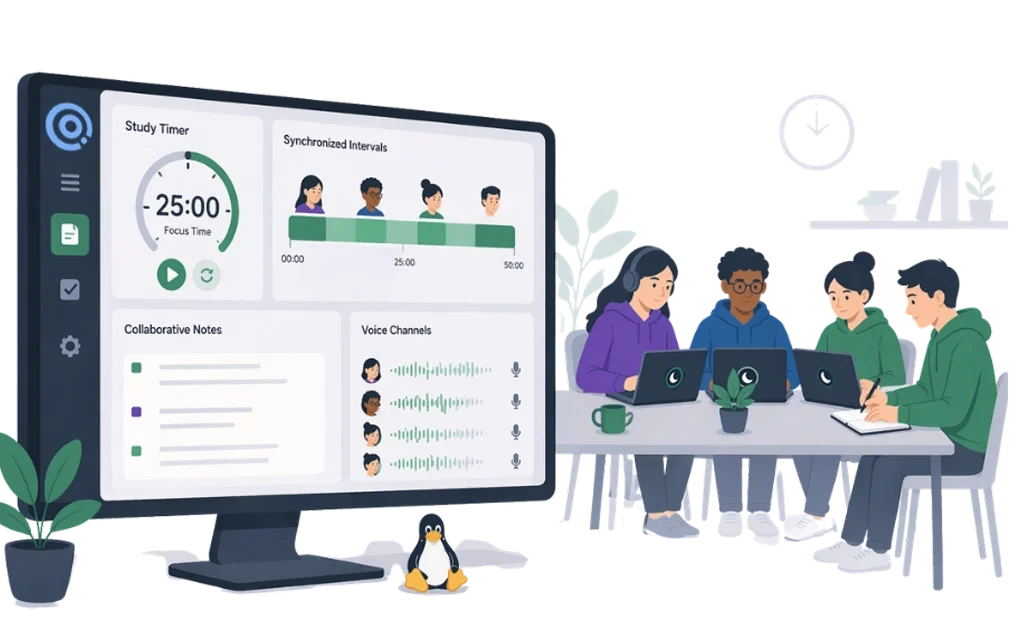
Group study can be helpful because it adds accountability and shared learning, but it also brings distractions that are easier to avoid when studying alone. Off-topic conversations, messaging interruptions, and one person drifting off task can quickly affect the whole session.
Staying focused in a group usually takes both personal discipline and shared structure. Focus mode can keep your own device limited to the tools needed for the session. Synchronized study intervals, shared timers, collaborative notes, and voice channels can help the group stay coordinated without making the session feel chaotic.
Group study on Linux works best when everyone has a clearer structure for how the session will run. Focusing while studying on Linux also includes setting up the right environment and limiting distractions during individual work. DigitalZen supports both solo and group study with focus mode, scheduled blocks, and rotation, making it easier to add structure to either setup.
Frequently Asked Questions
How Do I Stay Focused During Group Study on Linux?
Start by blocking distractions on your own device with focus mode. Whitelist only the tools needed for the study session. It also helps when the group follows the same study and break intervals, with a shared timer keeping everyone on the same schedule.
What Are the Biggest Distractions During Group Study?
Off-topic conversations, one person opening entertainment, and constant messaging are some of the most common distractions. Social media can be especially disruptive during group sessions, so limiting access to it can help reduce the urge to check.
How Do I Coordinate Focus Sessions With My Study Group?
Use a shared timer so everyone follows the same countdown. Agree on study and break lengths before starting, and set clear expectations for things like cameras, microphones, and off-topic conversations. That structure can make it easier for the group to stay on track.
What Linux Tools Can Help With Group Study Coordination?
Simple browser-based tools are often enough for shared notes, timers, and communication. DigitalZen can complement them by blocking unrelated apps and sites, so your group can stay coordinated without opening extra distractions.
Should Everyone Use the Same Focus Setup During Group Study?
Different study sessions may need different tools. One group might only need a shared timer and notes, while another may need voice chat or a video call. The goal is to give everyone enough structure to stay focused without making the setup more complicated than it needs to be.
References:
- https://cloq.digital/
- https://sharemytimer.live/
- https://cuckoo.team/
- https://hedgedoc.org/
- https://etherpad.org/
- https://support.discord.com/hc/en-us/articles/19583625604887-Voice-Channels-FAQs