
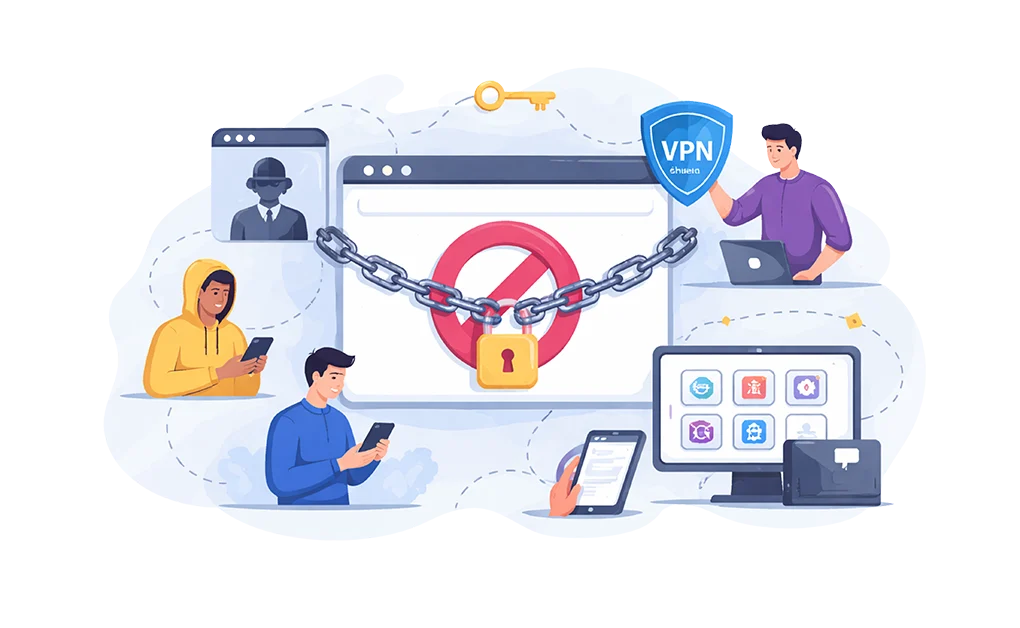
BlockSite is useful for basic browser blocking, but it has clear limits. Users can still work around it through other browsers, private windows, or desktop apps. Alternatives like DigitalZen, Cold Turkey, Freedom and FocusMe offer stronger enforcement, wider coverage, and harder-to-bypass lock settings.
Key Takeaways
- BlockSite’s browser-based blocking only works where the extension is installed and active: Switching to another browser, opening a private window, or disabling protections can create easy workarounds.
- Browser extensions do not fully cover desktop distractions: Games, chat apps, and other installed software run outside normal browser-extension control, which leaves a major gap for users who need stronger enforcement beyond the browser.
- Desktop-backed blockers offer stronger enforcement than browser extensions alone: They can apply rules across supported browsers and, in many cases, also block desktop apps from one main setup.
- Stronger alternatives add more friction against impulsive disabling: Features like lock modes, cooldown timers, uninstall protection, and usage limits can make blocks harder to bypass in weak moments.
Disclaimer: This article was published in April 2026. It reflects the app details available at the time of posting. Notice an error? Let us know and we’ll fix it!
System-Level Alternatives to BlockSite
If you’ve outgrown BlockSite, desktop-backed blockers can offer stronger enforcement than browser extensions alone.
These tools combine desktop-level controls with browser extensions to block distractions across supported browsers and, in many cases, desktop apps too. They also include stricter lock settings that make impulsive bypassing harder.
| Feature | DigitalZen | Cold Turkey | Freedom | FocusMe |
| Windows | Yes | Yes | Yes | Yes |
| Mac | Yes | Yes | Yes | Yes |
| Linux | Yes | No | Extension only | Limited |
| Cross-browser blocking | Yes | Yes | Yes | Yes |
| Desktop app blocking | Yes | Yes | Yes | Yes |
| Smart Adaptive Locks | Yes (5 types) | No | No | No |
| Focus Sessions | Yes | Yes | No | Yes |
| Cross-Device Sync | Yes | No | Yes | Limited |
| Team Focus | Yes | No | No | No |
| Scheduling | Yes | Yes | Yes | Yes |
| Bypass protection | Very strong | Very strong | Moderate | Strong |
| Free tier | Yes | Limited | Limited | 14-day trial |
| Lifetime price | $119 | $45 | $99.50 | $359 |
1. DigitalZen
DigitalZen combines desktop app blocking with a simpler setup. It uses one main configuration for your blocking rules, while browser extensions handle website blocking across supported browsers.
Lock options include cooldown timers, friend verification, and future-date locks, and it also supports daily allowances. It also includes Team Focus, a feature that allows a group of people to get into focus together.
- Best for: Users who want strong blocking without the complexity of FocusMe. Also a good fit for Linux users. Students who need a reliable website blocker for studying will find it useful too.
- Platforms: Windows, Mac, and Linux. Mobile support for iOS and Android is in development. For Windows users, DigitalZen works as a Windows website and app blocker that enforces rules across all browsers.
- Pricing: Free basic version. Premium costs $3 per month. Lifetime access costs $119.
- Limitations: No mobile app yet. Best suited for desktop-focused users until mobile support launches.
2. Cold Turkey
Cold Turkey is one of the strictest blockers available. Once you start and lock a block, it becomes much harder to undo. Locked blocks can prevent disabling the extension or uninstalling the app during an active session. It can block websites, apps, and even lock your computer if needed.
- Best for: Users who need strict enforcement and cannot trust themselves to avoid disabling blocks.
- Platforms: Windows and Mac only. No mobile apps. No Linux support.
- Pricing: Free version with limited features. Pro version costs $45 as a one-time payment.
- Limitations: No mobile support. The strict approach may feel too rigid for users who need flexibility during the day.
3. Freedom
Freedom focuses on cross-device sync. Start a blocking session on your laptop and it applies to your phone automatically. It works on Windows, Mac, iOS, Android, and Chromebook. The interface is simple. Sessions are easy to schedule.
- Best for: Users who need blocking across multiple devices, especially those with iPhones.
- Platforms: Windows, Mac, iOS, Android, Chromebook. Linux has browser extension support only.
- Pricing: Free tier with limited features. Premium costs $8.99 per month. Yearly billing costs $3.33 per month ($39.99/year). Lifetime access costs $99.50.
- Limitations: Relies on cloud-based blocking. It requires an internet connection. Bypass protection is moderate compared to Cold Turkey or FocusMe.
4. FocusMe
FocusMe offers granular control with time limiters. You can allow 30 minutes of YouTube per day. You can limit Reddit to one hour per week. This approach works well for users who want to block YouTube on Windows without eliminating access completely. It uses local system-level blocking and works offline. The random text lock can require typing up to 2,000 characters to disable a block.
- Best for: Users who want to moderate usage rather than block completely. Also strong for Linux users.
- Platforms: Windows, Mac, Linux, and Android. No iOS support.
- Pricing: 14-day free trial. Monthly costs $12.95. Yearly costs $9.95 per month ($119.40/year). Lifetime costs $359.
- Limitations: Higher price point. Steeper learning curve due to extensive features. No iPhone support.
Why BlockSite Works at First
BlockSite is a reasonable starting point for managing distractions. It is easy to install, simple to use, and quick to set up. You add websites to a block list, and BlockSite restricts access to them across supported browsers and devices. For many users, the free version is enough for basic website blocking.
For people who want light blocking with a simple interface, BlockSite does the job well. It offers scheduling, category blocking, password protection, mobile apps, and sync across devices.
The problem is not that BlockSite lacks features. The problem is where those features operate.
Browser extensions work inside the browser, not at the operating-system level. That means they can help block websites, but they cannot directly control desktop apps or enforce rules across your whole system the way desktop-based blockers can.
Why Users Outgrow BlockSite
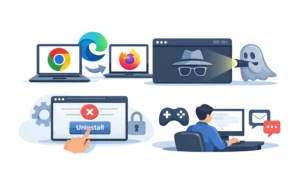
BlockSite works well for light blocking, but its limitations become more noticeable when you want stricter enforcement.
Switching browsers creates an easy workaround
BlockSite only blocks websites in browsers where the extension is installed and active. If you use Chrome, Firefox, and Edge, you need to set it up in each browser. Miss one, and your blocking setup has a gap.
Even if you install it in your main browser, opening another browser without the extension can create an easy escape route.
Incognito mode creates another easy bypass
Browser extensions are disabled in incognito or private windows by default unless the user manually enables them. Many users never change that setting. As a result, opening a private window can bypass BlockSite in common default setups.
This is not a flaw in BlockSite. It is how browser extensions work by design. But it still creates an easy escape route.
Disabling or removing it is still easier than with desktop-level blockers
BlockSite includes password protection and uninstall-prevention features, which can help add friction. But it still does not create the same level of lock-in as stricter desktop-based blockers.
If your biggest challenge is impulsively disabling protections in a moment of low willpower, browser-based tools may not provide enough resistance.
Desktop apps are a separate layer of distraction
Native desktop apps such as games, chat apps, and email clients operate outside normal browser-extension control. That means browser-based blocking alone leaves a major gap if your distractions include tools like Steam, Discord, Slack, or other installed software.
This limitation applies to browser extensions in general, not just BlockSite. Extensions work inside the browser environment, not across the whole operating system.
Browser-Level vs System-Level Blocking
The difference between BlockSite and system-level alternatives comes down to where the blocking happens.
- Browser-level blocking operates inside a single browser. Rules apply only to that browser. Desktop apps, other browsers, and incognito windows remain unaffected. Setup is easy but enforcement is weak.
- System-level blocking operates at the operating system level. Rules apply across all browsers and can extend to desktop applications. Setup requires more permissions but enforcement is consistent.
Browser extensions struggle to enforce focus because modern operating systems are flexible by design. They provide many paths to the same content. Browser extensions can only guard one path while system-level tools guard them all.
The short version: if distractions can move between browsers and desktop apps, browser-only blocking will always have gaps.
How to Choose the Right BlockSite Alternative

The best alternative depends on what you need.
- Choose DigitalZen if you want strong blocking with a simpler setup
DigitalZen is aimed at users who want stricter desktop-based blocking without the complexity of a more advanced tool like FocusMe. It supports app blocking and uses browser extensions for website blocking across supported browsers, with one main configuration for managing your rules.
Its lock options and daily allowances are designed to make impulsive disabling harder while still giving users some flexibility. The tradeoff is mobile support. DigitalZen says iOS and Android apps are still in development, so it is currently best suited to users whose distractions are mainly on desktop.
- Choose Cold Turkey if you need maximum enforcement
Cold Turkey is one of the strictest options on this list. Once a block starts and is locked, it becomes much harder to disable. Locked blocks can prevent you from disabling the extension or uninstalling the app during an active block. If you have a history of bypassing your own restrictions, that level of enforcement can be valuable.
The tradeoff is rigidity. Cold Turkey is built more for strict blocking than gradual moderation.
- Choose Freedom if you need an iPhone and cross-device sync
Freedom is the strongest choice here if blocking on your iPhone matters. It supports Mac, Windows, iOS, Android, and Chrome, and its synced sessions make it easy to apply one block across multiple devices.
The tradeoff is enforcement strength. Freedom’s Locked Mode adds friction and prevents ending sessions early, but users who want the strictest possible lock-in may prefer tools like Cold Turkey or FocusMe.
- Choose FocusMe if you want time limiters and Linux support
FocusMe is a strong fit for users who want to moderate usage instead of blocking everything completely. It supports time limits, usage budgets, scheduling, and full Linux desktop support. That combination is uncommon among distraction blockers.
The tradeoff is complexity and cost. FocusMe offers more controls than many users need, and it tends to sit at the higher end of the pricing spectrum.
Frequently Asked Questions
Can BlockSite Block Desktop Apps?
BlockSite is a browser extension. It can only control websites accessed through the browser where it’s installed. Desktop applications like games, chat clients, and email apps run outside the browser. BlockSite cannot see or block them.
Does BlockSite Work in Incognito Mode?
Not by default. Browser extensions are disabled in incognito or private windows unless you manually enable them in your browser settings. Most users don’t change this, which makes incognito mode an easy bypass.
Why Do People Switch From BlockSite to System-Level Blockers?
Most users switch because they keep bypassing their own blocks. Switching browsers, opening incognito windows, or disabling the extension takes only seconds. System-level blockers remove these escape routes by enforcing rules across the entire operating system.
Is There a Free BlockSite Alternative With System-Level Blocking?
DigitalZen offers a free basic tier. Cold Turkey has a free version with limited features. FocusMe provides a 14-day free trial. Freedom has a free tier with session limits. All of these are more capable than BlockSite’s free version, though premium features require payment.
References:
- https://blocksite.co/blog/digital-mindfulness/blocksite-vs-appblock
- https://blocksite.co/
- https://getcoldturkey.com/
- https://freedom.to/
- https://focusme.com/