
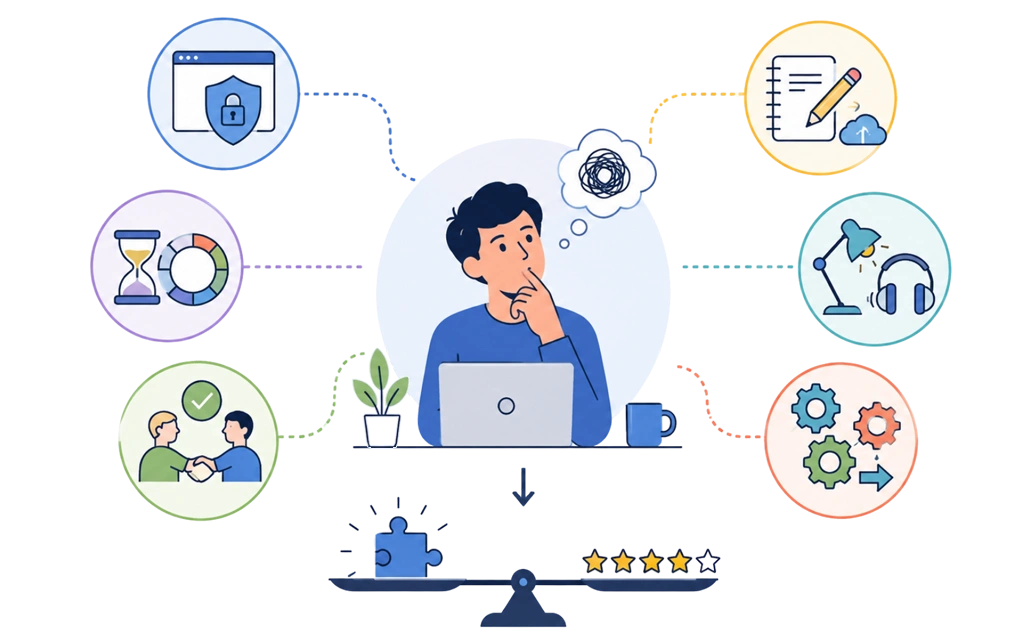
Focus tools are not one thing. They split into six types: enforcement, session structure, accountability, capture, environment, and automation. Each type solves a different problem. Most people pick by review score, then feel bad when the tool stops working after a week. Usually the tool was fine. It just solved a problem they did not have.
A better starting point is the problem itself. Once you know what is going wrong, it becomes easier to choose the type of tool that fits.
Key Takeaways
- Match the tool type to your failure mode, not to the review score: The most praised app in the world will not help if it fixes a problem you do not have.
- Enforcement solves bypassing, not starting: If you never get going, a stricter blocker will not change that.
- Some focus problems need more than software: Noise, light, and a place to offload stray thoughts can all affect focus. A blocker helps most when the problem is access to distractions, not every part of the environment.
- Start free, then upgrade when the fit is clear: A free tier or trial can help you test whether you need enforcement, structure, accountability, capture, environment changes, or automation before paying for advanced features.
- Running four tools at once is a common way to abandon all four: Four setups to maintain is its own reason to feel overwhelmed. Pick one, use it for two weeks, then add another only if a real gap shows up.
Why Most ADHD Tool Lists Do Not Help
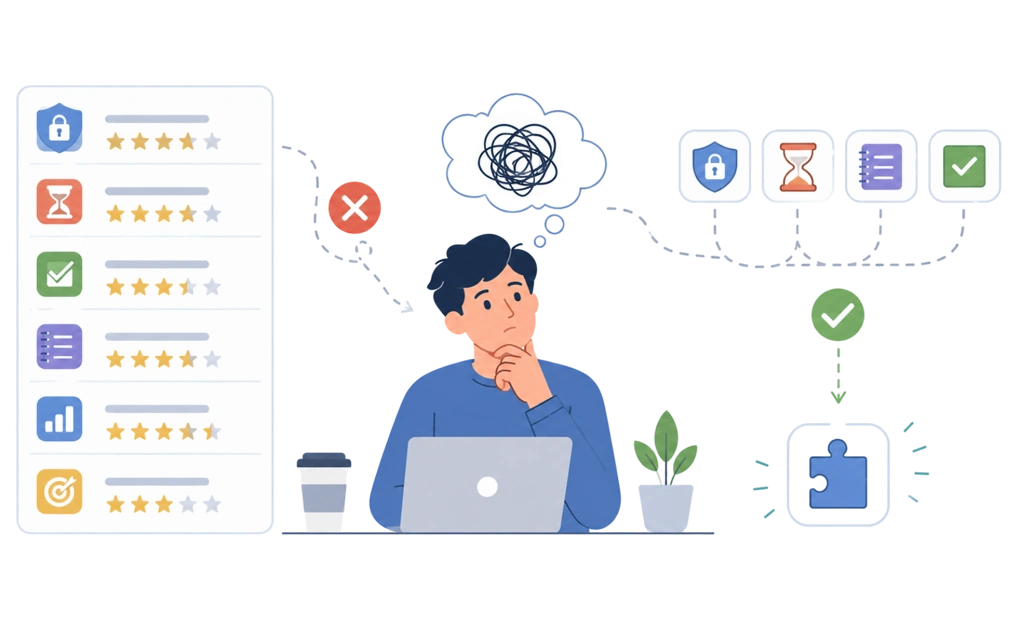
Search for the best apps for focus with ADHD, and you get twelve products, ranked, each with a screenshot and a star rating. Most of those lists mix blockers, timers, and task management tools into a single ranking. That creates a few problems:
- A ranked list answers the question “which product,” as though there were a one-size-fits-all answer.
- Most people arrive with a different question. They know something is going wrong, but they do not yet know what.
- They pick the one at the top, use it for four days, and drop it.
- Then they assume they are the problem, which is how a lot of generic focus advice can make people feel.
Often, they are not the problem. They just bought a timer when they needed a lock, or a lock when they needed a notebook. Most ADHD productivity tools lists never mention that these are different jobs. Adults with ADHD are rarely short of tools available to try. They are short of a way to choose the one that fits the problem.
Work out the failure mode first. The right choice depends on the problem you are trying to solve. The product decision gets much easier after that.
Start Here: Which of These Is Your Actual Problem
One of the four statements below will sound uncomfortably familiar.
| Question | What is going on | Where to go next |
| “I cannot start.” | You know the task. You have the time. You open something else. | Accountability, then automation and scheduling |
| “I cannot stay once I start.” | You get going, then twenty minutes later you are somewhere else entirely. | Session structure, then environment and sensory |
| “I bypass whatever I set up.” | You install the tool and you mean it. Then you turn it off the moment it starts working. | Enforcement |
| “I lose the thought before I can act on it.” | An idea arrives mid-task. Chase it now or it is gone. So you chase it. | Capture and offload |
Two of these have more than one cause, so they point at two sections each. You may recognize yourself in more than one row, especially if your focus problems show up in different ways. Start with the one costing you the most time.
If “I cannot stay once I start” usually happens while reading, the problem may be more specific than general focus. This related guide explains how focus falls apart when you are reading with ADHD.
Enforcement Tools: What DigitalZen Does When You Try to Switch the Block Off
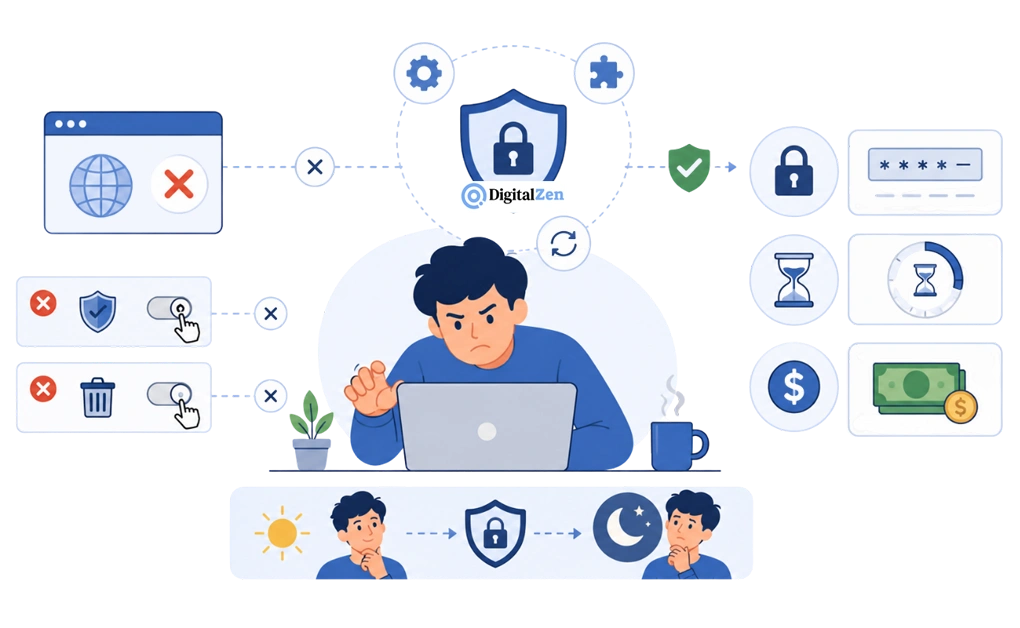
Enforcement tools make distractions genuinely unavailable, not just discouraged.
That sounds like every blocker. It is not. Most blockers have an off switch one click away. At 9pm, when focus is already worn down, one click may not feel like much of an obstacle. This is one reason many people with ADHD find that blockers stop working after a few days when the setup is easy to bypass.
DigitalZen closes that gap in two layers.
- The first layer is system-level protection.
The usual exits are not there when you go looking. DigitalZen resists being stopped mid-session or uninstalled while a block runs. It protects the browser extension from removal and can cover browsers you did not think to add.
Automatic updates can help new workarounds get handled without you tracking them. This is why it helps to understand what happens when you try to get around it before choosing a blocker.
- The second layer is the locks, which are friction rather than protection.
You choose how much you want. A code lock makes you type a long generated code before unlocking. A cooldown keeps the block on for a set period. A money fine makes quitting early cost you something real. That customization matters, because the right amount of friction is personal.
All of it comes down to one sentence. You made the decision at 2pm, when you were thinking clearly, and you cannot renegotiate it at 9pm, when you are not. The job of enforcement is to help you stay with a decision you already made.
Enforcement is worth trying if you have a graveyard of uninstalled focus apps. It is the wrong tool if your problem is starting. A locked door does not help when you were never going to walk through it. It also does not manage ADHD for you. It only changes what is within reach. If this pattern sounds familiar, DigitalZen on ADHD and focus challenges explains how blocking, friction, and focus support can fit into an ADHD workflow.
Session Structure Tools: For When You Cannot Stay
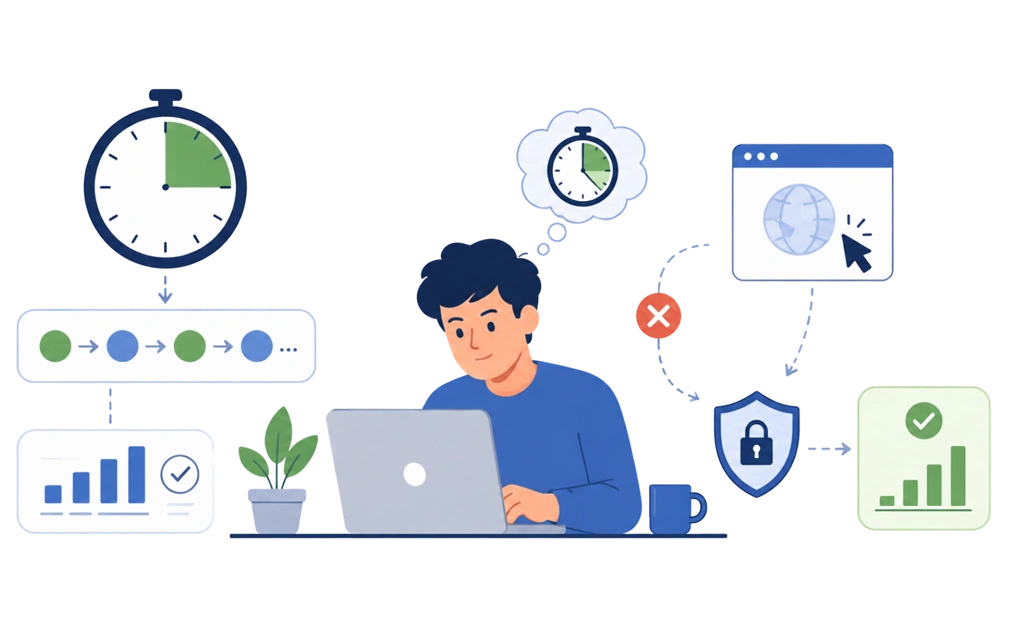
Session tools give the work a shape. A set length, a clear start, a defined stop. This is the time management side of focus rather than the blocking side.
Timers are the obvious example, and the pomodoro method is the best known version. Work for a stretch, break for a shorter one, repeat. Tools like interval timers, session apps, and even a plain kitchen clock can all do the same job. The specific numbers matter less than people think.
What helps is that the session has an end you can see, so starting feels less like signing up for the whole afternoon. It can feel easier to complete tasks when the finish line is visible. A visible countdown can make it easier to stay with a session than an open-ended plan because the finish line stays visible.
Here is the honest limitation. A timer only works if you respect it. It has no power over you. When the interesting tab is one click away, the timer is a suggestion, and suggestions lose.
That is the gap enforcement fills. The two are not rivals. A timer shapes the session, and enforcement helps it survive contact with a boring paragraph. DigitalZen includes focus sessions for this reason: structure shapes the work, while enforcement helps protect the session.
Accountability Tools: For When You Work Better With Someone Else There
Some people cannot start alone and work fine the moment another human is present. Not helping. Not watching. Just there. Sometimes that is all the session needs to get moving.
This is often called body doubling, and many individuals with ADHD find that it helps them start or stay with work more easily. It works over video, in a shared room, or with a friend doing their own unrelated work. If it is new to you, here is what body doubling actually involves.
Accountability can also be a person rather than a presence. A friend approval lock works this way. Ending a block early means asking someone, which takes more effort than clicking a button. That small delay is often enough.
DigitalZen includes Team Focus, and it is in the free tier. You can run a shared focus session without paying for it, which is worth knowing if accountability is the main support you need. If you work on Linux and would rather join a 1:1 partner or a hosted group session, these body doubling apps for Linux all run in the browser with nothing to install.
Capture and Offload Tools: For When the Thought Disappears
You are working. A thought arrives. It has nothing to do with the task, but it feels urgent.
If you ignore it, it keeps circling back. If you deal with it, you leave the task. Either way, the work stops.
Capture tools give the thought somewhere to go. A notes app, a plain text file, a voice memo, or a paper planner on your desk can all work. It might be a to-do list you trust or a reminder set for later. These organizational tools and digital tools can help you park stray thoughts before they interrupt your work.
This is a real focus problem, not a discipline one. You should not have to remember important details while also trying to do the work. People who often struggle with follow-through are usually not careless. They are carrying too much at once.
Two things decide whether a capture tool actually gets used.
- It has to be faster than the distraction. One tap, one keystroke, or one open notebook. If capturing takes too long, you will follow the thought instead.
- You have to look at it later. A capture list you never review stops feeling safe. The point is not to stay organized for its own sake. It is to create a system that works for your real daily tasks.
DigitalZen does not do this. Nothing we make will catch a stray thought for you. If this is your failure mode, a blocker is not your answer. Start with a capture tool you trust and can use quickly.
Environment and Sensory Tools: For When the Room Is the Problem
Sometimes the setup is not the issue. The room is.
Noise is the common one. Some people need near silence, while others need a low level of stimulation to settle. It is worth testing which setup helps you focus instead of assuming there is one right answer.
Light, temperature, and seating come up often too. What helps varies a lot from person to person. ADHD may also affect how much noise or light feels tolerable from one day to the next. Fidget objects and movement help some people stay in a seat longer.
This is not our category and we are not going to pretend otherwise. It also tends to be the cheapest thing to change. Before you buy anything, try turning the desk to face a wall instead of a window. It is free, and it can make a bigger difference than people expect.
Automation and Scheduling Tools: For When You Do Not Want to Decide Daily
Every day you decide again. Do I turn the block on. Do I start now. Do I check that one thing first.
Each small decision is a chance to decide wrong. Automation removes them. The rules run whether you feel strong that morning or not. That is what helps you stay on track on the days you would not have chosen to.
In practice that is a recurring block starting at 9am on weekdays without being asked. Or a schedule lock, which ties a block to set hours, so it behaves like a calendar entry you cannot quietly move. It will not plan your upcoming tasks for you. It just protects the time before they arrive.
The advantage is that it can help most on the days when a manual system would usually fall over. There is more on making this stick in this guide to building boundaries that hold.
What to Look For in Any ADHD Focus Tool
These six questions apply to any product, ours included. Ask them before you install anything, and answer as the tired version of yourself rather than the optimistic one. The tired version decides whether a tool survives, which is why gentler limits tend to outlast harsh ones. An ADHD-friendly tool is one that still works on the day you resent it.
| Question | Why it matters |
| Can you disable it in one click? | If it comes off easily, it comes off at the worst moment. |
| Does it cover every device you use? | A gap on one machine becomes the machine you use. |
| Does it need admin rights? | On a work laptop, this can decide whether the tool is usable at all. |
| Does it survive a bad day? | All-or-nothing setups get abandoned first. |
| What happens when you change machines? | Rebuilding from scratch is where most people quit. |
| Does the price create resentment? | A tool you resent paying for becomes a tool you cancel. |
Device coverage is the one people underestimate. You block the laptop, drift to the desktop, and the setup quietly stops meaning anything. If you want to stay focused everywhere you work, check that the tool runs on every machine you use. DigitalZen covers Windows, macOS, and Linux, so the same focus setup can follow you across your main desktop machines.
Changing machines is the quiet one. If your settings do not carry over, you rebuild everything from scratch, and that is usually where people give up.
Admin rights are worth checking early, especially on a machine your employer controls. Some tools may not install without them, which can end the conversation before it starts. If this is your situation, the related work guide goes deeper into focusing on a locked-down work machine.
When a Focus Tool Is Not the Answer
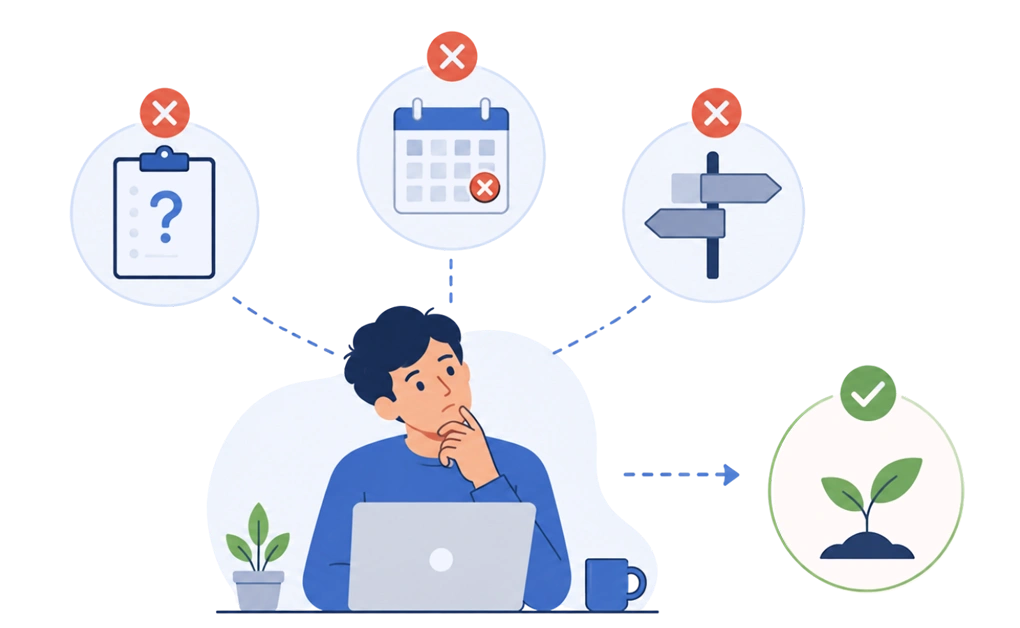
Sometimes the tool is not the missing piece.
If the task is not defined, no app will help. “Work on the report” is not a task. You will sit down, stare at it, and find something clearer to do instead. Break it into a first step small enough to be manageable and slightly boring.
If the deadline is not real, your brain knows. It is remarkably good at spotting a fake one.
And if the work itself is wrong, that may not be a focus problem. A tool can protect your time and reduce access to distractions, but it cannot make the wrong task feel right.
Frequently Asked Questions
What Kind of Focus Tool Works Best for ADHD?
It depends on your failure mode. A single answer is usually too broad, because different tools can help with different problems. If you cannot start, look at accountability and scheduling. If you cannot stay, look at session structure. If you set things up and then dismantle them, look at enforcement. If thoughts keep pulling you away, you need a capture tool, not a blocker.
Do Website Blockers Actually Work for People With ADHD?
They can, but the details matter. A blocker you can switch off in one click rarely survives the moment you most want to. Blockers with real protection behind them hold up better, because the easy exits are closed. Blocking also does nothing for starting a task, so treat it as a partial fix.
Why Do I Keep Uninstalling My Focus Apps?
Because most of them let you. That is a design gap, not a character flaw. When a tool depends on you staying motivated enough to keep it running, it fails on the days you needed it. Uninstall protection exists for exactly this pattern.
Are Free ADHD Focus Tools Good Enough?
Often, yes, especially while you are working out which type you need. Plenty of capture and timer tools are free and perfectly good. For stricter enforcement features, a 14-day Premium trial with no card required can help you test whether the setup fits before paying. Start free where possible, then pay once you know what you are paying for.
How Many Focus Tools Should I Use at Once?
Fewer than you think. One or two. A stack of six becomes its own project, and maintaining it is a very satisfying way to avoid doing any work. Pick the one matching your main failure mode, use it for two weeks, and add another only if you can name the gap.
Set up focus enforcement that holds, with a free DigitalZen account.