

DigitalZen and RescueTime solve different productivity problems. RescueTime helps you understand where your time goes. It does this through automatic tracking, reports, goals, alerts, and Focus Sessions. DigitalZen helps you act on distractions you already know. It gives you website and app blocking, Focus Mode, protection features, and adjustable lock options.
If you do not know where your time is going, RescueTime may help. If you already know which sites or apps pull you off track, DigitalZen gives you a more direct way to block them.
Key Takeaways
- The two tools solve different problems: RescueTime helps you understand your habits. DigitalZen helps you act on known distractions with blocking and focus controls.
- RescueTime goes deeper on analytics: It offers automatic time tracking, productivity scoring, reports, goals, alerts, and activity categorization.
- DigitalZen goes deeper on blocking control: It includes website and app blocking, Focus Mode, protection features, keyword-based blocking, exception lists, and multiple lock types.
- Platform strengths are different: DigitalZen supports Windows, macOS, and Linux. RescueTime supports Windows, macOS, iOS, and Android. RescueTime has native iOS and Android apps, while DigitalZen has stronger desktop blocking depth, including Linux blocking.
- Free access works differently: RescueTime offers free access with paid Solo Focus and Solo+ plans. DigitalZen offers a free Basic plan, plus a Premium trial and paid plans for advanced blocking features.
Disclaimer: This article was published in August 2026. It reflects the app details available at the time of posting. Notice an error? Let us know and we’ll fix it!
Blocking vs Time Tracking
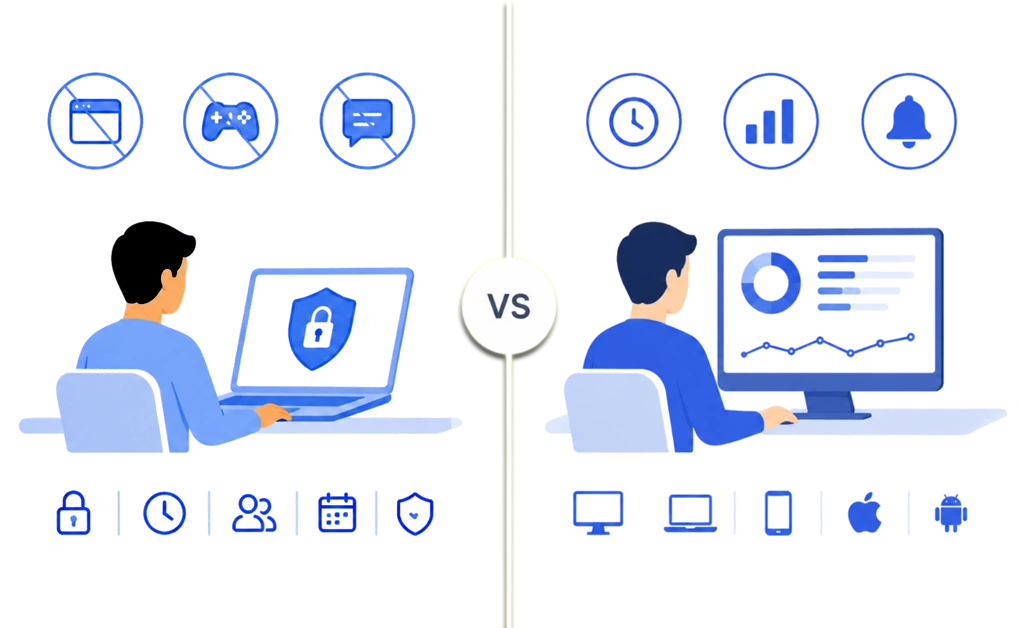
DigitalZen and RescueTime solve different productivity problems. RescueTime is built around automatic time tracking. It also offers productivity insights, reports, goals, alerts, and Focus Sessions. DigitalZen is a productivity tool with strong blocking built in. It is designed for users who want to block known distractions and choose how strict their focus setup should be.
The simpler way to compare them is this: RescueTime helps you understand your habits. DigitalZen helps you act on the distractions you already know are getting in the way.
This matters when reports are not the problem anymore. If you already know Reddit, YouTube, games, or social apps are pulling you away, the next step is blocking the pattern before it starts
DigitalZen is built for:
- Blocking distracting websites and desktop apps.
- Focus Mode for protected work or study sessions.
- Multiple lock types, including Code, Cooldown, Friend, Schedule, and Money.
- Protection features such as uninstall protection and extension removal protection.
- Keyword-based blocking and exception lists for more granular control.
- Desktop coverage across Windows, macOS, and Linux.
- Mobile support.
- A free Basic plan, plus Premium plans for stronger controls.
RescueTime is built for:
- Automatic time tracking across apps and websites.
- Productivity scoring and activity categorization.
- Reports, weekly summaries, goals, and alerts.
- Focus Sessions that can block distracting apps and websites.
- Habit visibility across desktop and mobile devices.
- Windows, macOS, Linux, iOS, and Android support.
- Paid plans for Focus Sessions, full history, advanced filtering, automations, and Timesheets features.
RescueTime is stronger when you need to see where your time goes. DigitalZen is stronger when you already know the distractions and want a direct way to block them.
Platform Support
Both tools support the main desktop platforms, but they are strongest in different places. RescueTime has wider mobile coverage with iOS and Android apps. DigitalZen offers deeper desktop blocking. It also has a full Linux desktop app for website and app blocking.
| Platform | DigitalZen | RescueTime |
| Windows | Full desktop app | Desktop app |
| macOS | Full desktop app | Desktop app |
| Linux | Full desktop app with website and app blocking | No Linux support |
| iOS | Planned for 2026 | Native app; mobile tracking is limited by iOS permissions |
| Android | Android support available | Native app; mobile tracking is limited by Android permissions |
| Cross-device sync | Settings sync across desktop devices | Cloud-based sync |
RescueTime has native iOS and Android apps, but mobile tracking is less complete than desktop tracking. iOS and Android background-permission limits restrict passive app tracking, so mobile reports can feel incomplete compared with RescueTime’s desktop data. DigitalZen leads on desktop blocking depth, especially for Linux users.
DigitalZen’s native Linux desktop app offers website and app blocking through a full desktop interface.
Blocking Control
This is where the two tools start to differ. RescueTime includes Focus Sessions. These can block distracting apps and websites during focus periods. DigitalZen puts blocking closer to the center of the product. It includes website blocking, app blocking, keyword-based blocking, exception lists, and multiple lock options.
| Blocking Capability | DigitalZen | RescueTime |
| Website blocking | Yes | Yes, during Focus Sessions |
| Desktop app blocking | Yes | Yes, during Focus Sessions |
| Keyword-based blocking | Yes | Not positioned as a primary feature |
| Exception lists | Yes | Limited |
| Multi-browser coverage | Designed to cover all browsers, including unknown browsers | Focus Sessions block distracting websites based on RescueTime activity ratings |
| System-level blocking controls | Stronger desktop blocking controls | Focus Session-based blocking |
RescueTime’s Focus Sessions can help users protect focus time by blocking distracting apps and websites. DigitalZen goes further for users who want more control over what gets blocked and when. Its keyword-based blocking can block pages based on terms in the URL, not only full domains.
Exception lists also help with mixed-use sites. You can block a distracting domain while allowing specific work-related pages.
For readers weighing local desktop tools against cloud-routed options, how DigitalZen compares to cloud-based tools like Freedom covers a different architectural trade-off worth considering.
Tracking, Focus, and Productivity Features
RescueTime is built for users who want to understand how time is spent. It offers automatic time tracking, productivity scoring, reports, goals, alerts, and Focus Sessions. DigitalZen is stronger when users already know what distracts them and want to act on it through blocking, Focus Mode, schedules, and adjustable lock options.
| Feature | DigitalZen | RescueTime |
| Focus sessions | Focus Mode and focus sessions | Focus Sessions |
| Pomodoro / timers | Built-in Pomodoro | Focus Session timers |
| Time tracking | Basic focus/session activity | Detailed automatic time tracking |
| Productivity scoring | Not a primary feature | Yes |
| Reports and analytics | Focus-related stats | Detailed reports and summaries |
| Goals and alerts | Focus goals and schedules | Goals, alerts, and focus targets |
| Category customization | Blocklists, keywords, and exceptions | Custom activity categories |
Blocking websites and apps can support productivity more directly when the distraction is already clear. Time tracking can still be useful when the pattern is unclear or you want to review your week.
RescueTime may fit users who want analytics and habit visibility. DigitalZen is stronger for focused work sessions because it gives users direct blocking, flexible strictness, and clearer control during study or work time.
Locking, Protection, and Bypass Resistance
DigitalZen may fit better for users who want stronger blocking controls during low-focus moments.
RescueTime can show where your time goes, but automatic tracking often lacks context. It can label apps or websites as distractions even when they are part of real work. For example, YouTube might be used for research, Reddit for community management, and Spotify for background music while you work elsewhere.
That is the trade-off with passive tracking: the active window does not always tell the full story of what your brain is doing.
DigitalZen takes a more direct approach. Instead of trying to judge whether an app was productive after the fact, it helps users decide what should be available during focus time. It uses a protection layer to make common bypass routes harder. It also adds multiple lock types, so users can choose how much friction they need before turning off a block.
| Enforcement Feature | DigitalZen | RescueTime |
| Uninstall protection | Available | Not positioned as a core feature |
| Extension removal protection | Available | Not positioned as a core feature |
| Multiple lock types | Code, Cooldown, Friend, Schedule, and Money locks | Not positioned as a lock-based system |
| Adjustable strictness | Light friction to stricter blocking | Focus Session blocking settings |
| Cross-browser protection | Designed for all browsers, including unknown browsers | Depends on app, browser, and permission setup |
| Interface style | Modern, focused blocking interface | More complex and takes time to navigate. |
RescueTime is built for users who want awareness, tracking, and focus support. DigitalZen is built for users who want stronger blocking control with flexible strictness.
The difference is not that one tool is universally better. It is that RescueTime helps users understand patterns, while DigitalZen helps users interrupt known distractions once they already know what needs a boundary.
Pricing, Free Access, and Best Fit
Both tools offer a trial, but their access models are different. RescueTime’s pricing reflects its strength in time tracking, reports, analytics, and productivity insights.
DigitalZen offers a free Basic plan and lower-cost paid options. It may fit users who want productivity support built around blocking first.
| Category | DigitalZen | RescueTime |
| Free tier | Free Basic plan | Limited free access / Lite plan |
| Free trial | 14-day Premium trial | Trial available |
| Individual annual pricing | $3 per month billed annually | Solo Focus starts at $7 per month billed annually |
| Annual price | $36 per year | Solo Focus starts at $84 per year |
| One-time purchase | $119 lifetime option | Not offered |
| Team option | Team Focus available in free tier | Team plans start at $10 per month/user billed annually |
| Special Pricing | Up to 60% discounts for students and low-income regions | Bundles for solo and team |
The pricing difference matters, but value depends on what the user plans to use. RescueTime’s Solo Focus plan starts at $7 per month when billed annually, with higher plans for Timesheets and teams. That pricing reflects its strength in time tracking, productivity reports, and habit visibility.
DigitalZen may offer stronger value for users who want direct blocking. It also offers flexible strictness, protection features, and a free Basic plan they can keep using.
Its paid plan and lifetime option can support long-term use. This may fit users who want blocking support without paying for a larger analytics platform.
Which One Fits Your Situation
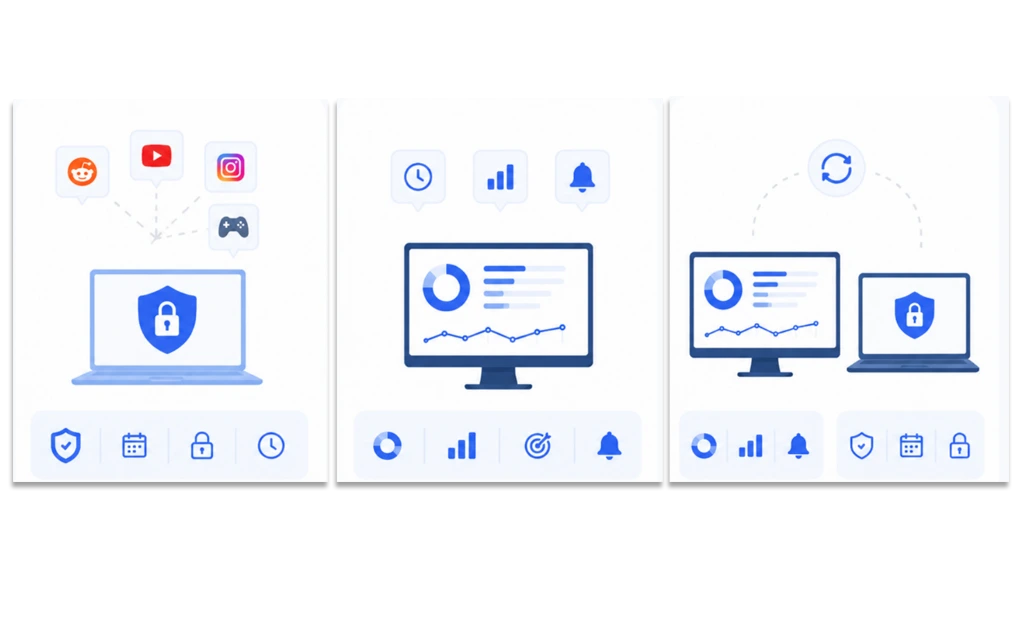
The right tool depends on the problem you are trying to solve: understanding your habits or changing them.
- You already know what distracts you and want to block it.
DigitalZen may fit better here. If Reddit, YouTube, social media, games, or specific apps are the clear problem, direct blocking may be more useful than more measurement. DigitalZen helps users act on known distractions. It does this through blocking, schedules, protection features, and adjustable lock options.
- You want to understand where your time actually goes.
RescueTime may fit better here. Its automatic time tracking, productivity scoring, reports, goals, and alerts can help you see patterns across your day. This is useful if you are not sure where your time is going or want a clearer picture before changing your setup.
- You want both awareness and intervention.
Some users may benefit from using both. RescueTime can help with the review side by showing where time goes. DigitalZen can help with the action side. It blocks the distractions you decide to limit. This setup costs more than using one tool. But it can work for users who want both insight and stronger daily boundaries.
The simple decision is this: choose RescueTime if you need visibility first. Choose DigitalZen if you already know the distractions and want a direct way to interrupt them.
Related Comparisons for Different Angles
DigitalZen and RescueTime are not the only tools people compare when choosing a focus setup.
If strict blocking matters most, it may help to compare DigitalZen with stricter blockers like Cold Turkey. Cold Turkey is known for firm desktop enforcement. DigitalZen gives users more control over how strict the setup should be.
If you are more interested in productivity tools that support healthier work habits, RescueTime and DigitalZen also fit that conversation in different ways.
RescueTime focuses on analytics, reports, and self-awareness. DigitalZen focuses on direct blocking, flexible strictness, and focus support without making the setup feel overly rigid.
Making the Decision Between DigitalZen and RescueTime

The choice depends on what you need most right now: awareness or intervention.
RescueTime may fit better if you want to understand your patterns first. Its productivity scoring, weekly summaries, and category tools can show how your time is being spent. DigitalZen is better if you already know what distracts you and want to act on it. Focus Mode, keyword blocking, and multiple lock types help you block the habit instead of only measuring it.
Both tools are useful, but they solve different problems.
Try the free option first before committing to either. RescueTime has a 14-day trial that reveals whether the analytics actually shift your behavior. DigitalZen has a free Basic tier that includes website blocking, focus mode, and schedulers, plus a 14-day Premium trial for the advanced features.
Understanding a habit can help you see the pattern. Blocking the distraction can help you act on it when awareness alone is not enough. With DigitalZen, you can start now for free and set up your first block tonight.
Frequently Asked Questions
Can I Use DigitalZen and RescueTime Together?
Yes. Some users may benefit from using both tools. RescueTime can help you review where your time goes. DigitalZen can help you block the distractions you decide to limit. Using both costs more than using one tool. But it can work for users who want both awareness and direct intervention.
Is RescueTime a Blocker or a Time Tracker?
RescueTime is best known for automatic time tracking. It also offers productivity insights, reports, goals, and alerts. It also includes Focus Sessions, which can block distracting apps and websites during focus periods.
That makes RescueTime more of an analytics-first productivity tool with blocking support. DigitalZen is more focused on direct blocking, schedules, protection features, and adjustable lock options.
Does DigitalZen Track My Productivity Like RescueTime?
Not in the same way. RescueTime is built for detailed activity tracking, productivity scoring, category customization, reports, and long-term habit visibility.
DigitalZen focuses more on helping users act on known distractions. It offers blocking, Focus Mode, schedules, protection features, and multiple lock types rather than deep productivity analytics.
Which One Is Better for Studying?
DigitalZen may fit better when a student already knows which websites or apps interrupt study time and wants to block them during scheduled sessions.
RescueTime may fit better when a student wants to understand how study time is actually being spent across a week or semester. The better choice depends on whether the student needs direct blocking or better visibility first.
What Is the Difference Between Focus Sessions in RescueTime and Focus Mode in DigitalZen?
RescueTime’s Focus Sessions can block distracting apps and websites for a set period. They are built into a broader system for tracking time, reviewing patterns, setting goals, and improving awareness.
DigitalZen’s Focus Mode is built around direct intervention. Users choose what should stay available, while distracting websites and apps are blocked. DigitalZen also adds protection features and lock options for users who want more control over how strict the setup should be.
References:
- https://digitalzen.app/
- https://digitalzen.app/pricing/
- https://digitalzen.app/linux-website-blocker-app-blocker/
- https://www.rescuetime.com/
- https://www.rescuetime.com/pricing
- https://www.rescuetime.com/features/focus/solo