
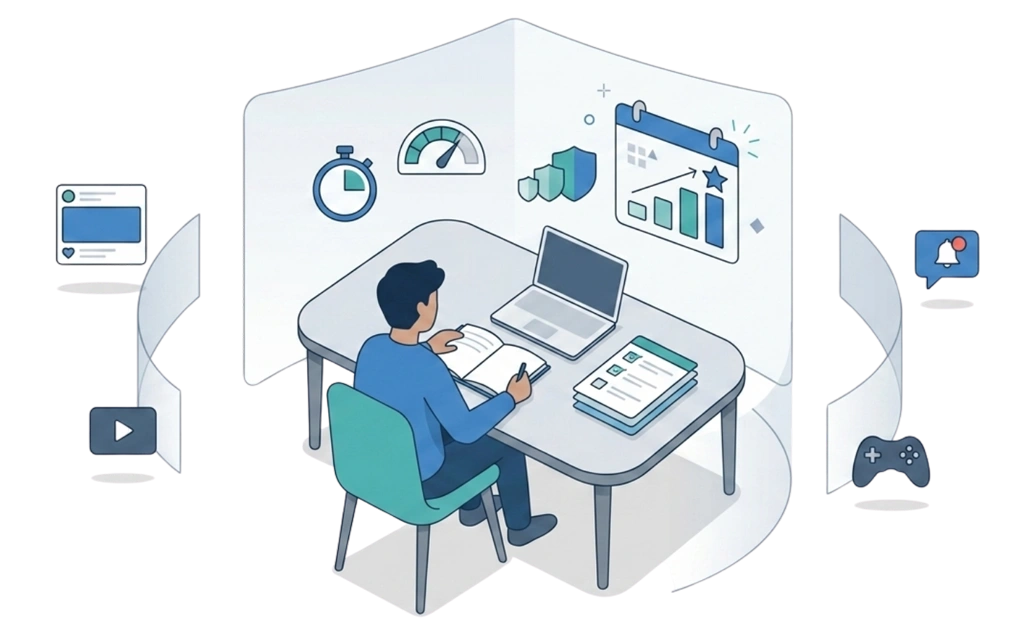
The most reliable exam prep blocking strategy starts two weeks before the test, not the night before. Set scheduled blocks during study hours, cap distractions with daily allowances, and tighten the setup as exam day gets closer. The goal is a system that holds when stress peaks and self-control thins. Pair the block with study techniques that match how exams actually test memory.
Key Takeaways
- Start the block weeks before the exam, not days before: Research on spaced practice consistently shows that distributed study over time outperforms last-minute cramming.
- Escalate the strictness as exam day gets closer: Light blocks two weeks out, tighter caps one week out, and the strongest locks during exam week itself.
- Pair blocking with real study techniques: Focus blocks, time-boxing, and single-tasking all work better when the environment supports them.
- Customize the blocklist to your actual distractions: The same template won’t work for everyone; tailor it to what pulls you in.
- Plan for the bad sessions, not just the good ones: Knowing how to recover after a missed session is part of the strategy, not a sign it failed.
Why Exam Prep Blocking Is Different From Regular Study Blocking
Regular study blocking is for steady study routines. Exam prep is different because the deadline is fixed, the material is heavier, and missed sessions are harder to recover. The same setup that supported you during a normal semester week may not hold the week before a final.
University semesters, finals weeks, and major tests often share the same pattern: more material, less time, and a stronger pull toward avoidance. DigitalZen’s setup for students preparing for exams supports this kind of timeline with scheduled blocking, daily allowances, and adaptive locks.
What changes for exam prep:
- The blocking strictness should rise over time, not stay flat from the first day to the last.
- Study tool whitelisting matters more, since you need access to course sites, references, notes, flashcards, and study tools.
- The cost of a bad session is higher because lost time is harder to recover when the exam date is fixed.
- The recovery plan matters more because real exam prep rarely goes exactly as planned.
Study Strategies That Tend to Work During Exam Prep
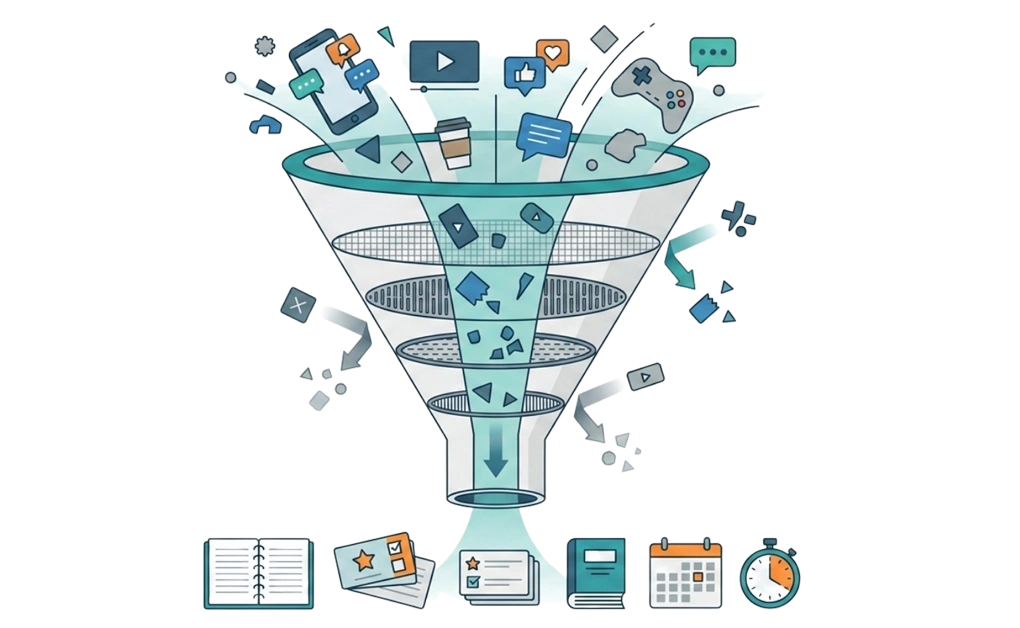
The study technique does the learning work. The blocker protects the boundary, so the technique has room to happen. These five strategies can work alone or together, depending on your schedule, energy, and exam type.
1. Use Focus Blocks That Match Your Study Energy
Focus blocks help because they give you a defined window for one subject. The right length varies by person and by material. A two-hour block can work for students who settle into long sessions. A 50/10 structure can be a useful middle ground. Pomodoro-style 25-minute cycles can help when energy is low or the material feels dense.
The technique is the same regardless of length: pick a duration, choose one subject, and reduce the chance of switching. A phone alarm, a closed door, or a desktop blocker that turns on automatically can all help hold the boundary.
2. Time-Box the Whole Study Week, Not Just Sessions
A weekly planning session can make exam prep easier to follow. Pull up your calendar and assign specific subjects to specific blocks. Instead of “study time,” try “chemistry chapter 7, 2 p.m. to 4 p.m. Monday” or “essay outline, 7 p.m. to 9 p.m. Thursday.”
The benefit is that the decision about what to study happens before the session starts. A scheduled blocker can run alongside the calendar block so the focus boundary is automatic, but the planning itself is what gives the session a clear target.
For Linux students who want a deeper walkthrough of the daily study workflow, how to focus while studying on Linux covers the broader setup beyond exam-specific blocking.
3. Put the Phone Out of Reach Before You Start
Reach matters. A phone face-down on your desk can still pull attention because you know it is there. A phone in a drawer is better. A phone in another room is better still.
This is the cheapest strategy to test. No software, no setup. Try it for one session and notice whether it is easier to stay with the material.
4. Single-Task by Whitelisting Only What You Need With DigitalZen
Multitasking during exam prep can make studying less efficient. Reading a chapter while a chat thread runs in another tab splits attention, which can make retention harder and increase the chance that you need to reread the material. Single-tasking reduces that input problem.
Whitelisting flips the default. Instead of trying to block every possible distraction, you allow only the specific tools you need for one session. For a chemistry block, that might be your online textbook, Anki, and one reference database. Everything else stays off the table for that focus block. DigitalZen’s Focus Mode works as a whitelist, which suits this technique directly.
5. Pair the Block With a Consistent Study Environment
A consistent environment can help create study cues. Same desk, same chair, same lighting, or the same short pre-study ritual can signal that it is time to start. Over time, that repeated setup may make it easier to begin.
This can work without any tools. Pair it with whatever blocking setup you choose, and the habit becomes easier to repeat. The block removes the easiest distractions. The environment supports the routine.
The Two-Week Escalating Block Strategy
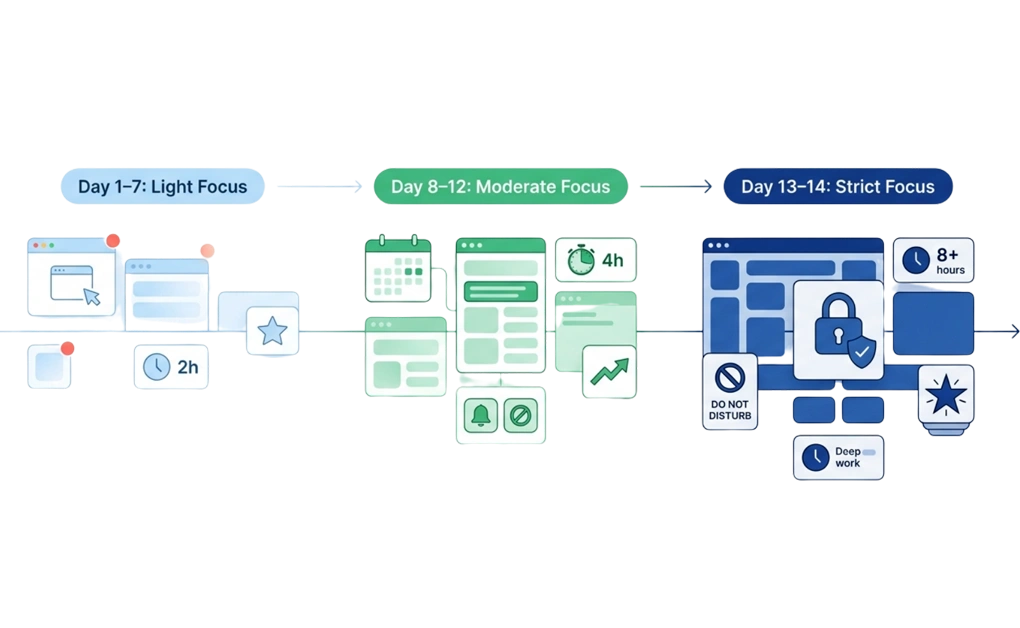
Cramming is usually less effective than spreading study sessions over time. UC San Diego’s psychology department notes that many students do little preparation before an exam and then cram in the final 2–3 days. Spaced practice takes the opposite approach: study consistently over time.
The escalating block strategy follows the same idea. Start with lighter restrictions two weeks out, tighten them as the exam approaches, and use your strongest settings during exam week.
The phases are one practical version of this strategy. Adjust the timeline up or down to fit the exam you are actually preparing for.
Two Weeks Before Exams: Set the Foundation
The goal of the first phase is consistency, not intensity. Build the study routine without making it feel punishing.
Setup checklist:
- Set scheduled blocks during your planned study hours.
- Block social media, gaming, streaming, and news during those hours.
- Whitelist your essential study tools, such as the course site, research databases, Anki, Google Docs, and reference materials.
- Set a small daily allowance, such as 30 minutes, for any social app you do not want to block completely.
- Use a light lock, such as a cooldown lock, if you need extra friction before changing the block.
The block is firm during study hours and looser outside them. The point is to build the habit, not to test your endurance.
One Week Before Exams: Tighten the Setup
The week before an exam is when the setup can become stricter. You already know which distractions are causing the most trouble, so the goal is to reduce those openings.
Setup adjustments:
- Reduce daily allowances, such as moving from 30 minutes to 15 minutes.
- Add a stricter lock type if cooldowns are not enough.
- Tighten the whitelist by removing anything you can live without for one week.
- Extend the scheduled block if your real schedule allows.
The schedule shape can stay the same, but the friction goes up. By the end of the week, the setup should be harder to bypass than it was two weeks earlier.
Exam Week and the Day Before: Use the Strongest Settings
Exam week is when it can be harder to avoid distractions, so the setup should be at its strongest. The goal is not to punish yourself. It is to make your study environment simpler when the deadline is close.
Setup recommendations:
- Use Focus Mode with a minimal whitelist for the tools you need for that specific exam.
- Add the strongest lock that fits your situation. A friend lock can help if accountability makes late-night changes harder to make alone.
- Drop daily allowances to zero or near zero for non-study apps if those apps keep pulling you away.
- Consider a schedule lock until the morning after the exam if you know you are likely to edit the block early.
The morning of the exam is the exception. Many students do not need a strict block then. The night before is usually where the setup matters more.
An Exam Prep Blocklist You Can Customize
Every student’s distraction pattern can look different, but many exam-prep blocklists start with the same broad categories. Use this list as a starting point, then remove anything that is not actually a problem for you.
A customizable exam prep blocklist may include:
- Social media: Instagram, TikTok, X, Facebook, Snapchat.
- Video platforms: YouTube, YouTube Shorts, Twitch, Netflix, Disney Plus, Hulu.
- Gaming: Steam, Discord for non-study servers, gaming subreddits.
- News and aggregators: Reddit outside of study subreddits, news sites with infinite scroll, Hacker News.
- Communication: Group chat apps for non-study conversations, personal email.
- E-commerce: Amazon, eBay, or any shopping site that becomes a procrastination outlet during exam weeks.
DigitalZen includes pre-defined templates for common blocking categories, including social media, so you can start with a template and customize from there. For a broader baseline to work from, a starting list of sites worth blocking covers common distractions across general productivity, not just exam prep.
Customize the list to your real patterns. If group chats are not a problem for you, leave them open. If a particular subreddit is genuinely useful for the subject you are studying, whitelist it. The blocklist that works is the one that matches your actual distractions, not the one that looks complete on paper.
What to Do When a Study Session Goes Off Track
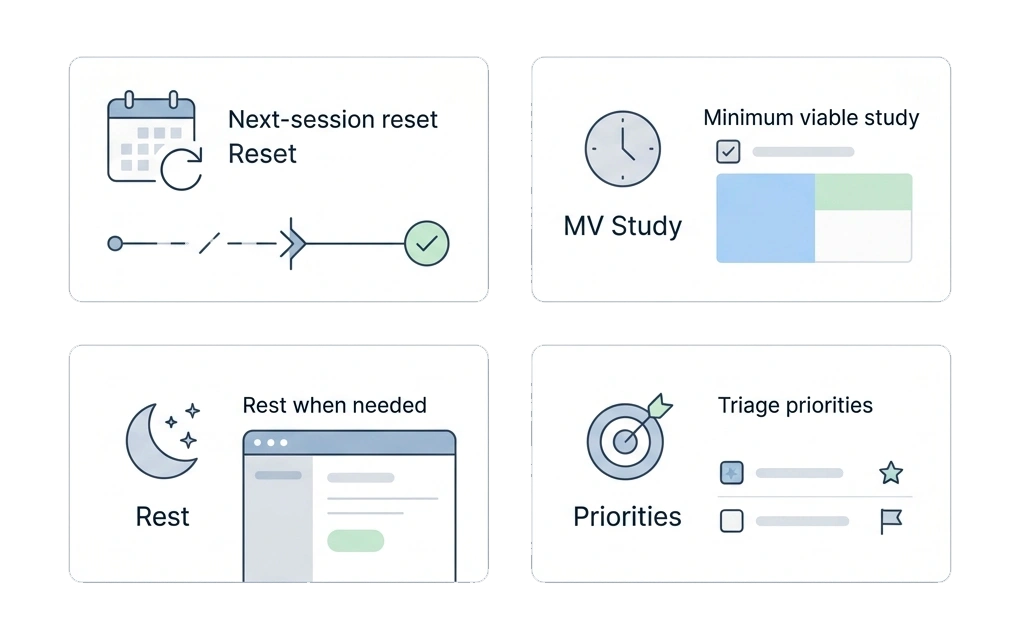
Real exam prep rarely goes perfectly. You may miss a planned session, have a rough night, get sick, or realize the exam covers more than you expected. A backup plan helps you return to the schedule without turning one missed block into a lost week.
Four patterns can help:
- Use the next-session rule: A missed session does not have to ruin the week. Resume at the next scheduled study block, even if it feels like starting over. The goal is to restart quickly, not make up everything at once.
- Choose a minimum viable study day: On low-energy days, ask: “What is the smallest useful study block I can complete?” One 25-minute flashcard review may be better than planning four hours and quitting after ten minutes. There is more on how to stop procrastinating while studying on Linux that applies regardless of which OS you use.
- Know when rest is the better move: Sleep supports attention, memory, and learning. If you have studied for hours and cannot stay with the page, rest may help more than forcing another unfocused session.
- Triage when time runs out: If you have less time than material, focus on what is both likely to be tested and still uncertain. Skip what you already know well. Spend the next study block where it can protect the most points.
The backup plan is not a failure plan. It is the version of the plan that helps on harder days.
A Better Exam Week Starts With an Earlier Setup
A better exam week usually starts with the setup you put in place before pressure is at its highest. Pick one focus structure, such as two-hour blocks, 50/10 sessions, or Pomodoro cycles. Then set a two-week schedule that starts light, tightens as the exam gets closer, and uses the strongest settings during exam week.
The goal is not to create a perfect system. It is to make studying easier to start and harder to interrupt. Use a blocklist template, customize it around your real distractions, and plan for the days when your study session goes off track. For the broader question of how to create a study mode on your computer, the same principles apply beyond exam prep.
With DigitalZen, you can start for free, configure your first scheduled block tonight, and build a study setup that combines focus sessions, blocklists, allowances, and locks before tomorrow morning.
Frequently Asked Questions
How Early Should I Start Blocking Distractions Before an Exam?
Two weeks before the exam is a useful starting point for many courses. Spaced practice research supports studying across multiple sessions instead of cramming right before the test. For larger exams, such as the bar exam, CFA exams, board certifications, or licensing tests, a longer runway of three to four weeks may be more realistic because the material volume is larger.
Can I Use a Distraction Blocker Without Affecting My Study Tools?
Yes, if the blocker supports allowlists or whitelisting. DigitalZen’s Focus Mode can work this way: you choose the course sites, research databases, flashcard apps, notes, and writing tools you need, while other sites and apps stay blocked. This helps you protect study tools instead of blocking the whole computer.
What Should I Do If I Bypass the Block?
Treat it as information about the setup, not as a failed study day. If the block is too easy to bypass, add more friction next time. You might start with a cooldown lock, then try a schedule lock if cooldowns are not enough, or use a friend lock if accountability helps you avoid late-night changes.
How Strict Should the Block Be on Exam Day Itself?
For many students, the morning of the exam does not need the strictest block. The day before often matters more, especially the evening before, when cramming, checking messages, or late-night scrolling can pull attention away from rest and review. A minimal Focus Mode whitelist with a stronger lock can help keep that evening simpler.
Does This Approach Work for Certification or Licensing Exams Too?
Yes, the same structure can apply to certification or licensing exams. The timeline may need to stretch because the material is often larger and the stakes are higher. For very large exams, three to four weeks or more may be a better planning window, but the structure is similar: start early, tighten gradually, and protect the final review period.
References
- https://psychology.ucsd.edu/undergraduate-program/undergraduate-resources/academic-writing-resources/effective-studying/spaced-practice.html